Category Archives: Computers

NUC cannot enter BIOS/UEFI [SOLVED]

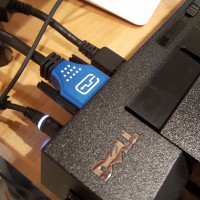
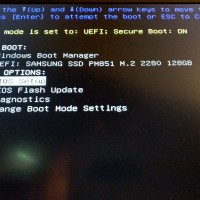
Q. Help! I have a new little Intel NUC computer and I can’t get it to enter the BIOS 🙁 I have a monitor hooked up with HDMI and a keyboard via USB. I checked the keyboard on another computer and it works great, but on the NUC I can never get it to enter the BIOS in time on bootup! Please help! -Richard A. Hi Richard, is that keyboard connected to the back of the NUC? If not, you probably

Fix Dell XPS 13 5GHz wifi speed issues [SOLVED]

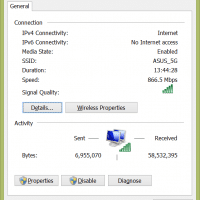
When I first connected my Dell XPS 13 to my ASUS router I was quite impressed by the 893Mbps connection speed. However, a few days later and I could not even see the 5GHz wifi network. 🙁 I was stuck at 144Mbps and not loving it. After experimenting with the drivers, I determined that an automatic driver update had effectively disabled the 5GHz capability of the internal wifi card and that by reverting to the original (stock) Windows 8.1 driver

Dell XPS 13 SSD upgrade to 512GB [2015]

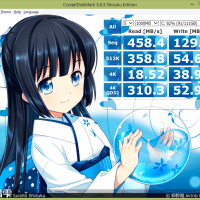
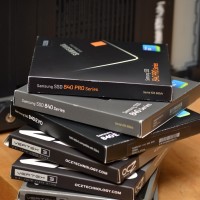
2015/07 UPDATE: for my Dell XPS 13 (2015 infinity display) I completed the 512GB SSD upgrade about 4 months ago and I highly recommend the upgrade! Here are the new performance numbers: ———————————————————————– CrystalDiskMark 3.0.3 Shizuku Edition x64 (C) 2007-2013 hiyohiyo Crystal Dew World : http://crystalmark.info/ ———————————————————————– * MB/s = 1,000,000 byte/s [SATA/300 = 300,000,000 byte/s] Sequential Read : 481.072 MB/s Sequential Write : 436.664 MB/s Random Read 512KB : 329.971 MB/s Random Write 512KB : 392.295 MB/s Random Read 4KB (QD=1) :

SLOW Dell XPS 13 i3 CPU performance [FIXED!]

UPDATE: The latest Dell XPS 13 BIOS version A04 fixed the processor speed issue on my XPS 13, and it no longer requires SpeedStep to be disabled! You can find the download link here: Dell BIOS DL ORIGINAL POST: MARCH 5TH 2015 I recently purchased a new 2015 Dell XPS 13 “Infinity Display” laptop. Dell has been running some coupon specials and last week you could get the model with an Intel Core i3 processor for right around $700 USD.

HP 23xi review (long term review w/reliablity & warranty info)

For the past two years we have been using a number of HP 23xi displays at home and the office. Overall these are some of my favorite monitors. Here are the pros: IPS Reasonable price (~$130 USD when on sale) Energy efficient External power supply (this is nice b/c if the power supply fails, you just replace it… not the entire monitor) Power supplies are readily available (I had two spare laptop/HTPC power supplies that worked fine) Nice looking and

Mini-itx AM1 gaming system w/discrete video card and DC PSU!

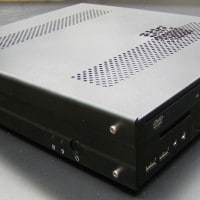
Mike sent me some info and photos of his awesome mini-itx system: I crammed the AM1H-ITX along with a 5350, a Kingston HyperX 4gb DDR3-1600 stick, Slimline DVD-Rom, Microcenter house brand120gb SSD, a couple 40mm fans, and an EVGA GTX 750 2GB (non-ti) into a Travla C158 case. I’m powering it with a DC power brick (part number 316688-001 or spare 317188-001) from either a beefy HP laptop or possibly a docking station. The specs are 18.5v, 6.5a, 120 watts.

Upgrade Yoga 2 13 to SSD

BestBuy sells a nice Yoga 2 13 laptop at a significant discount under the traditional Yoga 2 Pro 13 laptop. However, one of the sacrifices on the lowest end Yoga 2 is that it lacks a SSD. Instead it makes due only with a 500GB HDD 🙁 Thankfully, you CAN add a SSD to the Yoga 2 Pro AND keep the HDD installed as well! All you need for the upgrade is some patience and the correct SSD: M.2 2280

5 monitor setup

My good friend John Odom recently sent me a photo of his current office setup: John absolutely loves his three 23″ Apple Cinema Displays. I originally had one of them in college and then added another in law school. Eventually I traded them to him for some architectural work and he recently added a third to complete his setup. The two LCD TVs in the background are for viewing live reports and surveillance cameras. Overall he has a very nice

« Older Entries Recent Entries »