Tag Archives: lenovo

The History of ThinkPad: From IBM’s Bento Box to Lenovo’s Portable Workstations

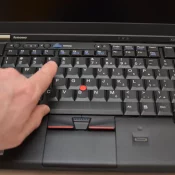
A hand reaching across the keyboard of a ThinkPad X220, with the index finger near the T and 5 keys and the red TrackPoint pointing-stick nub visible just below between the G, H, and B keys. Lenovo logo on the left of the palm rest, ThinkPad logo on the right, X220 model name on the bezel.

Note: this post is published but still in progress. Spot something missing or amiss? Comment at the end šŸ‘. This is a long article. If you just want three paragraphs, this is it: Few laptop families display their lineage as visibly as the ThinkPad. Since IBM introduced the ThinkPad notebook lineup in 1992, the brand has survived more than three decades, a change of corporate ownership, and repeated shifts in what a portable computer is expected to do. Put a

How to Remove McAfee WebAdvisor and That Popup on Windows

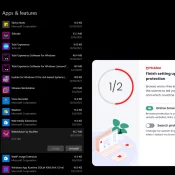
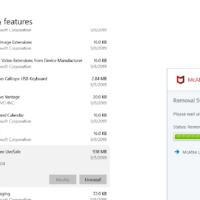
TL;DR: To remove McAfee WebAdvisor, uninstall “WebAdvisor by McAfee” from Settings > Apps & features. You have to SCROLL to find it b/c the “Find a setting” search does not filter the app list. Click through the “we’ll miss you” retention popup and you’re done. I just use Windows Defender as it is much less obtrusive and generally very capable. I booted my Lenovo Legion 7 (16ACHG6) for the first time in a while and was greeted with this not

ThinkPad P14s AI 9 XH PRO 370 w/96GB RAM & LLM benchmarks

Running Big LLMs on a Little Workstation: My Adventures with the ThinkPad P14s Gen 6 AMD I’ve been experimenting with large language models (LLMs) lately, and I wanted to see how far I could push things using a (relatively) inexpensive laptop. Enter the ThinkPad P14s Gen 6 AMD—a slim mobile workstation that set me back about $1,600. On paper it’s not exactly a ā€œsupercomputer,ā€ but with the right configuration (and my go-to tool, LM Studio), it turns out this little

bad shim signature- you need to load the kernel first [SOLVED]

Fixing ā€œBad Shim Signature – You Need to Load the Kernel Firstā€ When Installing Pop!_OS If you’ve ever tried installing Pop!_OS and encountered the frustrating ā€œBad Shim Signature – You Need to Load the Kernel Firstā€ error, don’t worry—you’re not alone! 🤯 This issue usually rears its head on systems with Secure Boot enabled. Luckily, there’s a straightforward fix to get you past this roadblock and on your way to enjoying Pop!_OS. Let’s dive in! 🐧 The Culprit: Secure Boot

Lenovo M14 portable monitor compatibility list

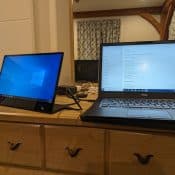
Lenovo M14 and Dell laptop

NOTE: I recommend using a high quality (and relatively short) USB-C cable for best results. When I initially used a generic USB-C cable I did not have success. These are devices that I have personally tested my M14 monitor with: Devices that do work with the M14 display Samsung S23 Ultra (works well, can be used with Dex or in screen mirroring mode) Dell Latitude 7490 (works well) Devices that do not work with the M14 (as of 3/21/24) Acer

Improve Lenovo PC performance, remove McAfee LiveSafe, replace with best Antivirus

Recently we purchased some new Lenovo AIO PCs with Windows 10. These systems have nice Ryzen CPUs, SSDs and plenty of RAM but there is still room for performance improvement! One of the first things I like to is uninstall programs that I do not need. There are a ton of candidates but McAfee LiveSafe is one of the first that I uninstall. It takes up precious resources and nearly a GB of space on the SSD. Uninstalling is quick

How to enter the BIOS on Windows 10 Lenovo Laptops

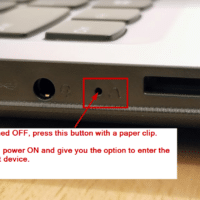
Some recent Lenovo laptops lack a keyboard hotkey to enter the BIOS. Instead, the laptopsĀ utilize a dedicated “Novo” hardware button on the side of the machine. Press the dedicated button to access the BIOS. Here are specific instructions for entering the BIOS or selecting the Boot Menu on a modern Lenovo laptop: Power OFF the laptop Press the Novo button* *it may be on the left or the right side of the laptop Voila, you can now enter the BIOS

Fix bad sound on Lenovo ThinkPad [SOLVED]

If you read my blog you probably know that I am a big ThinkPad fan. Lenovo has continued the classic IBM lineup and now there is a ThinkPad for almost any taste. My current favorite is the Lenovo ThinkPad T470. This 14″ beauty is nearly perfect for work and travel. However, from the factory it does suffer from a (fixable) issue that seems to plague many modern ThinkPads… terrible sound!Ā  Specifically, the sound is extremely echo prone… After listening to

« Older Entries