Category Archives: computer tips

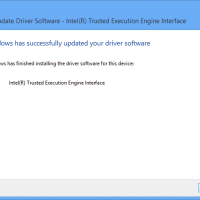
PCI Encryption/Decryption Controller [SOLVED]

Q. I have an unknown device PCI Encryption/Decryption Controller in Windows 8.1, what is the correct driver? A. You need the Intel Trusted Execution Engine driver: (Dell dl link) File name: TXE_Win7_8_8.1_1.1.0.1089.zip Version: 1.1.0.1089 (Latest) Date: 02/20/2014 Size: 34.39 MB Language: English Operating Systems: Windows 7 (32-bit)*, Windows 7 (64-bit)*, Windows 8, 32-bit*, Windows 8, 64-bit*, Windows 8.1, 32-bit*, Windows 8.1, 64-bit* DELL version, Intel® Trusted Execution Engine Driver This package provides Intel® Trusted Execution Engine Driver and is supported

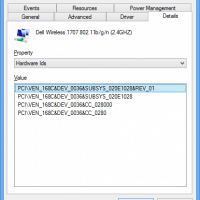
Unknown network adapter PCI\VEN_168 Windows 8 [SOLVED]

Q. I have a Network adapter with device ID PCI\VEN_168C&DEV_0036&SUBSYS_020E1028&REV_01 and I cannot find the correct driver for my Dell laptop with Windows 8.1 A. That is a Dell Wireless 1707 wifi adapter. You can find the appropriate driver for Windows 8.1 here: (dl link) Top Search Terms:pci\ven_168c (47)pci\ven_168 (12)pci ven_168c (5)pci/ven_168 (5)ven_168 (5)pci ven_168 (2)ven_168c (2)dell ven_168 (1)dell ven168c (1)dell 1707 wifi adapter not working (1)

Dell laptop brightness control not working?! [SOLVED]

Description of the brightness control problem If you have a recent Dell laptop and are doing a clean install of Windows 8.1 (and possibly Windows 10), you may encounter an issue where the brightness controls (F11/F12 down/up) do not function properly. Specifically, the buttons pull up the Windows 8 brightness control slider BUT the changes do not take effect 🙁 Solution Thankfully, the fix was simple. Install the latest Intel HD video drivers! As soon as I installed the latest

Enable remote MySQL connections on Turnkey Linux LAMP

I am a big fan of Turnkey Linux. It is great for working on projects locally, though sometimes I need to allow others access to the MySQL server on our LAN. Here are simple instructions for enabling remote MySQL connections and for allowing user access: How to allow remote access to databases | TurnKey GNU/Linux docshttp://www.turnkeylinux.org/docs/database-remote-accesssed -i “s/^bind-address/#bind-address/” /etc/mysql/my.cnf Configure MySQL to accept remote root connections (from any host (‘%’)): (added line breaks for readability) 🙂 Top Search Terms:conect mysql

Mini-itx AM1 gaming system w/discrete video card and DC PSU!

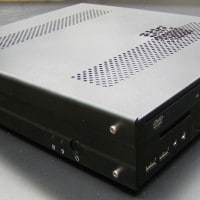
Mike sent me some info and photos of his awesome mini-itx system: I crammed the AM1H-ITX along with a 5350, a Kingston HyperX 4gb DDR3-1600 stick, Slimline DVD-Rom, Microcenter house brand120gb SSD, a couple 40mm fans, and an EVGA GTX 750 2GB (non-ti) into a Travla C158 case. I’m powering it with a DC power brick (part number 316688-001 or spare 317188-001) from either a beefy HP laptop or possibly a docking station. The specs are 18.5v, 6.5a, 120 watts.

How do I enable a new external display on Windows?

If you have a new monitor and it is only showing a blank or black display after being connected, you may need to adjust your display settings: Control Panel -> Appearance and Personalization -> Display -> Screen Resolution Select, ‘Extend desktop to this display’ and hopefully you will be all good! Top Search Terms:how to connect hp elitebook 6930p to a external display (1)

Upgrade Yoga 2 13 to SSD

BestBuy sells a nice Yoga 2 13 laptop at a significant discount under the traditional Yoga 2 Pro 13 laptop. However, one of the sacrifices on the lowest end Yoga 2 is that it lacks a SSD. Instead it makes due only with a 500GB HDD 🙁 Thankfully, you CAN add a SSD to the Yoga 2 Pro AND keep the HDD installed as well! All you need for the upgrade is some patience and the correct SSD: M.2 2280

Fix Chrome blurry fonts on Lenovo Yoga 2 13

One of the first things I do on a new laptop is install Google Chrome. Sadly, Chrome and Windows 8 do not play well on even moderately high-resolution laptop screens 🙁 Case in point, my new Lenovo Yoga 2 13 (not the pro model) has a 1920×1080 13.3″ display which is fairly pedestrian by today’s pixel density standards. Regardless, Chrome fonts look very blurry when compared to IE or most other Win8 applications. Solution: adjust Chrome properties Go to Desktop

« Older Entries Recent Entries »