How to DISABLE grouping Windows File Explorer (Yesterday, Today, Last week, etc)
Q. Can you tell me how to disable file grouping in Windows 10 and Window 11 when I am viewing my Downloads folder?! It keeps putting everything in groups like Yesterday, Last week and stuff and it is driving me crazy because I am trying to sort by file type but it keeps grouping first and I cannot take this anymore!!! -Willie
A. Hey Willie, I think I can help! When you are viewing your download folder, go to:
View (click this option next to File/Home/Share) -> Group by (drop down) -> NONE (select this option)
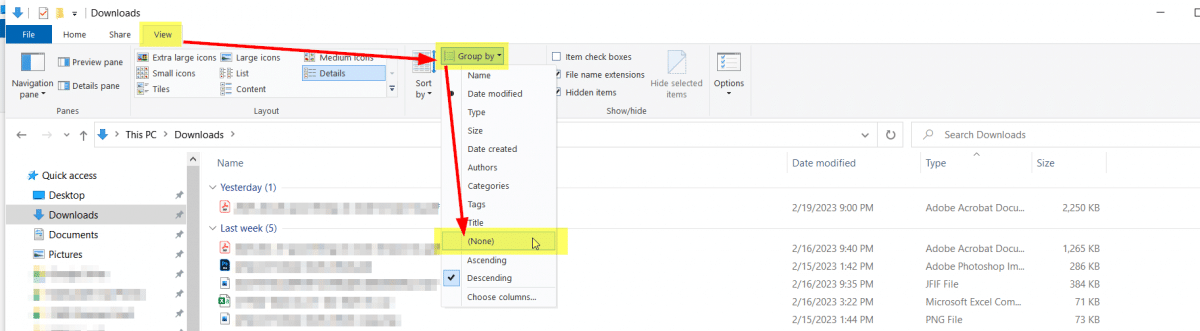
That should result in a completely sortable file explorer window for you:
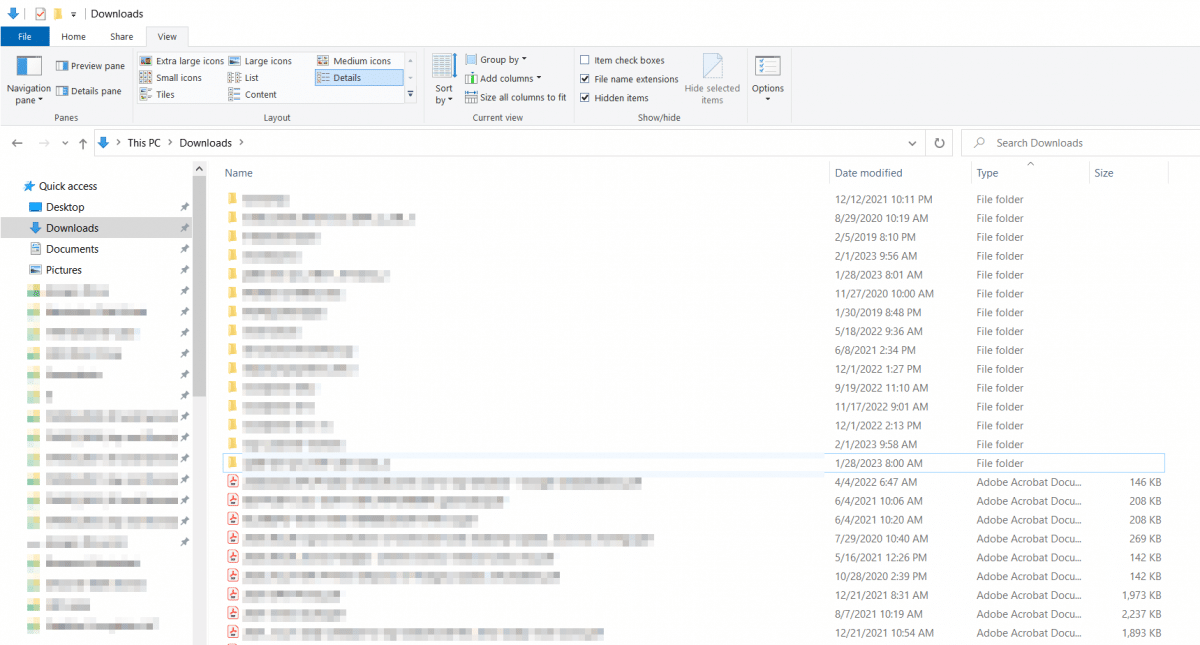
Thanks and have a great day!
That works for all exporer windows except the one that pops up when I need to select a file as an attachment to email. That window still sorts by Today, Yesterday etc., much to my annoyance.
This has do be done repeatedly. The ideal solution would need to happen ONCE.
You make a fair point. The built-in “Apply to Folders” option (Folder Options > View tab > Apply to Folders) can help, but it only applies to folders of the same type and doesn’t always stick in Windows 11. A lot of people have reported the grouping coming back after updates or in certain folder views. 😤
If you want something more thorough, check out WinSetView (free, open-source, portable). It resets saved folder views and sets your preferred defaults across folder types, including file dialogs. It’s not a Microsoft tool, so you’d need to rerun it after major Windows updates, but it’s the closest thing to a true one-time fix that I’ve heard of.
Thanks for the feedback and have a great week! 💪
-J.D.