Tag Archives: laptop

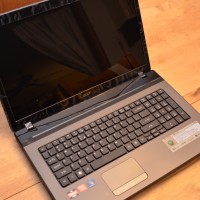
Acer Aspire AS7560 review

Here are my impressions of the Acer Aspire AS7560 laptop: Pros: Decent keyboard, WITH full numpad Supports TWO hard drives… dual hard drive support is quite rare in a machine this inexpensive Responsive trackpad with good two finger scrolling Easy upgrading. Loosening a few screws allows for access to two DDR3 RAM slots and two SATA hard drive bays. Cons: Occasional CPU noise even during relatively low load situations CPU cooling fanis audible during program loading (even FireFox etc.) then

USB long range Wifi options

When your laptop’s internal Wifi just can’t quite get the reception you want, an external USB Wifi adapter (and antenna) can be just the ticket šŸ™‚ Here are a couple intriguing options available from Amazon: Amazon.com: C. Crane US3 Super USB Wifi Antenna 3: Electronicshttp://www.amazon.com/gp/product/B004UR72IM?ie=UTF8&tag=pixensity-20&linkCode=as2&camp=1789&creative=390957&creativeASIN=B004UR72IMProduct Dimensions: 5.2 x 2.5 x 11.5 inches Shipping Weight: 1.4 pounds (View shipping rates and policies) Shipping: This item is also available for shipping to select countries… Amazon.com: Alfa AWUS036H Upgraded to 1000mW 1W 802.11b/g

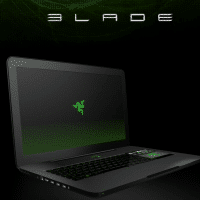
Razer Blade 17″ gaming laptop review

The Razer BladeĀ laptop is one of the most intriguing ‘gaming’ laptops to come along in quite a while. There have been a lot of “hands on” previews posted since the laptop was announced but only recently have real reviews stared to come online. As I find real reviews I will be posting them here along with some comments: Razer Blade review — Engadgethttp://www.engadget.com/2012/02/22/razer-blade-review/Type Gaming Screen size 17.3 inches Screen resolution 1920 x 1080 Processor speed 2.8 GHz System RAM 8

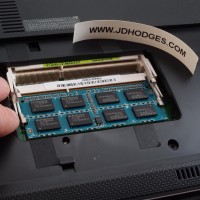
ASUS A53 laptop memory upgrade

If you own one of the nice ASUS A53 laptops you may be wanting to maximize the amount of memory your lovely laptop have. Here is how a photo tutorial showing how to upgrade the RAM on an ASUS A53 notebook šŸ™‚ UPDATE: Many readers have asked what memory I recommend for upgrading the A53 series. My recommendation is 8GB of Kingston memory because it offers a lifetime warranty, solid performance AND it is only about $37 with free shipping!

Bought & Sold: Acer Aspire One A0722 Netbook 11.6″ LCD

The latest entry in the Bought & Sold series…Ā This is where I list items that I purchased and then sold at a later date. Simple enough huh? Here we go… [begin] Acer Aspire One 11.6″ HD Netbook AO722-BZ454 with upgrade to 4GB RAM Excellent condition, FREE fast shipping Condition: This laptop is in excellent condition, checkout the photos! No scratches/problems on the LCD. Everything works well, no problems. Still has the protective plastic sheets in place. Laptop has only had

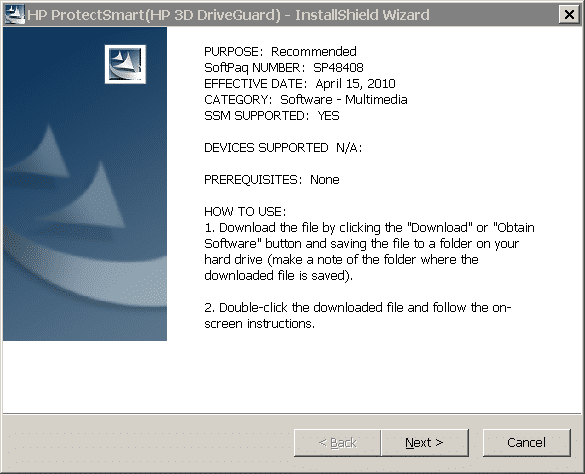
ACPI/HPQ0004 PCI Unknown Device Driver [solved]

Q. Hello, I have a HP laptop showing ACPI/HPQ0004 unknown device and I need to find the right drivers. I saw you helped Dell users with a similar problem… Can you help me with this one too? Here is the deal: Clean Windows 7 install on my HP Pavilion DV6. Every other HP driver is working perfectly and Device manager looks great EXCEPT!!! I have an unknown device with listing ACPI/HPQ0004.Ā Please help as I really want to get the right

Better two-finger scrolling for Windows! (like 2011 MacBooks and MacBook Air)

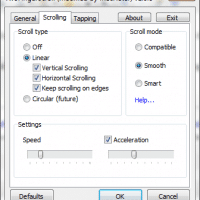
On Windows, missing the MacBook’s nice two finger scrolling… After returning a MacBook Air 11.6″ to Apple, I was surprised that I only really missed the very nice two finger scrolling. Some of the other Apple multitouch gestures were nice, but it was the really the smooth two finger scrolling on that nice trackpad that was so VERY handy and I missed the convenience! My Dell laptops have multitouch capable touchpads that support two finger scrolling. Unfortunately by default they

M6500 hard drive caddy issue (three hard drives or SSDs)

For a few months now I have been using my M6500 with a 120GB SSD for the boot drive and two 750GB 2.5″ hard drives in RAID1 for my data drive. Unfortunately, the hard drive caddy that replaces the optical drive has never quite fit right… only today did I get around to contacting the manufacturer: Hello, I am writing in reference to this caddy that I ordered: http://www.newmodeus.com/shop/index.php?main_page=product_info&products_id=269&zenid=a40e0509f6a549136fc1331174bebbea That 2nd hard drive caddy for my M6500 has never quite

« Older Entries Recent Entries »