Category Archives: Computers

ASRock AM1H-ITX DC power and discrete video card?
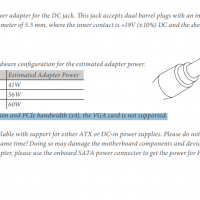
The ASRock AM1H-ITX is a nice little motherboard with the bonus versatility of having a DC power jack for 19V external power supplies -or- the standard 24 pin ATX power connector. Having DC input (barrel connector) as a power option begs the question of just how much power input is supported (i.e. how many watts, or amps at 19V)? As an aside, a NUC power supply is compatible and we know they do not put out much power. Most small
Does AMD’s AM1 platform support triple monitors natively? No.

Kabini only supports two simultaneous displays If you plan on using AMD new’s AM1 platform with a Kabini Athlon or Sempron, be aware that triple display output is not supported. I tried it on my MSI AM1I motherboard just to make sure and sadly only two outputs were usable at a time 🙁 So even if your motherboard has DVI + HDMI + VGA, like mine does, you can only utilize TWO of those outputs at once. Not three. Kind of

Upgrade X220/X230 wifi, WWAN blue/red cables usable?

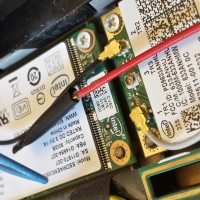
If you are upgrading the wifi card on your Lenovo X220 or X230 ThinkPad, you may only have two antennas (black and white) pre-wired for wifi. If you have a wifi card with three antenna connectors, you may think you are out of luck 🙁 Actually, if your X220 or X220 has an unused red & blue antenna connector (originally for WWAN cellular card) you can use one of those for your upgraded wifi card! 🙂 Please note that the

OSD Lockout message on HP LCD [SOLVED]

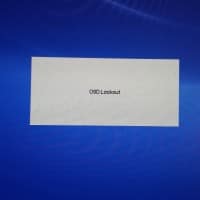
If you have a newer HP LCD monitor like the HP Pavilion 23xi you may encounter the on screen display “OSD Lockout” message when trying to access the OSD (on-screen display). This message locks you out of any adjustments to brightness, contrast, color, etc. and only displays OSD Lockout: Thankfully, to disable the lockout, you only have to press the OSD button for approximately 10-12 seconds and then the normal OSD will appear! 🙂 If you are struggling with the

How to flash BIOS upgrade on MSI motherboard via USB

If you are trying to update your BIOS on a MSI motherboard, like the new MSI AM1I, be aware that there are some requirements. Specifically, if you are using a USB thumbdrive to contain the BIOS update file, make sure you format it as FAT32 and not exfat or NTFS! You can download the latest version here: (dl link) Once you have a FAT32 formatted USB drive containing the BIOS update, you can boot into the BIOS /UEFI (press DEL

AMD Kabini Athlon 5350 review and overclocking

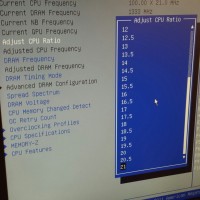
I finished my new AMD Kabini Athlon 5350 build yesterday. Here are the specs: AMD Kabini Athlon 5350 at 2.1GHz (overclocked from 2.05GHz) Stock cooler 4GB Kingston Blu DDR3 memory 64GB Lenovo SSD MSI AM1I mini-itx motherboard Mini-itx case Windows 7 So far I am impressed with the system. It boots in < 10 seconds and is very responsive. CPU OC screenshots: http://www.eteknix.com/amd-kabini-am1-athlon-5350-apu-fs1b-review-winning-sub-60/12/ http://www.silentpcreview.com/article1390-page5.html http://www.overclock.net/t/1480711/various-socket-am1-kabini-apus http://forums.anandtech.com/showthread.php?t=2377334 http://www.anandtech.com/show/7933/the-desktop-kabini-review-part-1-athlon-5350-am1 http://www.tomshardware.com/reviews/athlon-5350-am1-platform-review,3801-9.html Top Search Terms:athlon 5350 overclock (20)kabini overclock (12)amd 5350 overclock (10)athlon 5350 overclocking

Dual monitors on HP Pro 3500 desktop PC? [SOLVED]

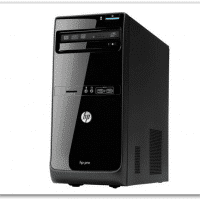
Today I received the following PC question: Yo JD, Can you suggest a video card for us to order? We hired an individual at our office, and we purchased two monitors for his computer, but I don’t think the video card it came with will push two monitors. The computer is a “HP Pro” – stock off the shelf – purchased at a Office Depot type store. The existing video card is a Intel(R) HD Graphics Card. Can you suggest

Samsung 11.6″ Chromebook photos

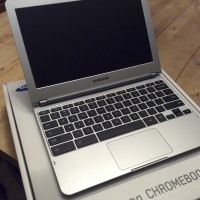
  Brand: Samsung Graphics Processing Type: Integrated/On-Board Graphics Model: XE303C12 Memory: 2 GB MPN: XE303C12-A01US Hard Drive Capacity: 16 GB Product Line: Samsung S Operating System: Google Chrome Screen Size: 11.6″ Type: Netbook Processor Type: Samsung Exynos 5 Dual, Exynos 5 Dual Operating System Edition: Chrome OS Processor Speed: 1.7 GHz UPC: 887276007144     Top Search Terms:887276007144 (1)how is samsung chromebook with photographs (1)

« Older Entries Recent Entries »