Category Archives: Gadgets and Tech

I Asked Claude What Hardware It Wanted. It Told Me.

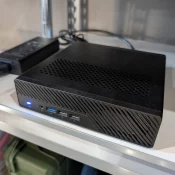
NoteTL;DR Summary: After buying the 32GB / 1TB Minisforum MS-01 from Newegg for $1,016.58 on February 8, 2026 and running it off-grid on solar in rural Missouri, I think it is one of the best Proxmox setups you can build if you care about low idle power, serious networking, and headless management. It has been rock solid and my trusty little box idles around 13W-35W while running Home Assistant, a solar poller, SearXNG, and Open WebUI. For current pricing Check

How to Allocate VRAM on AMD Strix Halo for LLMs and AI Workloads

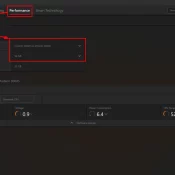
If you have a Ryzen AI Max+ 395 (Strix Halo) system with 128GB of RAM and you’re wondering why your local LLM host (be it LM Studio, Ollama, or whatever) can’t see most of that memory, this is the fix. AMD’s unified memory architecture means your CPU and GPU share the same physical RAM, but Windows needs to be told how much of it the GPU is allowed to use. By default, it’s VERY conservative. More info below and how

Every Apple CPU Compared: M1 Through M5 Max (All Variants)

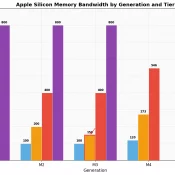
TL;DR: this page is meant to list every Apple Silicon chip from the M1 through the M5 Max, including all the lower-spec binned variants Apple buries in the fine print, with verified specs, practical buying advice, and a dedicated section on which chips can actually run local AI models. Inspired by the popular r/mac comparison table, expanded with official Apple sources, all binned variants, and honest flagging of estimated values. Bookmark it. I will keep it updated. The M5 Max

Samsung Care+ Charge on Credit Card or Bank Statement: What It Is [SOLVED]

Short answer: Samsung Care+ is Samsung’s official device protection plan, similar to AppleCare. If you see a charge labeled “Samsung Care+” on your credit card or bank statement, it is a monthly subscription fee for coverage on one of your Samsung devices. The tricky part? The statement just says “Samsung Care+” with no mention of which device it covers. If you own multiple Samsung products, or if a family member added the plan, that $13 (or $3, $5, $8, $11)

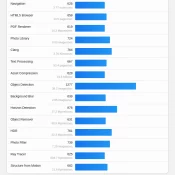
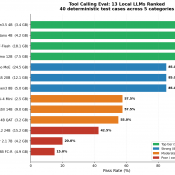
I Tested 13 Local LLMs on Tool Calling: March 2026

I built a deterministic eval harness and tested 13 local LLMs on tool calling (function calling) to find out which models work decently well for agentic tasks. The result that surprised me most: a 3.4 GB model scored higher than everything else I tested, including models five times its size. If you’re running a local AI stack with Open WebUI, LM Studio, or any OpenAI-compatible frontend, tool calling is one of the key features that enables agentic behavior. It lets

Corsair Galleon 100 SD: Left Shift Key Triggers Caps Lock (Known Defect)

I recently picked up the Corsair Galleon 100 SD, Corsair’s new mechanical gaming keyboard with integrated Stream Deck LCD keys. I covered the full setup and first impressions in my earlier review. On paper, it’s a compelling product: Cherry MX-style switches, per-key RGB, and Stream Deck functionality built right into the keyboard. In practice, mine shipped with a defect that made it nearly unusable for serious work. UPDATE: 2026/04/04 My replacement Galleon 100SD arrived yesterday and initially seemed to work

How Do You Set Up the Corsair Galleon 100 SD Keyboard?

The Galleon 100 SD is Corsair’s mechanical keyboard with a built-in Elgato Stream Deck where the numpad would normally be. It’s a slick piece of hardware, but the setup involves a few steps that aren’t immediately obvious out of the box. Here’s what the process looked like for me. Step 1: Connect Both USB-C Cables This is the first thing that caught me off guard. The Galleon 100 SD requires two USB-C to USB-A cables, not one. Both plug into

MacBook Neo: The $599 Mac That Changes Everything (and What It Can’t Do)

Disclaimer: I haven’t been paid by Apple or anyone else to write this. A laptop chip just posted a Geekbench 6 single-core score of 3,461 while drawing about 6.6 watts. For context, the LED bulb in your bathroom probably draws more power than that. The chip is Apple’s A18 Pro – the same one from the iPhone 16 Pro – and it just beat every M1 MacBook Air ever made for single core tasks. In a $599 laptop. 🤯 $599.

« Older Entries