Category Archives: WordPress tips

Test of Blogsy

Testing out the Blogsy iPad app…   So far it is pretty cool. Nice photo uploading and integrated browser. I have not been impressed with the (in)ability to easily and seamlessly deal with linking šŸ™ Also the featured image implementation is not as straightforward as I’d hoped for.     Top Search Terms:blogsy (1)blogsy featured image (1)blogsy for macbook free download (1)blogsy for windows (1)blogsy macosx (1)blogsy windows (1)ipad apps (1)
Google Page Speed Service (speed up your website with Google)

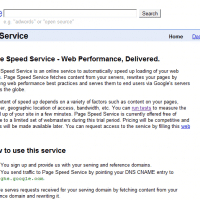
I came across Google’sĀ Page Speed ServiceĀ today, here is the description of their service: Page Speed Service is an online service to automatically speed up loading of your web pages. Page Speed Service fetches content from your servers, rewrites your pages by applying web performance best practices and serves them to end users via Google’s servers across the globe.Ā  […] You canĀ run testsĀ to measure the speed up of your site in a few minutes. Page Speed Service is currently offered free

Good ‘about’ pages on tech sites

While working on adding rich snippet author info to jdhodges.com I needed to wanted to write an improved about page. So I checked out a variety of ‘about’ pages on tech sites to get some ideas on formatting/style etc. Here are a few that I thought were either particularly well done, or that had something unique about them: About Netbooklive.com – NetbookLive.comhttp://www.netbooklive.com/about/This is a website dedicated to mini laptops and portable computers you can easily carry around on your voyages.

Rich snippets in Google and WordPress using GD Star Rating

[this post needs to be reformatted and elaborated on, but for now here are the links that helped me get both AUTHOR and RATING rich snippets working on my blog :-)] VERY nice info on configuring GD Star Rating http://www.makeuseof.com/tag/add-rich-snippets-reviews-wordpress-blog/ Good general overview of the task at hand and all the related info http://yoast.com/rich-snippets-everywhere/ http://www.sakthiganesh.com/integrating-google-rich-snippets-wordpress http://wpprobusiness.com/4390/add-rich-snippets-wordpress/ How to test to see if your rich snippets are formatted correctly and visible to Google http://www.google.com/webmasters/tools/richsnippets Top Search Terms:google snippets wordpress (2)link:http://www.sakthiganesh.com/about-me-sakthi-ganesh -site:sakthiganesh.com

Akismet Privacy Policies Plugin for WordPress

Q. Thank you for the recommendation to install Akismet on my Weblogs.us blog. It has worked to preventĀ spam on my blog. I also saw there is an Akismet privacy policy plugin? -P A. Glad you are enjoying the anti-spam plugin!Ā As for the privacy policy plugin, I had actually never heard of it before you emailed. After some research it appears to generally be geared toward bloggers in Germany, as apparently Akismet (probably due to the way it tests comment content

Best AdSense colors, formats and font sizes (and WordPress)

Here are some helpful resources on the topic, in order from most helpful first to not quite as helpful last šŸ˜‰ #1 My FAVORITE AdSense WordPress plugin It is simple, effective and powerful. But best of all it is FREE! šŸ™‚ WordPress › Quick Adsense Ā« WordPress Pluginshttp://wordpress.org/extend/plugins/quick-adsense/Quick Adsense is an Ads management WordPress plugin. It offers a quicker & flexible way to insert Adsense or any Ads code into a blog post. Besides, it can randomly place the… Tips

Simple Graph Data, WordPress plugin – image error (and minify)

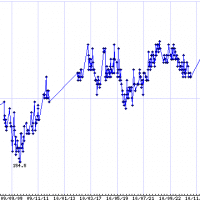
I use the Simple Graph WordPress plugin for displaying graphs on my blog. Normally it works great. Today, however, I noticed that the graph on my weight page wasn’t showing. Since all the data that I’d input looked correct, and not much else had changed with the plugin itself, I expected it was another plugin that was causing an issue. Sure enough, after a bit of testing I found that minify was causing the Simple Graph plugin image output to

Kudos and thanks to Akismet [what to do if your comments are flagged as spam]

What to do if your comments are being flagged as spam?! Try revising your comment: If it is a particular comment/blog that is causing you problems, then you may want to revise your comment (remove URLs and any keywords that may be getting flagged as spam). Sometimes a surprisingly simple revision can help a legit comment get approved when it was previously getting flagged as spam. Nicely contact the blog admin: If your comments are only blocked for a particular

« Older Entries Recent Entries »