Category Archives: computer tips

Upgrade to uTorrent 3.3 Stable? [yes]
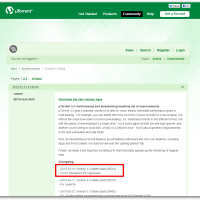
uTorrent has been making some nice performance changes and bug fixes lately, here are the latest: µTorrent 3.3 gets a dramatic rewrite to its disk i/o, which means noticeable performance gains in multi-tasking.  For example, you can delete files from a torrent or move torrents to a new location, but without the usual slow-down in torrent downloading.  Or, download torrents to two different drives, but with the speed of downloading to a single drive. You’ll notice gains at both low
ASUS Q200E hard drive upgrade instructions (replace w/SSD)

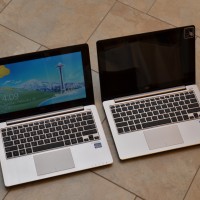
The Q200E is a great little laptop that is generally available for about $449 at Best Buy. The Q200e and the other similar models sold elsewhere (X202E, S200E) are definitely one of the best touchscreen Windows 8 laptop options out there! Unfortunately, they are all shipped with a relatively slow hard drive and the RAM is soldered in. The only other thing the Q200E is lacking is Bluetooth 🙁 EASY PERFORMANCE UPGRADES: You can now replace the slow hard drive

Acer Aspire V3-771G memory upgrade

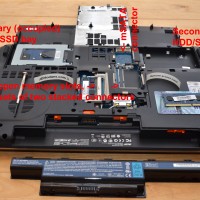
Intro The Acer Aspire V3-771G is a very capable 17.3″ laptop that can often be found for a bargain price if you shop around. However, one of the nicest features about this laptop is its extreme upgradeability. It is an easy machine to work on and with a small amount of work you can have up to 32GB of RAM and dual SSDs (or hard drives). 🙂 For a non workstation machine, this amount of upgradeability is quite rare! Upgrade details To give you

Gmail Blue, TOO advanced?

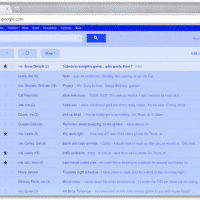
It has been unbelievably hard to use such a groundbreaking product as Gmail Blue and not be able to tell the world about it. Now that the NDA has been lifted, I can finally talk a little about Gmail Blue. Before the full review and benchmarks, which I am sure many other sites will have as well, I feel a word of warning is in order: +Sure, I love Gmail Blue. It really is light years ahead of the competition. Nobody else has that much Blue. Period. -So what

Does the Razer Edge support WiDi? [no]

Q. Does the Razer Edge tablet support WiDi? A. No, it does not. 🙁 Confirmation of that rather disappointing fact: Razer support. Top Search Terms:razer edge teardown (6)razer edge widi (5)+razer edge disassembly (3)razer edge pro widi (2)razer edge wireless (2)wireless display razer edge (1)duplicate displays razer edge (1)does razer edge have blutooth (1)intel wireless display razer edge (1)razer edge laptop teardown (1)

Tablet teardowns

Tablets are pretty awesome, but man can they be a pain to repair! Whereas a simple little notebook like the Acer AO722 requires removal of a SINGLE screw to access key components, something like the iPad mini is an exercise in frustration. 🙁 With that being said, here is a pretty comprehensive look at tablet repairability. Featuring the good (Dell XPS 10, Kindle Fire) the bad (Surface RT) and the ugly (iPad 4, Surface Pro) among others. Very cool stuff and definitely worth taking

Display dimming problem Dell notebooks

I am doing some research on a display dimming problem on my Dell Latitude E6430. Specifically, when using the laptop in a dim/dark environment, the display brightness sometimes varies with a sort of brightness-fluctuation. It can be quite annoying as it is almost like flickering. Perhaps the most frustrating aspect is that it is hard to replicate so troubleshooting can be difficult!  🙁 Other people have similar issues: XPS 15 screen auto brightness – Laptop General Hardware Forum – Laptop – Dell Communityhttp://en.community.dell.com/support-forums/laptop/f/3518/p/19452913/20123083.aspxHi.

DISABLE: Restart Your Computer To Finish Installing Important Updates

If you are reading this page then you have probably been greeted by this every annoying Windows  Update prompt: ‘Restart Your Computer To Finish Installing Important Updates’ Wouldn’t it be nice if we could get rid of this annoying prompt? Thankfully, we can with just a few simple steps: #1 make sure the ‘Restart your computer…” prompt is not showing (i.e. ‘Postpone’ it for 4 hours) #2 start the Windows command prompt with administrative privileges #3 run the following command: net

« Older Entries Recent Entries »