Category Archives: computer tips

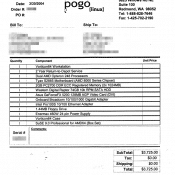
2004 Invoice from Pogo Linux for Vorticon64 PC workstation

Oldschool throwback below! This was my primary workstation during law school. This was when I was really expanding my business (working during law school) and setting the foundation for future growth. It was setup on a huge work table with dual monitors and I accomplished a lot on this system. 👍👍 Tech notes: RAM was upgraded after receipt of system. SSD was eventually added as well but the Raptor was a pretty fast HDD for back then. This was a

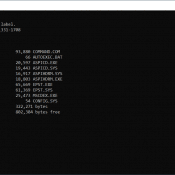
A:\ Floppy Disk Contents

A:>dirVolume in drive A has no label.Volume Serial Number is 1331-1708 Directory of A:\ 05/11/1998 08:01 PM 93,880 COMMAND.COM10/17/1999 03:58 PM 66 AUTOEXEC.BAT02/09/1996 03:50 AM 20,597 ASPICD.EXE02/09/1996 03:50 AM 19,443 ASPICD.SYS11/18/1996 10:51 AM 16,917 ASPIHDRM.SYS11/18/1996 10:51 AM 18,803 ASPIHDRM.EXE06/03/1997 02:01 PM 65,669 EPST.EXE06/03/1997 02:01 PM 61,369 EPST.SYS05/11/1998 08:01 PM 25,473 MSCDEX.EXE10/17/1999 03:59 PM 54 CONFIG.SYS10 File(s) 322,271 bytes0 Dir(s) 802,304 bytes free A:>

Intel Core i7 8550U vs the AMD Ryzen 7 5800U

Recently I was comparing my trusting Samsung Note 9 laptop to a new inexpensive mini PC (Ace Magician Dual LAN Mini Desktop PC). Surprisingly, the Intel Core i7 8550U in the Note 9 actually held up pretty well vs the the newer AMD Ryzen 7 5800U: Based on these differences, the AMD Ryzen 7 5800U seems to be a superior CPU in terms of performance, efficiency and features, while the Intel Core i7 8550U may have some advantages in terms

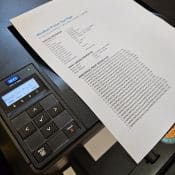
Windows 10/11 Driver Download for Dell C1760nw Color Printer

If you are experiencing the “Driver is unavailable” issue with your Dell C1760nw color printer on a Windows 10 system, don’t worry! There may be a simple solution! You can download the latest Windows 10 driver for your Dell C1760nw color printer from the official Dell website. This driver will fix the “Driver is unavailable” issue and ensure that your printer works seamlessly with your Windows 10 computer. 👍👍 To download the driver, simply visit this page: https://www.dell.com/support/home/en-us/product-support/product/dell-c1760nw/drivers Or if

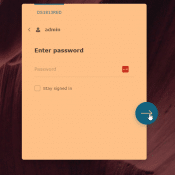
HOWTO Reset Synology DS1813+ login info

If you forget your Synology login info, or if your credentials simply are not working, here are the steps to reset the login to factory defaults. Note: this should only reset the login info, but regardless I recommend backing up your data first if you are able to. Especially if your data is important, please always make 100% sure before doing anything that could endanger your data! Reset administrator login credentials and network settings I hope this helps! 👍👍 References:

“Connect to GOG Galaxy Communication Service was lost and could not be restored!” [Remote desktop issue]

Please note, if you try to connect to a machine via MS Remote Desktop Protocol and start GOG Galaxy then you will likely encounter the following error: “Connect to GOG Galaxy Communication Service was lost and could not be restored!” Unfortunately, there is no resolution for this error other than to manually login to the machine locally (not remote desktop). If the error still persists, I recommend rebooting the PC and trying to start GOG again. Sorry to not have

How to sync time on Windows 10 VM after pause/resume

Recently after restoring a paused VMWare Workstation Windows 10 VM, the VM guest had an incorrect system time. After a bit of checking through options, I was able to get the time updated/synced correctly and it did not even require a pause/resume or reboot 👍😃 Here is where you can enable automatic time sync between host and guest: Player -> Manage -> Virtual Machine SettingsOptions -> VMware Tools features -> Synchronize guest time with host I hope this helps you

« Older Entries Recent Entries »