NUC cannot enter BIOS/UEFI [SOLVED]
Q. Help! I have a new little Intel NUC computer and I can’t get it to enter the BIOS 🙁 I have a monitor hooked up with HDMI and a keyboard via USB. I checked the keyboard on another computer and it works great, but on the NUC I can never get it to enter the BIOS in time on bootup! Please help!
-Richard
A. Hi Richard, is that keyboard connected to the back of the NUC? If not, you probably need to use the front USB port. Some Intel NUCs, especially the early models, seem to only be able to utilize the front USB port for keyboard BIOS/UEFI access. So, please use the following steps:
- Connect a known good USB keyboard to the front USB port
- Power on the system
- Keep pressing F2 to enter BIOS/UEFI
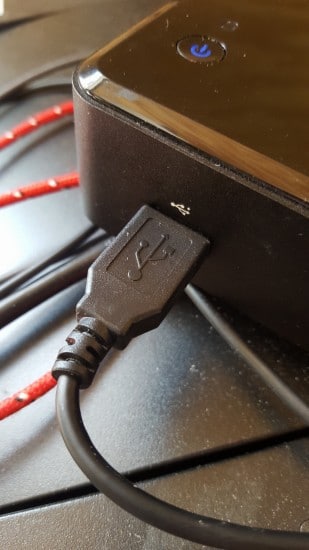
Use the front USB port on your NUC
Hopefully that will do the trick for you!
Best regards,
-J.D.
Followup from Richard:
That did the trick, the FRONT USB port let me get right into the visual BIOS, THANK YOU 🙂
- intel nuc bios (91)
- intel nuc bios key (42)
- nuc bios (41)
- intel nuc enter bios (38)
- nuc bios key (19)
- nuc enter bios (15)
- intel nuc bios access (15)
- intel nuc bios boot (11)
- enter bios intel nuc (9)
- intel nuc enter bios from windows (9)
Doesnt work for me. I have a NUC7i7BNH. I can get it to boot by inserting a bootable USB drive with DOS on. However I can’t do a BIOS recovery that way, only install a new BIOS. Unfortunately I can’t do that since the IFLASH2 command refuses to install the same BIOS verison (the latest one) again.
Is there any way to do a BIOS recovery through DOS?
Hey Ola, I haven’t tried a BIOS recovery through DOS on the NUC7i7BNH specifically, so I can’t say for certain. What I do know is that Intel’s BIOS recovery process is typically different from a regular update, it usually involves renaming the BIOS file to a specific name (often “RECOVERY.BIO” or similar) on a USB drive formatted FAT32, with the system powered off. Check the Intel ARK page or the technical product specification for that NUC model, Intel sometimes documents a “BIOS recovery jumper” or a specific recovery boot procedure that bypasses the normal flash tool. That’s probably your cleanest path.