“Unable to Load Usage Limits” on claude.ai? Use /usage in Claude Code
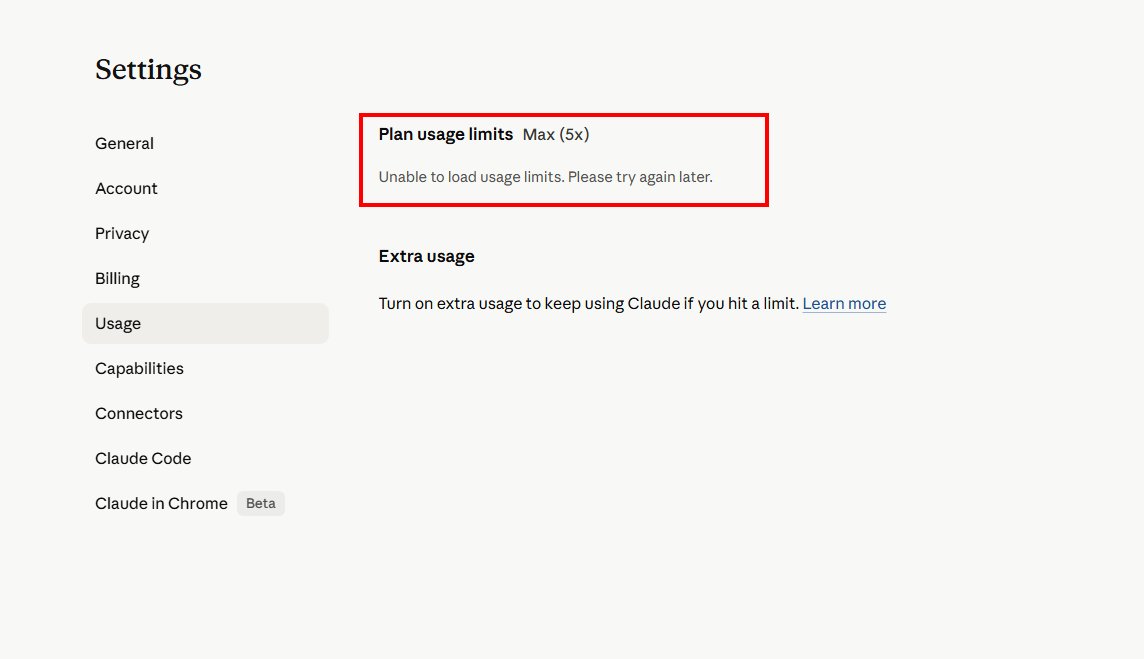
TL;DR: I went to claude.ai/settings/usage this morning to check my Claude Max (5x) plan limits and got a red error box: “Unable to load usage limits. Please try again later.” Anthropic’s status page banner read All Systems Operational, but Settings > Usage was still erroring for me at 7:44 AM Central. The workaround that did work: run /usage inside Claude Code. The session and weekly meters loaded immediately.
What I Saw
I went to check how much of my weekly budget I had left before kicking off a long Claude Code session. The “Plan usage limits Max (5x)” header rendered fine. The numbers under it did not. In their place sat a red error card with one line: “Unable to load usage limits. Please try again later.”
I refreshed a couple of times. Same red box.
The Status Page Said “All Systems Operational”
Anthropic’s status page banner read All Systems Operational when I looked. Fair enough. Big fires get put out.
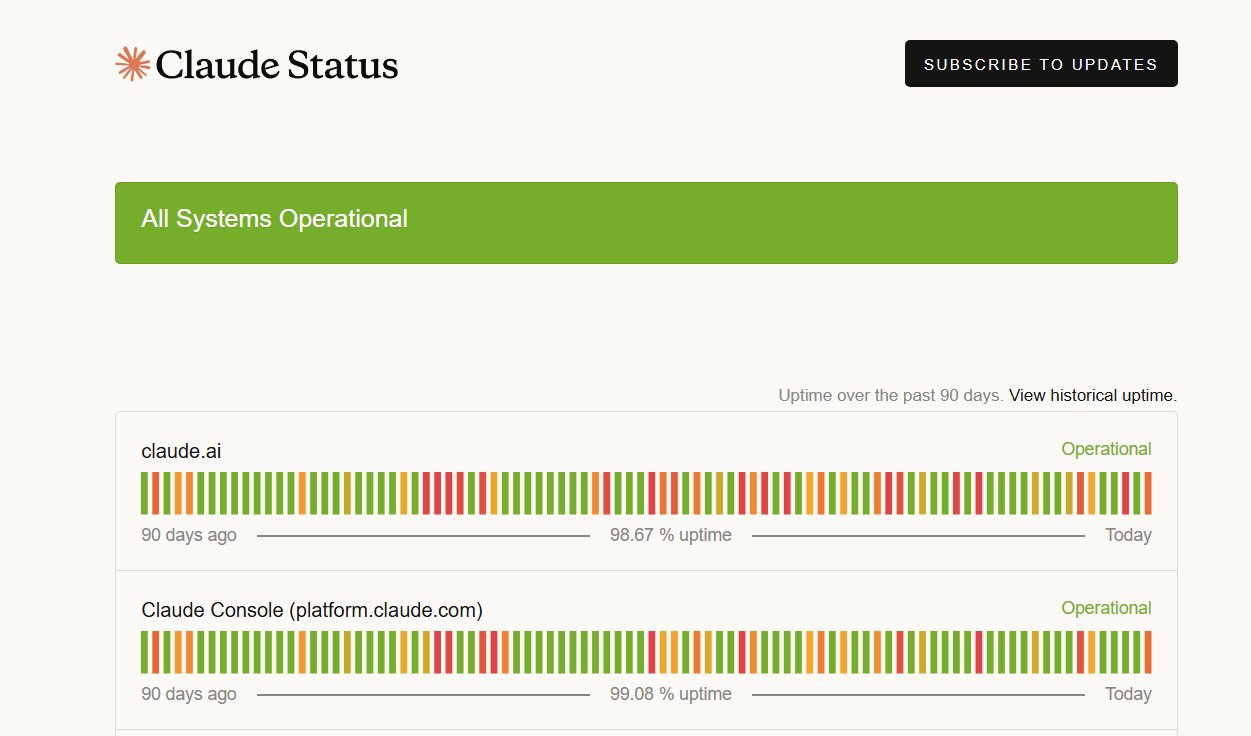
But the same page, when I hovered the most recent bar in the timeline, surfaced a resolved incident from earlier this morning titled “claude.ai and API unavailable”. Investigating posted at 01:20 UTC. Resolved at 01:51 UTC. The incident page lists the affected services as claude.ai, Claude Console, the Claude API, Claude Code, Claude Cowork, and Claude for Government.
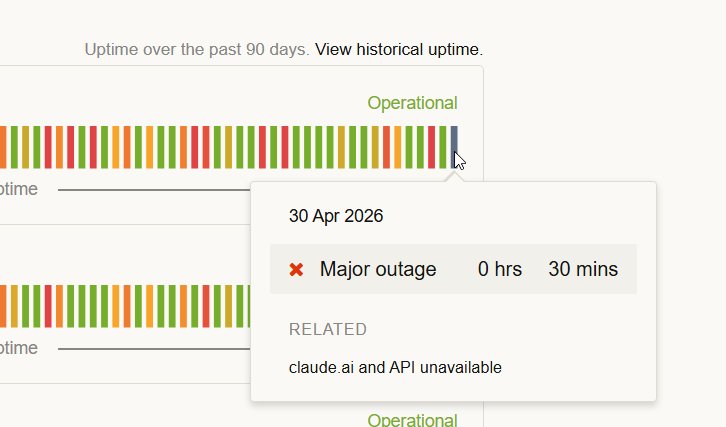
That outage closed about 11 hours before my screenshot. Settings > Usage was still erroring for me when I checked. Maybe your account is fine. Mine was not.
The Workaround: /usage in Claude Code
This is the part I needed at 7:44 AM. Open Claude Code in your terminal or IDE and type:
/usageClaude Code rendered the usage panel immediately.
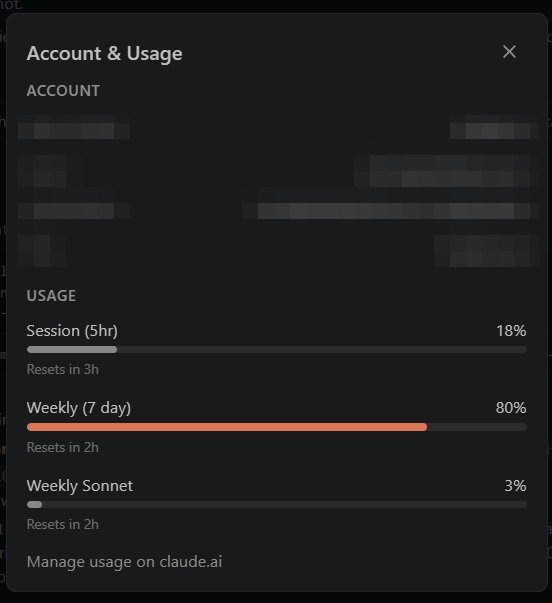
My screenshot showed Session (5hr) at 18% with 3 hours to reset, Weekly (7 day) at 80% with 2 hours, and Weekly Sonnet at 3%. The bottom of the panel has a “Manage usage on claude.ai” link for when the web view comes back.
Per the Claude Code commands reference, /usage shows session cost, plan usage limits, and activity stats. /cost and /stats are aliases for the same command, with /stats opening on the Stats tab. Same command, three names.
If you want to sanity-check your build, run claude --version from your terminal. Mine was 2.1.123 when I took the screenshot.
Why This Matters (At Least to Me)
When you are paying for a Max plan and trying to budget a heavy coding session against the weekly meter, “trust me, you have plenty left” is not a great answer. The /usage panel gives me a number I can plan around, even when Settings > Usage is broken.
Today, the web page threw the red box and Claude Code didn’t. I planned my morning around the 80% weekly reading and got back to work.
Bottom Line
If you see “Unable to load usage limits. Please try again later.” on claude.ai/settings/usage, run /usage inside Claude Code. /cost and /stats will get you to the same panel. Then go back to writing code.
For broader context on Claude’s usage limits in 2026, my earlier post Claude AI Usage Limits: What Changed and How to Make Them Last covers the bigger quota picture.
If you are also fighting rate-limit or tool-use errors, Claude Code Rate Exceeded and Claude Reached Tool Use Limit: The Fix might save you a few minutes.
If Settings > Usage is still showing the red error for you, drop a comment with the time and your plan tier. I will compare it against what I am seeing.
Sources and Further Reading
- Claude Status: claude.ai and API unavailable, Apr 30 2026 01:20-01:51 UTC: incident permalink with timeline
- Claude Code Commands Reference: official
/usagedescription and/cost//statsaliases
Accurate at time of writing. Something off? Drop a comment.
i am getting the same message
your usage command saved me ty
Thanks Josie! I’m glad the /usage command in Claude Code was able to save the day for you 😊. It’s not ideal when the web interface is down, but at least there’s a workaround. I hope everything’s back to normal for you now, and thanks for commenting!
-J.D.