Tag Archives: wordpress

How to Make a Post Sticky in WordPress (Pin to Front Page)
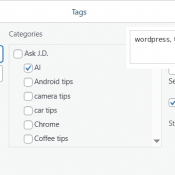
If you want to pin a blog post to the top of your WordPress front page so it always shows up first (regardless of when it was published), WordPress has a built-in feature for that called “sticky posts.” Here’s how to do it and a few things worth knowing. ⚡ TL;DR Go to Posts > All Posts, hover over the post you want to pin, click Quick Edit, check “Make this post sticky”, and click Update. That’s it. The post
WordPress GA4 Setup: Fix Your Analytics After Universal Analytics Shutdown

If your WordPress Blog Stopped Tracking Visitors When Universal Analytics Died… (How to Fix It in 15 Minutes) If you’ve been running a WordPress blog for a while and you set up Google Analytics back in the Universal Analytics days, there’s a good chance your site has been flying blind since Google shut down UA. If you never installed the GA4 replacement tag, your analytics dashboard has been showing zeroes the entire time. I just discovered this on my own

Could Not Update Post in the Database [SOLVED]

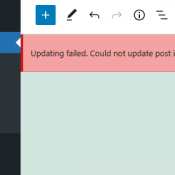
WordPress Gutenberg “Could Not Update Post in the Database” Fix (IONOS, utf8mb3, and Emoji Issues) I ran into a fun one tonight while trying to publish a post to an older WordPress site hosted on IONOS. Figured I’d document it since it took me a few minutes to figure this out and hopefully this saves someone else the trouble. The Problem I wrote a post in the Gutenberg block editor, hit Publish, and got this: “Publishing failed. Could not update

Post-processing of the image failed likely because the server is busy or does not have enough resources. [SOLVED]

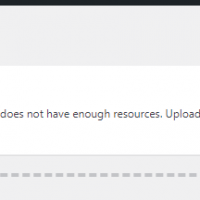
If you encounter the following error: Post-processing of the image failed likely because the server is busy or does not have enough resources. Uploading a smaller image may help. Suggested maximum size is 2500 pixels. and you have tried all the normal solutions (adjusting php.ini, other upload settings) then I suggest checking your plugins for potential issues. Here is the error screenshot: Specifically, I encountered this error when the following plugin was enabled: After you deactivate potentially troublesome plugins, you

youtube Api Could not be loaded ! Please Check and Renew SSL Certificate ! [SOLVED]

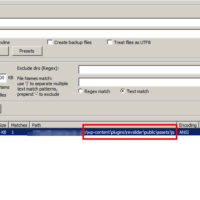
Recently I encountered the following error message on a client’s site: This error is fairly glaring as it covers the video that was meant to be playing. After some research, I was able to narrow the issue to a slider plugin and specifically the following javascript libary: jquery.themepunch.revolution.min.js and another more recent site had the same code in the file: rs6.min.js on both sites, the file was located in: \wp-content\plugins\revslider\public\assets\js\ After reviewing the code, it is evident that the javascript

Adjust WordPress Divi theme footer text [SOLVED]

Question: I am trying to adjust the footer text on a Divi based theme but cannot find it anywhere in the PHP code! How do I adjust the footer text in a Divi (child) WordPress theme? Answer: Good question! You can adjust the footer text via the theme customizer: #1 Login to the WordPress admin area and go to Divi -> Theme Customizer #2 Choose: Footer #3 Choose: Bottom Bar Voila, your theme’s footer text has been edited. I hope this helps! 🙂

Plugin could not be activated because it triggered a fatal error. — WordPress

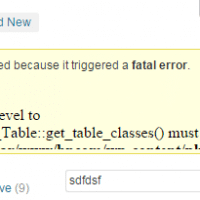
When installing or upgrading a plugin in WordPress, you may get a message like this: Plugin could not be activated because it triggered a fatal error. The specifics may look something like this Fatal error: Access level to WPsite_Firebar_List_Table::get_table_classes() must be public (as in class WP_List_Table) in /xyz/wp-content/plugins/codecanyon-9861906-firebar-notification-bars-for-wordpress/admin/model/list-table.php on line 460 The error is likely due to an outdated version of WordPress. Upgrade to the latest version and your issue will hopefully be resolved 🙂 Top Search Terms:acpi smo8800 driver

« Older Entries