Tag Archives: quicken

Quicken Categorizing Downloaded Transactions Incorrectly? Here’s the Real Fix.
TL;DR: Quicken’s auto-categorization guesses categories based on payee names and often gets them wrong. The fix: disable auto-categorization in Preferences, then set up Renaming Rules and Memorized Payee List entries so Quicken categorizes based on your explicit rules instead of its own guessing. Takes about 60 seconds per vendor. The Problem If you use Quicken Classic for Windows to manage your finances, you’ve probably run into this: you download transactions from your bank, and Quicken helpfully assigns categories to them.
How to Upgrade a Windows 10 VM to Windows 11 in VMware (Complete Guide)

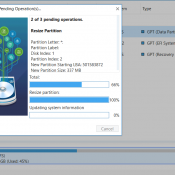
TL;DR: Your old Windows 10 PC or VM (virtual machine) doesn’t meet Windows 11 requirements? It probably needs UEFI firmware, TPM 2.0, and Secure Boot, none of which older PCs and VMs were configured with out of the box. This guide walks through the full in-place conversion for VMware VMs without reinstalling Windows, in about 45 minutes. Many of the concepts (MBR to GPT conversion, UEFI firmware, clearing update policies) apply to physical PCs as well. Microsoft ended Windows 10

How 25,000 Junk Folders Were Breaking My AI Doc Organizer (Garbage In, Garbage Out)

How 25,000 Junk Folders Were Silently Breaking My AI Document Organizer (Garbage In, Garbage Out) Thousands of (somewhat) zombie Quicken folders taken care of via compressing them into one 7z archive: Details: My AI File Organizer Was Fighting 25,000 Phantom Folders (And Losing ๐Ÿ˜œ) For a while, my automated document filer was misbehaving. Scan an insurance card — it suggests filing it in a folder called Q-Final. Scan a bank statement — it wants to put it in Attach. The

Mass Delete Multiple Downloaded Quicken Transactions

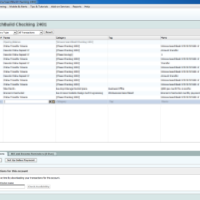
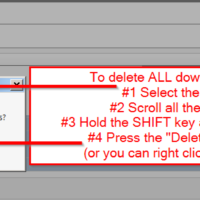
Sometimesย  you may need to delete Quicken downloaded transactions. However, on face value, it appears that Quicken makes it very time consuming to delete downloaded transactions. ๐Ÿ™ย  Thankfully, there is a way to delete more than one transaction at a time! This cuts down on the number of clicks required and will hopefully save you some time. ๐Ÿ™‚ UPDATE: I finally figured out a way to delete ALL downloaded transactions in a Quicken account. I am making this Tip 1

How to schedule recurring payments in Quicken Deluxe

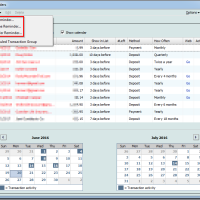
Quicken has a very handy recurring payments function. However, in recent editions they seem to have changed the setup procedure. Here are the most recent steps: Tools -> Manage Bill & Income Reminders [Ctrl+J] -> Create New -> Reminder… ๐Ÿ™‚ I hope this helps! Top Search Terms:nu vot (16)how to schedule recurring payments in quicken (2)how do i add a reoccuring payment to quicken deluux (2)schedule reoccuring payments in quicken (2)how do i schedule retirement benefits in quicken deluxe (1)add

Q. Quicken register two lines [HOWTO] [SOLVED]

Q. I know you use Quicken from some of your other “tip” posts, can you help me with something? Specifically, I added a new checking account to Quicken Deluxe 2015 and the register seems to be stuck at one line-height for the new account ๐Ÿ™ How do I get it back to the old two lines?! Thx! -Tony M. A. Hi Tony, I think I can help! There are a couple of ways to do it: Click the “gear” icon

Recover/copy a corrupt Quicken file [SOLVED]

If you ever have a problem in Quicken where you cannot backup your QDF data file, and you cannot even copy your QDF data file, then you may want to try the following. This allowed me to save my mom’s Quicken data after nothing else worked (i.e. validate/repair did not work) and all the other solutions I found online did not work. This particular problem was caused by bad blocks on a failing SSD, but it could have just as

« Older Entries