Tag Archives: help

Can I buy an Android App and use it on multiple devices? [SOLVED]

Question. Hello, I am used to the Apple App Store where one apple account can buy an app and then it can be used on any iOS iDevice that is tied to that apple account. How does this work on Android? Answer. Good question! It should work very similarly. Instead of an apple account, your apps will be tied to your Google Account. You should be able to install and re-install on any device that you own. This is particularly
Google Refine: a Few Sample Transformations and Helpful URLs

Google Refine is a powerful tool to help cleanup data from a variety of sources. I’m gradually becoming more familiar with it and the powerful transformation tools that it offers. Here are: a few sample transformation expressions, and… sample data the result “=” after the transformation is applied The first example provides labels and explanations, the rest of the examples omit the labels and explanations but follow the same syntax. I hope these are helpful to you! NOTE: there are

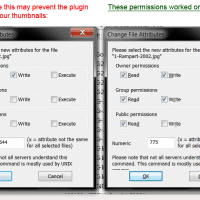
Plugin: Regenerate Thumbnails ERROR undefined [SOLVED!]

Question: I’m a big fan of the Regenerate Thumbnails WordPress plugin, howeve, recently some of my photos aren’t able to have their thumbnails regenerated! All I get is the following error 🙁 Regenerate Thumbnails All done! 0 image(s) were successfully resized in 2 seconds and there were 1 failure(s). To try regenerating the failed images again, click here. To go back to the previous page, click here. Please be patient while the thumbnails are regenerated. This can take a while

Windows 7 ethernet goes to sleep! [solved]

Question. Hello! I have a problem with my network connection in Windows 7. Everything works great until the computer has been at rest for a while, then my ethernet connection drops out! As soon as I move my mouse or keyboard the ethernet comes back on. My laptop is NOT in sleep/hibernate mode when all this occurs! Please help!? Answer. Great question :-). Here’s a potential solution for your Ethernet woes 😉 Go to Control Panel -> Network and Internet

Cancel a GoDaddy domain registration and get a refund

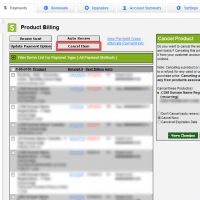
UPDATE: New 2019 instructions for GoDaddy refunds 🙂 Old info from 2009: Yesterday I needed to know how to cancel an inadvertently renewed domain registration on GoDaddy. Here are the instructions I received from GoDaddy: Discussion Notes Support Staff Response Dear Jay D Hodges,Thank you for contacting Online Support. We would be happy to request a refund for your order. However, we will need you to first cancel the item(s) in question within 45 days of the renewal date. Once

Recent Entries »