Tag Archives: ai

Codex CLI feature protip /statusline

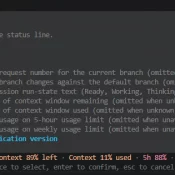
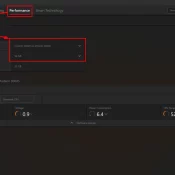
TL;DR: There are a few ways to check your ChatGPT Codex usage, including: the web analytics page (covered in yesterday’s post) and the Codex CLI’s own status line, which can put live 5-hour and weekly percentages right at the bottom of your terminal session. The CLI method is easy to miss if you don’t have it enabled, thankfully it is super easy and configurable with the slash command /statusline. Codex CLI’s /statusline menu. Toggle the items you want, then press

How to Check Your Codex Usage on ChatGPT (Plus and Pro)

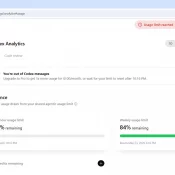
TL;DR: ChatGPT’s Codex has its own usage analytics page at https://chatgpt.com/codex/cloud/settings/analytics, separate from the main ChatGPT settings. You need to be logged into your ChatGPT account first. The page splits your Codex usage into three meters: a 5-hour rolling limit, a weekly limit, and pay-as-you-go credits. Here is an example screenshot: Where EXACTLY Do I Find My Codex Usage on ChatGPT? You have to be logged into your ChatGPT account first. Then paste this URL into your browser: https://chatgpt.com/codex/cloud/settings/analytics Two

The History of ThinkPad: From IBM’s Bento Box to Lenovo’s Portable Workstations

A hand reaching across the keyboard of a ThinkPad X220, with the index finger near the T and 5 keys and the red TrackPoint pointing-stick nub visible just below between the G, H, and B keys. Lenovo logo on the left of the palm rest, ThinkPad logo on the right, X220 model name on the bezel.

Note: this post is published but still in progress. Spot something missing or amiss? Comment at the end 👍. This is a long article. If you just want three paragraphs, this is it: Few laptop families display their lineage as visibly as the ThinkPad. Since IBM introduced the ThinkPad notebook lineup in 1992, the brand has survived more than three decades, a change of corporate ownership, and repeated shifts in what a portable computer is expected to do. Put a

Best Laptop for Claude Code

Claude 3D Printed Logo on MacBook Air M5

Originally drafted April 28, 2026. Still have to add photos. Feel free to comment (at the bottom) if you have any questions! Summary:: If you came here looking for the best laptop value for Claude Code in 2026, you can’t beat the MacBook Air M5 when it’s ~$949 at Amazon for the 16GB / 512GB model, $150 below MSRP with an extremely fast CPU. Jump to: Editor’s Choice | What Claude Code Needs| Mac Picks | Windows + Linux Picks

Best Computer for ChatGPT in 2026

Published April 25, 2026. Updated May 8, 2026. Summary: don’t overspend, if you are an intermediate to lightly advanced CODEX/ChatGPT user I would start with the MacBook Air M5 for CODEX and ChatGPT, especially at ~$949 on sale See current price. It is silent, the 18-hour battery is real-world good, and Atlas, voice mode, and the desktop app all feel native on it. The $599 Neo surprised me most as an ultra budget option 🙂 If you want the fast

How to Allocate VRAM on AMD Strix Halo for LLMs and AI Workloads

If you have a Ryzen AI Max+ 395 (Strix Halo) system with 128GB of RAM and you’re wondering why your local LLM host (be it LM Studio, Ollama, or whatever) can’t see most of that memory, this is the fix. AMD’s unified memory architecture means your CPU and GPU share the same physical RAM, but Windows needs to be told how much of it the GPU is allowed to use. By default, it’s VERY conservative. More info below and how

Gigabyte AORUS RTX 5090 AI BOX w/128GB Framework Desktop: Real-World AI Workstation Setup

5090 eGPU

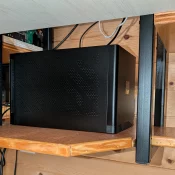
Last year I was able to pick up a killer deal on a Gigabyte AORUS RTX 5090 AI BOX, an external GPU enclosure that packs a full desktop RTX 5090 (32GB GDDR7) into a compact box that connects over a single Thunderbolt 5 cable. My goal was to pair it with the Framework Desktop running AMD’s Ryzen AI Max+ 395 chip and see how well it worked as a portable AI workstation. Short answer: surprisingly well. The Setup: Framework Desktop

Every Apple CPU Compared: M1 Through M5 Max (All Variants)

TL;DR: this page is meant to list every Apple Silicon chip from the M1 through the M5 Max, including all the lower-spec binned variants Apple buries in the fine print, with verified specs, practical buying advice, and a dedicated section on which chips can actually run local AI models. Inspired by the popular r/mac comparison table, expanded with official Apple sources, all binned variants, and honest flagging of estimated values. Bookmark it. I will keep it updated. The M5 Max

« Older Entries