Ricoh GR II Unboxing
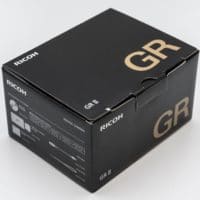
Top Search Terms:rich gr ii box (1)ricoh gr ii blog (1)ricoh gr ii in box (1)ricoh gr ii in the box (1)ricoh gr tips and tricks (1)unboxing ricoh gr ii (1)
Top Search Terms:rich gr ii box (1)ricoh gr ii blog (1)ricoh gr ii in box (1)ricoh gr ii in the box (1)ricoh gr tips and tricks (1)unboxing ricoh gr ii (1)

This is a draft of an eventual roundup of fixed lens APS (or larger) sensor cameras… there are some very nice compact APS and Full Frame cameras here 🙂 [table id=2 /] The Online Photographer: Bunnell: Fujifilm X70 vs. Ricoh GRhttp://theonlinephotographer.typepad.com/the_online_photographer/2016/04/bunnell-fujifilm-x70-vs-ricoh-gr.htmlThe new Fujifilm X70 and its evident inspiration, the Ricoh GR II – Guest post written and illustrated by Ned Bunnell I was intrigued when Fujifilm announced the X70 in January. The press release touted it as a premium fixed-lens…
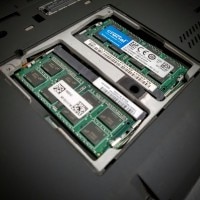
[Scroll to the bottom for a quick video of the upgrade process!] The Lenovo X230 (and its predecessor the X220) are absurdly easy to upgrade. Here is the X230 memory upgrade process: Power off laptop (fully OFF, not hibernate) Remove battery Remove two screws from memory access panel Remove existing RAM by releasing retention clips Securely install new upgrade RAM Replace cover & screws Replace battery and power ON! For the upgrade, I chose Crucial’s excellent 16GB DDR3 RAM kit
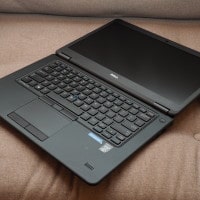
The Dell Latitude E7450 is a capable 14″ Windows laptop. Heavier than an ultrabook, less capable than heavier workstations… it strikes a fairly good balance between portability and performance. My favorite feature is the E-Dock compatibility, allowing for easy multi-monitor use when docked at a desk. The laptop’s keyboard backlight is also very handy when working at night 🙂 Least favorite aspects are limited battery life and only decent keyboard/trackpad/trackpoint. I find that I prefer my classic X220 for typing
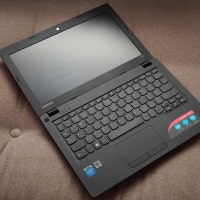
The Lenovo IdeaPad 100s is a reasonably priced lightweight Windows laptop. Unfortunately, limited storage and poor display viewing angles prevent it from being a machine I would use on a daily basis. Specifications: Intel Atom processor Z3735F 2GB DDR3L / 32GB eMMC flash memory 11.6″ LED backlight / Intel HD Graphics Built-in Webcam / WLAN 802.11n / HDMI /USB 2.0 / Headphone / Microphone Windows 10 Top Search Terms:lenovo 100s webcam (2)driver lenovo ideapad 100s-11iby (1)ideapad 100s 11 8r 2009
The EnGenius Technology ECB350 is a very nice access point/bridge that can utilize either a “wall wart” power supply or a 802.3af POE connection for power. Recently I misplaced one of the wall wart power supplies and needed to find/replace it with an approriate model. As such, here are the power supply requirements for the ECB350: Active Ethernet (Power-over-Ethernet, IEEE 802.3af) 48VDC/0.375A -or- Wall Plug In Power Supply: 12V/1A TIP: If you need a replacement power supply, Amazon has them. 🙂 I hope
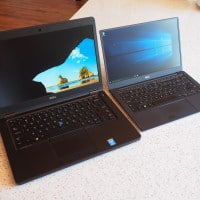
Dell makes some of the best bang for the buck laptops, especially if you buy refurbished or used. Whereas a 2013 Apple laptop will still be very highly priced for the specs, Dell laptops depreciate rapidly. Thus, for $400-$800 you can get a very nice Dell. Likewise, Dell maintenance and upgradeability is also very good. SSD, RAM and WiFi upgrades are generally a piece of cake. I understand that Apple makes a premium product and that they have very high
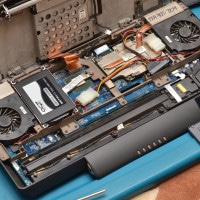
Here are some disassembly photos from a Dell M2010 upgrade. Two upgrades were performed: #1 SSD installation #2 “Always on” fan mod (this alleviates the NVIDIA GPU death issue) Enjoy 🙂 Top Search Terms:dell luggable (1)dell m2010 (1)dell m2010 video card (1)dell m2010 video cards (1)dell xps m2010 2016 (1)m2010 dell upgrade (1)m2010 video fix (1)m2010 video upgrade (1)xps m 2010 ssd (1)