Category Archives: Software Tips

How to take a screenshot on ASUS Chromebook Flip [solved]

Need to take a screenshot on your new ASUS Chromebook? Here is how: Take a screenshot of your entire screen Ctrl + -or- For non-Chrome OS keyboards: Ctrl + F5 Take a partial screenshot Ctrl + Shift + , then click and drag to set your selection. -or- For non-Chrome OS keyboards: Ctrl + Shift + F5   Top Search Terms:https://www.jdhodges.com/blog/screenshot-asus-chromebook-flip/ (3)how to screenshot on asus laptop (2)taking screenshots on your asus chromebook (2)nu vot (2)chromebook screenshot (2)take screenshot chromebook (2)how
Troubleshooting a Ruby production application

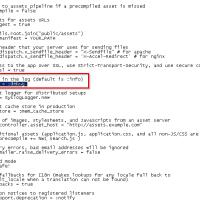
I am by no means a Ruby expert, but I have been tasked with troubleshooting an existing Ruby application. Specifically some end user DB tasks were failing to save records and the application was throwing a generic error message to the user. By enabling debug logging and viewing the Ruby log file, I was able to see that the application was failing when attempting to send an email confirmation,Ā then it would roll back all the DB changes since the overall

Deleting system/protected/recovery partitions from SSD [SOLVED]

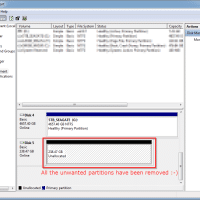
The various system vendors (Dell, Lenovo, HP, etc.) generally use a large number of partitions on their SSDs and HDD. Here is an example from a recent Windows 10 laptop with a 256GB m.2 SSD boot drive: Partition 1 Recovery Partition 2 System Partition 3 OEM Partition 4 Reserved Partition 5 Primary Partition 6 Recovery Wow, that is a ton of partitions! Normally that many partitions is not a big deal, but if you want to quickly re-purpose an old

ScanSnap internal error occurred 0x1001 (s300, ix500, etc.) [SOLVED]

Are you getting a ScanSnap internal error occurred 0x1001 error message? After months of trouble free usage when saving to folder, I had that error pop-upĀ šŸ™ Thankfully, I did the following steps and everything is back to normal: How to fix the error #1 Try to save to Google Drive or one of the other options and verify that you canĀ complete the save (I was able to save to Google Drive) and this means the scanner is working properly #2

Q. Quicken register two lines [HOWTO] [SOLVED]

Q. I know you use Quicken from some of your other “tip” posts, can you help me with something? Specifically, I added a new checking account to Quicken Deluxe 2015 and the register seems to be stuck at one line-height for the new account šŸ™ How do I get it back to the old two lines?! Thx! -Tony M. A. Hi Tony, I think I can help! There are a couple of ways to do it: Click the “gear” icon

Adobe Creative Cloud uninstalled with errors

Recently I uninstalled Adobe Creative Cloud and the process was ratherĀ interesting: First I had to uninstall any individual applications (like Adobe Photoshop, otherwise CC would not uninstall), next I had to uninstall Adobe Creative Cloud (and it said it encountered errors), lastly I had to reboot and uninstall Adobe Creative CloudĀ again (and this time it was successful). Normally a reboot isn’t a big deal, but in this instance I had a multi-TB file transfer that still had about 5 hours

MS Windows 10 Pro Upgrade refund [SOLVED]

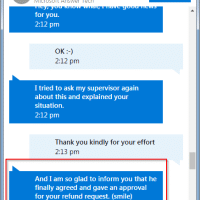
Recently I purchased an Acer Aspire R14 from Best Buy. It shipped with Windows 10 Home and I purchased the Windows 10 Pro upgrade via the Microsoft/Windows Store for $99. Unfortunately, the laptop failed and I had to return it. That meant that I was out the $99 I spent for the Win 10 Pro upgrade šŸ™ Thankfully, MS’s tech chat support was able to resolve the issue. The complete transcript, with details redacted, is posted below. Here are three

Update Genius greyed out in iTunes [SOLVED]

Genius is one of the few reasons why I like iTunes. Unfortunately, this eveningĀ my iTunes installation would not up update Genius. I tried a few suggestions from the web but none of them worked.Ā šŸ™ For me, what did work was updatingĀ my iTunes installation to the latest version. After the iTunes update, allĀ menu options were available again šŸ™‚ Top Search Terms:genius greyed out (2)genius playlist greyed out (2)why is guinness suggestions greyed out (1)how to update genius itunes (1)genius suggestions on

« Older Entries Recent Entries »