Category Archives: Software Tips

Prevent iTunes from moving songs when adding to Music Library [SOLVED]
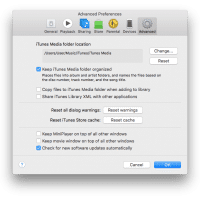
iTunes exhibitsĀ a potentiallyĀ problematic behavior when adding songs. Specifically, when you add songs to an iTunes music library. By default iTunesĀ copies songs to the “iTunes Media folder. This can be rather wasteful as you can end up with a ton of space used by the duplicate media, potentially eatingĀ up a huge chunk ofĀ your SSD/HDD space. šŸ™ Thankfully, this behavior can be adjusted easily. šŸ™‚ Here is the spot to make the change: iTunes -> Preferences -> Advanced
Get Windows Movie Maker for Windows 10

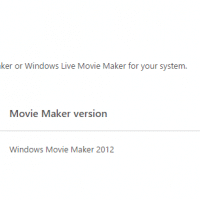
Microsoft’s Windows Movie Maker is a surprisingly useful tool for simple video conversion and re-sizing. While it has not been updated for a number of years, it is still supported in Windows 10. Specifically, Microsoft recommends movie maker version “Windows Movie Maker 2012” for use on Win10. You can download that version directly from Microsoft: dl link NOTE: the onlineĀ installer above seems to beĀ fail periodically when the windows essentials catalog is down.Ā If you get an error likeĀ this: Then you make

Disable Skype Voicemail

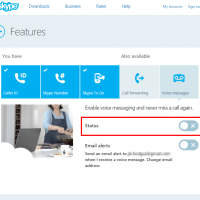
I do not care for Skype’s voicemail feature. I much prefer Google Voice or other similar services. Oddly, I have been unable to find a way to disable the voicemail via the Skype app for Android. However, if you login to the Skype.com site you can disable voicemail at the following page: https://secure.skype.com/account?page=voicemail Woot! šŸ™‚ PS here are a couple screenshots showing voicemail enabled and then DISABLED: Top Search Terms:[keywprd] (1)

FileZilla message windows font size TINY [solved]

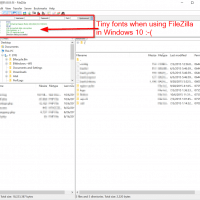
If your FileZilla fonts areĀ TINY when using Windows 10, like this: Then here are the steps to resolve the font size issue: #1 Go to: Control Panel\Appearance and Personalization\Display -> Change only the text size #2 Adjust the various font sizes to your liking #3 For the FileZilla message font to also be updated, you may need to upgrade to the latest version of FileZilla* *Until I upgraded my FileZilla version (mine was OLD) the changes to Windows 10 font

Increase font size in Windows 10 Command Prompt

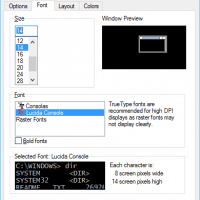
I recently upgraded my primary work laptop to Windows 10. The upgrade has been nice, but my Command Prompt fonts were way too small šŸ™ Thankfully, after a little fiddling I was able to adjust the console font to my liking: I hope these steps are useful to you too šŸ™‚ Top Search Terms:increase size of text in win 10 cmd (2)windows 10 command prompt font too small (2)increase font size command prompt windows (1)increase command prompt font (1)in cmd

Canon D530 printer drivers for Windows 10 [download]

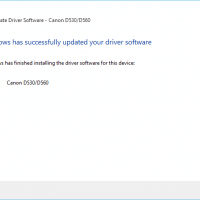
UPDATEĀ August 29th, 2020:Ā  Canon changed their driver link on their site, here is the new link to the D530 driver page at Canon.com The URL above lists both the scanner driver and the printer driver. I recommend installing the printer driver first. Also, if you have trouble with the Canon link, the download links below still work! šŸ‘šŸ˜Ž When I upgraded my laptop to Windows 10 (64-bit) and connected my Canon D530 laser printer, Windows could not find the driver

This app can’t run on your PC Windows 10 [SOLVED]

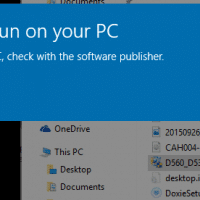
If you receive an error message like this: This app can’t run on your PC To find a version for your PC, check with the software publisher. Close Then you may want to try re-downloading the installation files. 9 times out of 10, this seems to be the issue. In the above instance, the original installation exe was around 9MB. After redownloading, the completed download size was 30MB. Running the new complete download worked perfectly. So, if you get the

VMWare Tools font size problem [SOLVED]

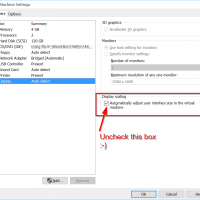
Q. Please help, every time I try to set my VM font size to the right size, VMWare gives me this message: VMware Tools has modified the user interface size settings. You must log off to apply these changes. Close all applications and press OK to log off now, or press Cancel to log off later. It then promptly resets the size to the size that I do not want. šŸ™ Do you know how I can fix this?! -Waylon

« Older Entries Recent Entries »