Category Archives: Ask J.D.

Resolving External USB HDD Mount Issues on Synology NAS (exFAT) (1813+ and others)

Resolving External USB HDD Mount Issues on Synology NAS (exFAT) If you’ve recently connected an external USB HDD to your Synology NAS and encountered an error message like “System failed to mount external device [USB Disk 1] partition [1]”, you’re not alone. This issue often arises when the external device is formatted in the exFAT filesystem, which requires additional support on Synology systems. In this post, I’ll guide you through identifying the issue and implementing a simple solution using the

Topaz Video AI 5 Mac Mini M4 benchmarks

Topaz Video AI v5.3.6 System Information OS: Mac v15.01 CPU: Apple M4 32 GB GPU: Apple M4 21.333 GB Processing Settings device: 0 vram: 1 instances: 1 Input Resolution: 1920×1080 Benchmark Results Artemis 1X: 07.97 fps 2X: 04.57 fps 4X: 01.57 fps Iris 1X: 13.16 fps 2X: 02.89 fps 4X: 00.92 fps Proteus 1X: 08.80 fps 2X: 05.25 fps 4X: 01.54 fps Gaia 1X: 02.36 fps 2X: 01.70 fps 4X: 01.19 fps Nyx 1X: 01.49 fps 2X: 01.28 fps Nyx

How to Reverse/Fix Scroll Wheel Direction on a Mac Mini M4 (and Pro)

If you’re new to a Mac Mini M4 or recently switched from a Windows PC, you might find the default scroll wheel direction on macOS a bit counterintuitive. Apple’s “Natural” scrolling mimics the motion of a touch screen, which may feel odd for traditional mouse users. Fortunately, reversing the scroll direction is quick and straightforward. Here’s how to do it: Step 1: Open System Settings Step 2: Navigate to Mouse or Trackpad Settings The next step depends on whether you’re

2026 VMWare Workstation Pro 17 download [SOLVED]

Update (Feb 2026): The original download link below no longer works and has been removed. Since Broadcom acquired VMware, a LOT has changed. Here’s the updated info: The Big News: VMware Workstation Pro is Now FREE VMware Workstation Pro no longer requires a license key. It’s free for commercial, educational, and personal use. When you install it, you’ll be asked for a license key — just click Finish to skip it. The latest version is 17.6.4 (Broadcom is also introducing a new naming convention: 25H2). Direct Downloads

Combined two unallocated 2TB partitions into 4TB [SOLVED]

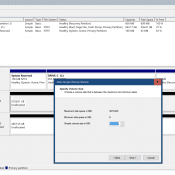
Recently I started to repurpose a 4TB 2.5″ SATA SSD but ran into an issue utilizing the entire SSD. Specifically, even after deleting the existing partitions I could only allocate ~2TB and ~2TB (as shown on Disk1 below) Eventually, I realized that the issue was the drive had been setup as MBR instead of GPT. Here are the steps to remedy that and create a large contiguous 4TB partition. First the screenshot shows the steps, then the commands are listed

Photoshop keeps moving the wrong layer [SOLVED]

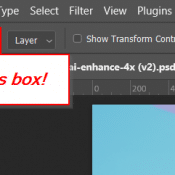
Recently when using Photoshop 2024 to move some small rasterized calendar text with a transparent background, Photoshop kept moving the wrong layer. Specifically the layer behind the object that I wanted to move. I checked that I was on the correct layer (and I was). Finally I realized that “Auto-Select” was checked in the move tool options dialog. After unchecking that, all was well! Short summary: if you are having difficulty getting photoshop to move the correct layer, try checking

AMD Ryzen 3700X (Desktop) vs AMD Z1 Extreme (Ally portable)

Hands-On Experience: Ryzen 3700X Triumphs in Handbrake Encoding Over Asus ROG Ally’s Z1 Extreme CPU While compressing some video recently, I conducted a hands-on test to compare two contenders in my personal collection: my trusty desktop PC powered by an AMD Ryzen 3700X CPU (released in 2019 almost 5 years old!), and the compact portable powerhouse, the Asus ROG Ally mini gaming system (released 2023), equipped with an AMD Z1 Extreme CPU. The battlefield chosen for this performance duel was

« Older Entries Recent Entries »