Category Archives: computer tips

S200E/X202E/Q200E trackpad discussion

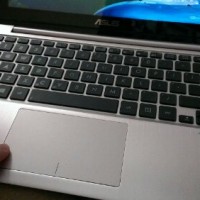
The trackpads on these laptops are quite the topic of conversation! Out of the box they can be fiddly and troublesome, but with a driver update they become quite good 🙂 More info below: Amazon review comments (re:trackpad tips) NotebookReview forum thread   Top Search Terms:s200e touchpad driver (3)s200e trackpad (3)x202e touchpad (3)x202e trackpad drivers (2)how to invert x202e trackpad (2)x202e trackpad (2)x202e touchpad drivers (2)problema touchpad asus q200e (1)jdhodges.com asus q200e (1)asus x202e trackpad drivers (1)

Windows 8 swipe from left problem on touchpad / laptop [solved]

Q. I have a brand new Asus laptop with all the latest drivers but one thing is DRIVING ME CRAZY! When I am dragging something around using the trackpad or even just scrolling sideways sometimes my laptop randomly switches apps 🙁 I am running Windows 8 and any help is appreciated!!! –Ambra D A. Thank you for your question Ambra, I believe I know what is happening and how to solve your problem: Your trackpad is inadvertently triggering the Windows 8 ‘swipe from

The difference between S200e and X202e and Q200e? [answered]

Q. What is the difference between the Asus S200e, X202e and Q200e VivoBooks? A. They are very similar laptops, but there are a few differences. Here is the relevant info, originally posted in my complete SSD performance upgrade guide for these models! Model listing: X202E (it even comes in pink now!),  S200E, Q200E UPDATED! They are all identical in basic construction, the differences are in the CPUs, bluetooth capabilities, and bundled accessories. Specifically: X202E +Intel Core i3-3217U 1.8 GHz, 3rd Generation Core Processor +Intel HD4000 Graphics

BCM20702A0 Lenovo drivers for Windows 7 & 8

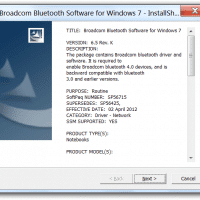
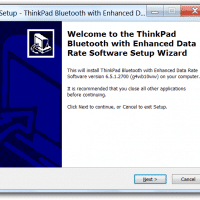
Q. Hello, I have a Lenovo Thinkpad laptop with an Unknown Device that has ‘BCM20702A0’ listed on it… do you know what driver I should use to fix it? A. Here is the Lenovo driver that should solve your Thinkpad’s BCM20702A0 Unknown Device issue: [local mirror in progress], Lenovo dl link Win 7(x86 and x64), Lenovo dl link Win 8 (x86 and x64)   BCM20702A0 device driver installation screenshot: Supported Laptop/Notebook models: Software name: ThinkPad Bluetooth with Enhanced Data Rate Software ThinkPad L420,

Disable Network Boot in VMWare!

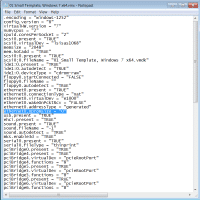
The VMWare PXE network boot screen can be rather annoying: Here are the steps for disabling network boot on a Windows 7 VM host (or Windows 8 host) and a Windows 7 guest OS: #0 Power off your virtual machine #1 Use notepad (or your favorite text editor) to edit your virtual machine’s .vmx file For example, my VMX file for this particular VM was located here: C:\Users\JD\Documents\Virtual Machines\01 Small Template, Windows 7 x64\01 Small Template, Windows 7 x64.vmx #2

List of MD5/SHA1 hashes for various Windows OS ISOs

Windows Server 2008 Windows Server 2008 R2 Volume License (VL) English Name: 7600.16385.090713-1255_x64fre_server_en-us_VL-GRMSXVOL_EN_DVD.iso Size: 2,996,799,488 bytes SHA1: AD855EA913AAEC3F1D0E1833C1AEF7A0DE326B0A Windows 7 Windows 7 Ultimate 64-bit: Name: 7600.16385.090713-1255_x64fre_client_en-us_Retail_Ultimate-GRMCULXFRER_EN_DVD.iso Other name: en_windows_7_ultimate_x64_dvd_X15-65922.iso MD5: F43D22E4FB07BF617D573ACD8785C028 SHA-1: 326327CC2FF9F05379F5058C41BE6BC5E004BAA7 CRC: 0x1F1257CA / CRC32: 1F1257CA Windows 7 Ultimate 32-bit: Name: 7600.16385.090713-1255_x86fre_client_en-us_Retail_Ultimate-GRMCULFRER_EN_DVD.iso Other name: en_windows_7_ultimate_x86_dvd_X15-65921.iso SHA-1: 5395DC4B38F7BDB1E005FF414DEEDFDB16DBF610 CRC: 0xC1C20F76 Windows 7 Professional 64-bit: Name: en_windows_7_professional_x64_dvd_x15-65805.iso SHA-1: 50127304441A793EE51B3F501289F6599A559E9F CRC: 502C42C1 Windows 7 Professional 32-bit: Name: en_windows_7_professional_x86_dvd_x15-65804.iso SHA-1: 697FA06554502FB21D30275273B25747299C020D CRC: 578725D1 Windows 7 Home Premium 64-bit: Name: en_windows_7_home_premium_x64_dvd_x15-65733.iso SHA-1: 336779EA6B65F63E11A609B4D021439C47AB315B CRC: 56D954E4

ASUS X202E hard drive upgrade instructions (replace w/SSD)

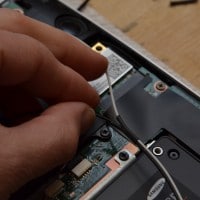
The X202E-DH31T is a very cool little laptop and for the price ($400-$500) it is definitely one of the best touchscreen options out there! Unfortunately, it is saddled with a relatively slow hard drive and the RAM is soldered in. 🙁 PERFORMANCE TIP: replace the slow hard drive with a fast SSD. 🙂 See instructions below! *Bloatware removal is of course recommended as well  🙂 After upgrading to a SSD, commenter RJ suggested putting the old hard drive in a

ASUS Sabertooth P67 back panel port selection

The Sabertooth P67 has the following ports on its back panel assembly: a PS/2 keyboard/mouse combo-port 8 USB 2.0 ports, from left to right: 2 black (below ps/2 connector), 2 red (above eSATA connector), 2 black (by themselves), 2 black (above firewire and green eSATA) 1 FireWire IEEE 1394 port 2 USB 3.0 ports (blue colored USB 3.0 style ports) 1 Intel GigE Ethernet port 2 e-SATA ports (red and green colored ports) and 6 analogue and S/PDIF optical audio output

« Older Entries Recent Entries »