Category Archives: computer tips

Best monitor resolution for SC2?

Q. I read your blog and it looks like you and I share a common interest in Starcraft 2. Can you recommend which is the best resolution for SC2 from a competitive point of view? -Elly Edge A. For maximum Starcraft 2 competitive advantage, you will definitely want a monitor with a 16:9 aspect ratio* as that aspect ratio lets you see the largest amount of terrain. 🙂 Here is an imagine that illustrates the difference between 16:9, 16:10 and

Dell 660s Mini-Desktop PC

Here are the technical specs / order details for a Dell 660s SFF desktop PC ordered earlier this year: Quantity Item Number Description 1 225-2907 INSPIRON 660s 1 319-0168 3rd gen Intel Core i5-3330s processor 2.70 GHz with Turbo Boost 2.0 up to 3.20 GHz 1 317-9672 8GB SDRAM at 1600MHz -2X4G 1 331-9333 Dell KB113 USB Wired Entry Keyboard, US-English 1 320-7810 If accessories are purchased, they may ship separately 1 320-3255 Integrated Intel HD Graphics 1 421-8486 DW1506

Evaluating a RAM disk as a MySQL data store

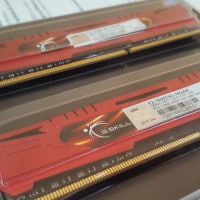
DDR3 Memory

I have a situation with a relatively small set of MySQL data (5GB) and a decently large set of available ECC DDR2 memory (32GB). Therefore, I am evaluating storing the entire MySQL data directory on a ramdisk. Along those lines, here are some initial resources: 12 RAM Disk Software Benchmarked for Fastest Read and Write Speed • Raymond.CChttp://www.raymond.cc/blog/12-ram-disk-software-benchmarked-for-fastest-read-and-write-speed/Memory or RAM is much faster speed than a traditional hard drive. If you require to run a software that is database intensive,

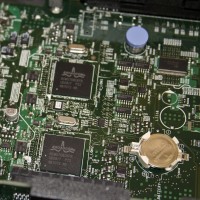
Dell PowerEdge 1950 & 2950 CMOS/RAID battery

The Dell PowerEdge 1950 3rd generation server uses a standard CR2032 battery for CMOS/BIOS purposes. If your server is showing an orange warning on the front panel about low battery, you can buy a replacement battery here for less than $5 USD: 3 Volts, 2032, 2 batteries (Lithium Button Cell) CR2032http://www.amazon.com/gp/product/B0002DSVS8/This pair of three-volt lithium coin batteries is perfect for servers. 20mm diameter and 3.2mm height. Likewise, if the RAID controller’s battery is low you can find replacements starting at

Dell PowerEdge 1950 III Drivers and Firmware Updates (2013)

I recently set up two new Dell PowerEdge 1950 III servers. One for Weblogs.us (free blog hosting) and one for Branson’s Nantucket (a lakefront resort in Branson). Dell makes very nice servers but their support pages can be a bit confusing. Therefore, here are the latest updates/drivers for the PowerEdge 1950 III, as of July 2013: Latest Dell PERC 6/i Integrated Update, v.6.3.1-0003, A14http://www.dell.com/support/drivers/us/en/04/driverdetails?driverid=W83M2Fixes: 1. Fixes an issue where the Perc battery does not always charge up properly, causing Virtual Disks

Download the latest version of ESXi for Dell

Today I needed to download the latest Dell customized ISO of VMWare ESXi. It took me a moment to find the latest version, so here is a link to help you find it faster: http://www.dell.com/support/drivers/us/en/19/driverdetails?driverid=RD5JN This is VMware ESXi 5.1 Update 1 and it was released on April 29th 2013. You can burn it to a CD or mount it via an IPMI/DRAC interface if you so desire. Also, you will need a USB thumbdrive to install ESXi to as you

Determine if TRIM is supported and enabled on an SSD!

Today I was installing a Samsung 840 Pro 512GB SSD in a new server. Everything went smoothly, but I wanted to make sure that TRIM was actually working. This turned out to be slightly trickier than one might imagine! 😉 First Samsung’s SSD Magician Tool was of no use. CrystalDiskInfo reported that my SSD supported TRIM (which I already knew) but really gave no indication that Windows 7 and the SSD were working in concert to accomplish TRIMming. Nothing really

Making your WordPress blog Retina ready

Two handy-dandy plugins for making sure your blog displays high-res images to your readers that are using Retina (or equivalent) displays: WordPress › Simple WP Retina « WordPress Pluginshttp://wordpress.org/plugins/simple-wp-retina/Seamlessly replaces images with @2x versions on Retina and other high pixel density screens. Change is performed server side saving requests. No action is required on your part other than to activate it and to regenerate your thumbnails with the Regenerate Thumbnails plugin. WordPress › WP Retina 2x « WordPress Pluginshttp://wordpress.org/plugins/wp-retina-2x/Make your

« Older Entries Recent Entries »