Category Archives: Mac OS X

Fix Fujitsu ScanSnap iX500 scanner power problem [SOLVED!]

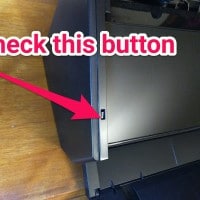
Q. Hiya. I have a Fujitsu ScanSnap iX500 scanner for my Mac and it will not power on 🙁 I checked the power supply and it is a really expensive scanner, do you know how I could go about repairing it so it will power on again? -Shirley Barnes A. Hi Shirley! I know something you can try. I have the same ScanSnap ix500 for my PC and the scanner has a small button/switch that is normally recessed, but it

MS beats apple to the punch with a ARM powered (full) OS

With all the rumors of Apple switching to an ARM based architecture for Mac OSX, it is funny that Microsoft already beat them to it with Windows RT. Windows RT of course is basically Windows 8 for ARM devices. Perhaps with a ARM based Mac OSX Apple would choose to emulate x86 for older apps/programs, something MS declined to do. But still, it is impressive that Windows RT has virtually all of Windows 8’s functionality (sans legacy software compatibility) whereas

Create BIGGER genius playlists in iTunes? [solved]

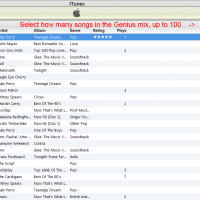
Q. Good morning. I have iTunes for my music collection (mp3 & AAC) and really like the Genius feature of iTunes. However, I cannot figure out how to make a Genius playlist with more than 25 songs in it! Is this possible? I don’t really know my way around iTunes very well and I have checked preferences etc. but to no avail. Please help if you can. A. Yes, you CAN make a bigger Genius playlist with 50, 75 or 100

Tips from MacBook Air

[these are some random notes from when I was using a MacBook Air… if I ever use a Mac again I will try to clean up this page!] How to make a window FULLSCREEN? How to prevent a MacBook (Air or Pro or whatever) from sleeping when you close the lid How to take a screenshot (print screen) http://osxdaily.com/2010/05/13/print-screen-mac/ Command+Shift+4 Command+Up (or Left) Arrow Key = Home Command+Down (or Right) Arrow Key = End http://forums.macrumors.com/showthread.php?t=415600 Switch between Chrome windows http://www.google.com/support/forum/p/Chrome/thread?tid=496e18cf3b786729&hl=en

MacBook Air dropping wifi? [solved]

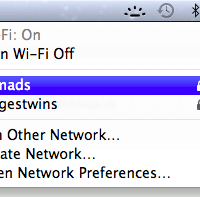
Q. My MBA keeps dropping wifi connections, especially when coming up from sleep… it is weird because it prompts me to reenter my WPA2 password every time it does this but even after entering the password it can’t connect! Can you help? A. I have a MBA that exhibited similar issues, so far the best help has been the latest Lion update (10.7.1) Hopefully this update will help you too and get your MacBook Air working well with wifi! If

Force MacBook Air/Pro keyboard backlight ON [solved]

I was dismayed when my new MacBook’s backlit keyboard turned off without any warning. Apparently Apple feels it knows best when the kb backlight should be on and off. This auto-off behavior was a bit of a bummer to me after many Dell and HP laptops which feature fully user controllable backlit keyboards. Thankfully “Lab Tick” is a small program which lets you take control of the backlight! Highly recommended for anyone with a MacBook Pro or MacBook Air and backlit keyboard…

How to view status of app store download? Mac OSX El Capitan

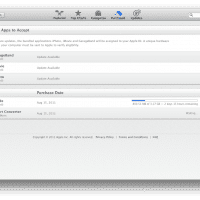
I was downloading the latest iOS SDK from the Mac App Store and initially I could not find the download status. Eventually I found one way to do so, go to the “Purchased” section of the app store and you should be able to view the download progress! 🙂 I realize it is pretty obvious once you see it, but I really wish Apple would put the progress someplace else too… if anybody has other tips for viewing DL status,

Minimize all windows/apps in Mac OSX Lion [solved]

Q. How do I quickly minimize all runnings apps/windows and show the Mac OSX desktop?! A. The best way I know of is to press the F11 key (or Fn+F11 on some MacBook keyboards…) this should  push all your apps out of the way and show the desktop. To get your apps back in place, just press F11 again! PS another method is to command+option+click on the desktop, (or instead of Desktop, a Finder window, or the Finder icon in the dock).

« Older Entries Recent Entries »