Tweetily “Sign in with Twitter” does not work [SOLVED]
@jdhodges can you try and click the reset settings button and then authorize again?
— Flavio Martins (@flavmartins) June 18, 2013
Updated Tweetily solution:
Preliminary steps: reset settings, deactivate plugin, re-activate plugin
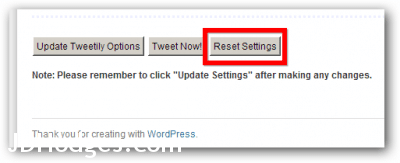
Reset Settings can be found at the bottom of the Tweetily settings page
I used the ‘Reset Settings’ button and authorizing, but that still failed.
However, I DID get Tweetily to work when I did the following:
+Reset Tweetily Settings
+Disable Tweetily
+Disable Google Analytics for WordPress plugin (as there seemed to be a potential conflict between this plugin and Tweetily)
+Enable Tweetily
+Reset Tweetily Settings
+Perform the normal four steps below…
+Enable Google Analytics for WordPress
Normal first step: Sign in
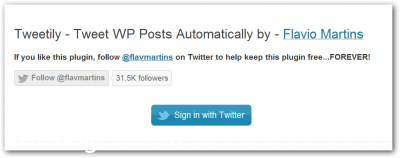
Click: Sign in with Twitter
Second step: Authorize via Twitter

Click Authorize App
Third step: Redirect to WordPress admin interface
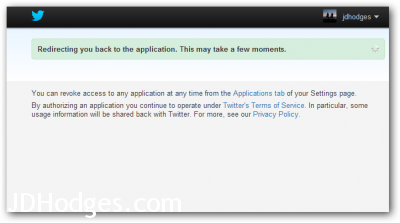
Wait while redirected
Fourth step: Enjoy!
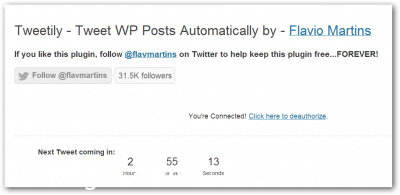
Success!
Conclusion: great plugin & responsive author
Tweetily is a great plugin and I appreciate the plugin author taking the time to suggest that I reset my Tweetily settings. That suggestion in combination with disabling/re-enabling the plugin did the trick! I hope these instructions are helpful to others as well. 🙂
Best regards,
–JD
Other people that seem to have similar issues:
![[Plugin: Tweetily - Tweet Your Posts Automatically!] I can't authorize my account. The button d](http://www.jdhodges.com/wp-content/uploads/2013/06/plugin-tweetily-tweet-your-posts-automatically-i-cant-authorize-my-account-the-button-dont-works.png)
![[Plugin: Tweetily - Tweet Your Posts Automatically!] Authorizes on one site, but not another](http://www.jdhodges.com/wp-content/uploads/2013/06/plugin-tweetily-tweet-your-posts-automatically-authorizes-on-one-site-but-not-another.png)
- tweetily (2)
- connect tweetily to hootsuite (1)
- tweetily not work (1)
- tweetily not work 2014 (1)
- tweetily twitter login problem (1)
- twitter sign in page not working (1)
thank you for posting this request. i have same issue with plugin & wish for resolution.