Adding a 3rd hard drive (or SSD + HDD + HDD) and RAID1 on Dell M6500
NOTE: via mSATA it is possible to have FOUR drives in a M6500!!!
Complete tutorial to be published soon (with photos). Here are some links in the meantime.
More resources:
![2nd HDD / SSD Caddy - DELL Precision M6400, M6500, M4600, M6600 [OBHD9-SATA-SATA-B] - $42.00 : NewmodeUS, Hard Drive Caddys for Notebooks](http://www.jdhodges.com/wp-content/uploads/2011/07/M6400_caddy.jpg)
2nd HDD / SSD Caddy – DELL Precision M6400, M6500, M4600, M6600 [OBHD9-SATA-SATA-B] – $42.00 : NewmodeUS, Hard Drive Caddys for Notebookshttp://www.newmodeus.com/index.php?main_page=product_info&products_id=269Notebook Hard Drive Caddys Drive Cloning Drive Adapters Cables Backup Software External Enclosures Desktop Brackets AC Adapters Other Products
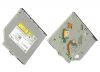
Dell M6500 Service Manual – Documentation for removing optical drivehttp://support.dell.com/support/edocs/systems/wsm6500/en/sm/TD_Optical_Drive.htmLaptops | Desktops | Business Laptops | Business Desktops | Workstations | Servers | Storage | Services | Monitors | Printers | LCD TVs | Electronics© 2011 Dell | About Dell…

Download Center – Intel® Rapid Storage Technology F6 fileshttp://downloadcenter.intel.com/SearchResult.aspx?lang=eng&ProductFamily=Chipsets&ProductLine=Chipset+Software&ProductProduct=Intel%C2%AE+Rapid+Storage+TechnologyOS: Windows 7, 64-bit*, Windows Server 2003 Enterpris .. More> Windows 7, 64-bit*, Windows Server 2003 Enterprise x64 Edition*, Windows Server 2003 Standard x64 Edition*, Windows…
Top Search Terms:
- dell m6600 msata (23)
- m6600 msata (12)
- dell m6600 third hard drive (12)
- m6500 msata (12)
- dell m6500 msata (11)
- m4600 msata (10)
- m6600 3rd hard drive (8)
- dell m4600 msata (8)
- dell m6600 removable hard drive (7)
- dell m6500 service manual (7)
How run msata ssd on FCM slot in m6500? I buy ssd msata 480gb and in bios don’t see it. help 🙂
i5 560m
6gb ddr3
Hey Michal, the M6500 FCM (Flash Cache Module) slot can be finicky with aftermarket mSATA drives. A few things to check: make sure the SSD is in the correct orientation (it matters), and check your BIOS settings, there’s sometimes a setting called “Modular Bay” or “Mini-Card Slot” that needs to be enabled. Also confirm your BIOS is up to date, as earlier versions had limited mSATA device support. If the BIOS still doesn’t see it, the drive may not be compatible with that specific slot, Dell was somewhat restrictive about which mSATA devices the M6500 would recognize.