Garmin Forerunner 230/235 wrong time?! [SOLVED]
My wife’s Garmin Forerunner 230 recently started having some time issues. Specifically, showing the wrong time 🙁 First I tried setting the time manually and that worked until her next Bluetooth sync, then it seemed to get the incorrect time again.
Eventually, the following worked to fix her watch time permanently:
- set the time back to Automatic
- make sure GPS is enabled* (and GLONASS for good measure)
- make sure the watch gets a GPS lock to sync the time
*Enable GPS: Select Menu > Activity Settings > GPS > .
Voila, the issue was fixed after that 🙂
If you are having a similar issue, I hope those steps help you too!
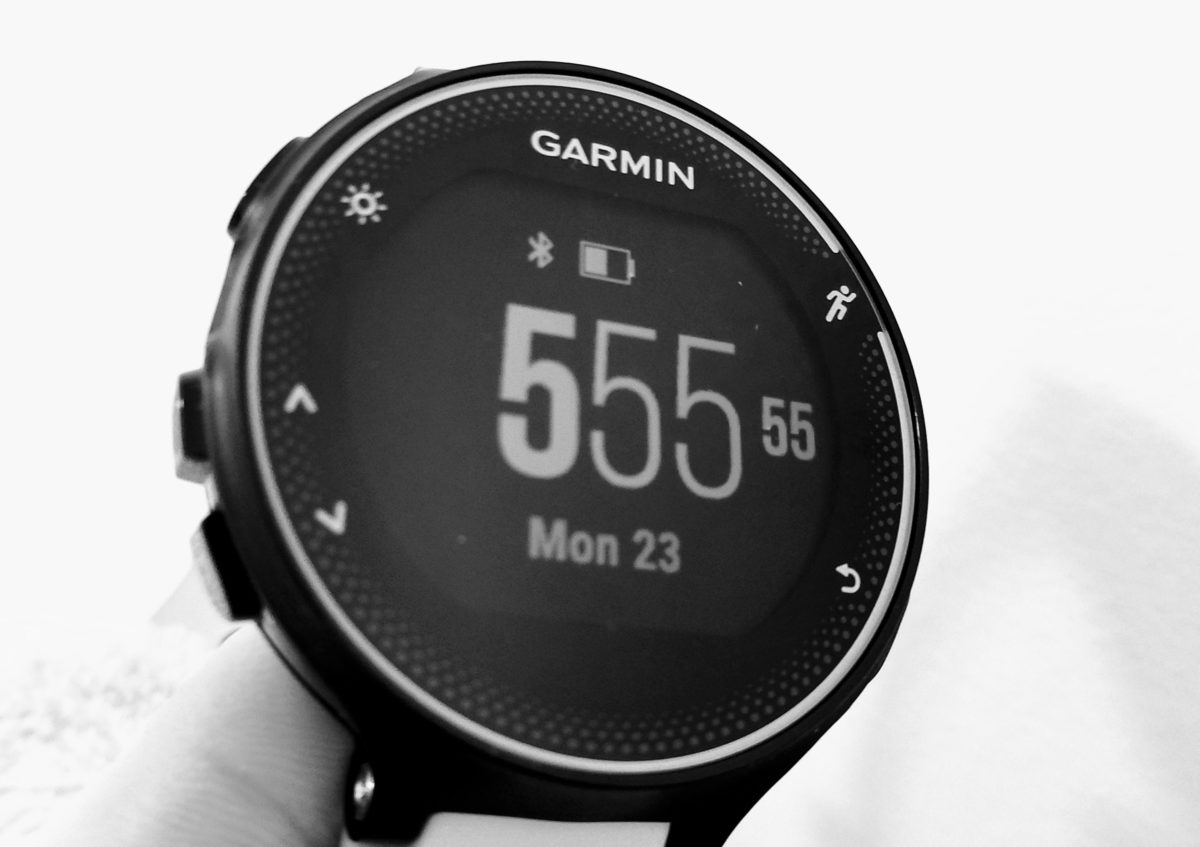
PS here are some more resources on the incorrect time issue:
Wrong date and time? [Archive] – Garmin Forumshttps://forums.garmin.com/archive/index.php/t-338747.htmlHello! My 230 froze while I was scrolling through notifications and I had to hold the on/off button for 10 seconds to restart it. Once I restarted it, the date was incorrect as was the time. I even…
Syncing incorrect time [Archive] – Garmin Forumshttps://forums.garmin.com/archive/index.php/t-356617.htmlThe joys of owning Garmin product…. Woke up this morning to my watch being 10mins off. Definitely a sync issue as I manually changed the time and then put it back in auto set mode and it reverted…
Top Search Terms:
- https://www.jdhodges.com/blog/fix-set-garmin-forerunner-time/ (33)
- garmin forerunner 235 wrong time (17)
- garmin forerunner 35 date wrong (11)
- garmin forerunner 235 time wrong (11)
- garmin 235 time wrong (7)
- garmin forerunner 235 incorrect time (7)
- garmin forerunner 235 time does not sync (7)
- garmin forerunner time wrong (7)
- garmin 235 wrong time (6)
- garmin forerunner 235 date wrong (6)
Thanks, was wondering how to solve this!
You are very welcome Tom!
Enjoy your Garmin and have a great day 🙂
Best regards,
-J.D.
It solved!! I was having the same issue with my Forerunner 235. Thank you!
Hi Agata,
Thank you for your nice comment. I am VERY glad this tip solved your Garmin’s time issue!
Have a great week and enjoy your Garmin 🙂
Best regards,
-J.D.
Thank you.
No prob! 👍
Thanks so much for this! Worked on my Forerunner 235. 🙂
Hi loucheryl,
Thank you for your nice comment. I am very glad this tip worked for you!
Enjoy your Garmin Forerunner 235 and have a great week 🙂
Best regards,
-J.D.
I am trying to figure out how to turn the GPS on on the Forerunner 235
I have the same date and time problem after a recent update
Nicola, on the 235 I would start at Menu > Activity Settings > GPS and turn GPS back on, ideally GPS + GLONASS if that option is there. Then make sure time is set to Automatic and let it sit outside until it gets a GPS lock.
Thank you! Solved the issue of my new device. 🙂
Hi Jaiden,
Thank you for your nice comment. 🙂 I am very glad this tip worked to fix the time on your Garmin!
Best regards and enjoy your Garmin.
-J.D.
Thanks, I at first set the time manually, but the day & date was wrong,so I followed your instructions, then went outside to let satellite catch the watch and a minute later correct day and date, High Five !
Excellent, Jason! I am very glad this tip worked for your Garmin! Have a GREAT week and happy running 🙂
Best regards,
-J.D.
Thanks for sharing this! Help me fix the problem easily.
Glad I could help! Have a great day!! 👍
Thank you J. D. H. !
That worked.
Much appreciated
Excellent, Laura! I am very glad that my tip helped 🙂
Best regards,
-J.D.
Excellent thank you. My 230 froze this morning so I had to reset it. It then showed the wrong time – a couple of hours slow. This fixed it immediately. Cheers!
Hi Adam,
Thank you for your nice comment. I am happy this tip helped you fix the time on your 230 🙂
Enjoy your nice watch and have a GREAT day!
Best regards,
-J.D.
Thanks
I had the same problem, now it’s solved.
Worked perfectly.
🙂
Hi Wilson,
I am very glad that this tip helped! Have a GREAT day and enjoy your Garmin 🙂
Best regards,
-J.D.
Hi,
I had the same issue with my 735xt this morgning, and connecting to GPS solved the problem, but I still wonder why it showed the wrong time of day in the first place? I don´t really feel I can trust the clock to show the right time in the future, unless I understand the issue. Any idea?
Sorry for the late reply, Bugwigs, and this may have changed since I wrote the post. I am not 100% sure why the 735XT drifted, but my best guess is the watch had stale GPS time data until it got a fresh satellite lock. Once it syncs cleanly it is usually fine again, but if it keeps happening I would suspect a firmware issue or weak GPS reception rather than the clock itself.
You just solved in 1 minute what Garmin product support couldn’t in half an hr!
Thanks! You’re brilliant!!
Hi ian. I’m glad that the tip helped. Thanks for the nice comment!
Have a great day!! 👍😀
-J.D.
Thanks for the information! Very helpful
Dear Wim,
You are very welcome! Enjoy your Garmin and happy trail running to you 🙂
Best regards,
-J.D.
thank you very much, this helped
greetings from The Netherlands
Dear Gert,
I am very glad this helped with your Garmin Forerunner time! Enjoy and have a wonderful day. 🙂
Best regards,
-J.D.
Aaaaah, that worked. Have been looking for a solution today. Thanks!
Excellent, Rob! I am very glad my Garmin tip worked for you. 🙂 Have a GREAT week!
Best regards,
-J.D.
Doesn’t work on my 235 :-(((
Tried it several times….
Dear Emily,
I am very sorry that this tip did not work for you 🙁
Did your Garmin get a GPS lock when you tried these steps? If not, you may want to try the same steps outdoors.
I hope this helps and that you have a GREAT day!
Best regards,
-J.D.
hi … still not working.. how long will it take for the dates to change? thankyou so mu h
Gil, in my case the date and time corrected as soon as the watch got a proper GPS lock. If yours is still wrong after several outdoor attempts, I would suspect it still is not syncing GPS time properly.
This doesn’t work for my Garmin and it’s been stuck on the wrong time for several days now. It’s just completely incapable of acquiring a GPS signal even when I go outdoors and travel around town. Anyone have a fix for this? It would be nice to have a watch which tells the right time…
Daniel, if it cannot get a GPS lock at all, that sounds like a different problem than the simple setting fix from my post. I have not tested a deeper repair for that, but my best guess would be a GPS hardware or firmware issue, so I would try a full restart or reset and then Garmin support if it still never locks outdoors.
Been looking for a solution to this. Thankyou
No prob! 👍
Worked on my 235, just had to wait 2 minutes for the GPS to lock on (indoors).
thanks,
jb
Dear JB,
Thank you for your comment. I am very glad this tip helped you fix the time on your Garmin 235!
Have a GREAT week and enjoy your nice Garmin watch. 🙂
Best regards,
-J.D.
Just had the same issue.
Thank for such a simple resolution
Thank you for your nice comment. 😀 I am very glad this tip worked to fix the problem!
Best regards and have a great day!
-J.D.
Thank you for that. Worked a treat.
No problem! I’m glad I could help.
Have a great day!! 👍😀
-J.D.
Hi! Got the same problem with my 235 and I thought your advice worked until I restarted the watch. Now its 20 minutes behind again.
Thanks, it worked for me.
Glad I could help!! 👍
Thank you! Problem solved!
Excellent, Theresa. I am very glad my tip helped you! 🙂
Have a GREAT weekend!
-J.D.
Thank you for the tip, it solved my issue. I was one click away from buying a new Garmin!
Todd,
I am so glad to hear that my tip helped! Enjoy your Garmin and thank you for commenting. 🙂
Best regards,
-J.D.
Thanks for identifying this issue and solution.
Hi John. I’m so glad that I could help. Thanks for the nice comment!
Have a great day!! 👍
-J.D.
Had this problem today. Used the advise and it worked 🙂
Glad I could help! Have a great day!! 👍😀
-J.D.
Hello i cant find the right settings could you provide more detailed instuctons?
Tesked, on the Forerunner 230 or 235 the path I used was Menu > Activity Settings > GPS, then switch it to GPS or GPS + GLONASS and set the time back to Automatic. After that, take it outside and wait for a real GPS lock so it can pull the correct time.
This worked for me, but only after I took a walk with the GPS logging. When I stopped the activity (w/o saving) the time reset to the correct time.
Thank you for sharing your experience Mitchell. Your GPS logging / timeset tip may be useful for others! Thanks again and have a GREAT week 🙂
I stumbled onto your site. My Garmin 230 one day had the wrong time..I tried other things and finally reset to factory defaults. Now my 230 won’t sync to my Google pixel 4A phone. I have uninstalled Garmin Connect and then loaded again but the 230 won’t sync to my phone
Hi John, I’m sorry to hear that you are having trouble with your Garmin 230. Here are some possible solutions that you can try:
+Make sure that your Garmin 230 and your Google Pixel 4A are both updated to the latest software versions.
+Turn off Bluetooth on both devices and then turn it back on. Sometimes, restarting the Bluetooth connection can fix the syncing issue. (Especially make sure that BLUETOOTH IS TURNED ON on your watch 👍👍)
+Check the battery level of your Garmin 230 and make sure that it is not too low. Low battery can affect the syncing performance.
+Try to pair your Garmin 230 with your Google Pixel 4A again. To do this, open the Garmin Connect app on your phone, tap on the menu icon, tap on Garmin Devices, tap on Add Device, and follow the instructions on the screen.
+If none of the above steps work, you may need to contact Garmin support for further assistance. You can reach them by phone, email, or chat through this link: https://support.garmin.com/en-US/
I hope this helps you resolve your issue. Please let me know if you have any other questions or feedback. Thank you for using my site and I wish you the best of luck! 😊