This app can’t run on your PC Windows 10 [SOLVED]
If you receive an error message like this:
This app can’t run on your PC
To find a version for your PC, check with the software publisher.
Close
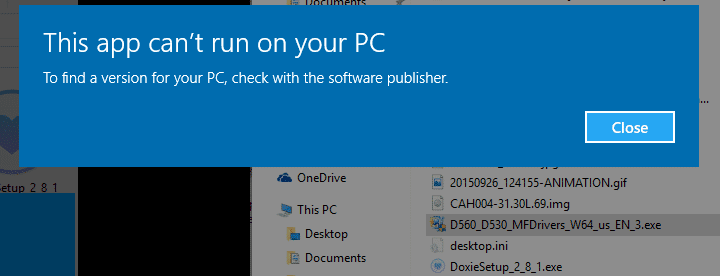
The ol’ error message
Then you may want to try re-downloading the installation files. 9 times out of 10, this seems to be the issue.
In the above instance, the original installation exe was around 9MB. After redownloading, the completed download size was 30MB. Running the new complete download worked perfectly.
So, if you get the error it may be due to a corrupt or incomplete install file. Try redownloading and hopefully you will be all set! 🙂
Applies to: Windows 10 (as well as Windows 8.1, Windows 8, Windows Server 2012, and possibly Windows 7 with slight permutations as to the error displayed)
Top Search Terms:
- to find a version for your pc check with the software publisher (29)
- this app can't run on your pc windows 10 (17)
- check with the software publisher (16)
- this app can\'t run on your pc to find a version for your pc check with the software publisher (13)
- this app can't run on your pc to find a version for your pc check with the software publisher (12)
- to find a version for your pc error (12)
- to find a version for your pc check with (10)
- check with software publisher message (8)
- this app can\'t run on your pc check with the software publisher windows 10 (8)
- find a version for your pc by the publisher (8)
Better take “Solved” out of title since it is not solved for my PC.
Where can I find these installation files? May I have a more detailed explanation or aa step-by-step?
Sorry for the late reply, Neema. The simple version is just to delete the bad installer, download a fresh copy from the original publisher, and compare the file size to make sure the new download actually completed. In my case that alone fixed the error.
The app getting this error is MS EXCEL as part of Office 2010. After upgrading from Win7 to Win10, I had some problems with opening an existing .xlsx file due to a 3rd party OLE add-in which I was able to remove, but I accidentally changed the file association to Office 10. I finally was able to get the association changed back to EXCEL, but the OPEN attempt from the file shortcut still gives the error. However, I can run it by executing EXCEL and pointing to the .xlsx file, which works. Ironically, the software publisher is MS.
Any suggestions would be appreciated.
Sorry for the late reply, Tom. Since Excel itself opens and the error only happens when launching an `.xlsx` from Explorer, this sounds different from the corrupted-installer case in my post. I would treat it as a file-association or Office repair problem instead.
64 bit operating system x64based processor then also I am facing the problem of this app can’t run on your pc to find a version for your PC, check with the software publisher while opening xlxs file in excel but can open the file by clicking the open option in excel and browse the file
what should I do.
Sorry for the late reply, Satish. Since Excel opens files correctly from inside Excel, I do not think the issue is your 64-bit system. My best guess is the `.xlsx` file association is still damaged, so I would repair Office or reset the default app for that file type.
no work done on my pc