Run a Java .jnlp file without installing JRE
NOTE: these instructions are tailored toward working with an IPMI remote console JNLP application called launch.jnlp, however, the same principles will work for other .jnlp applications as well 🙂
Some of my favorite Supermicro servers use IPMI for remote server management. Using a simple web browser interface the Supermicro servers expose a wide variety of configuration options.
However, if you want to view the remote console (and thereby remote control the server), you have to use Java to launch a VNC like viewer. Specifically, the Supermicro web interface gives your web browser a .jnlp (Java Network Launching Protocol) file which works with Java to show the remote console.
It sounds more complicated than it is… but regardless if you do not have the Java Runtime Environment (JRE) installed then you cannot run the .jnlp file to remote access the Supermicro server.
Thankfully, there is a workaround so you do not have to clutter your computer with a full-on JRE install. Rather you can use a portable installation of Java (storable on a thumbdrive or any other storage media) to run the .jnlp file.
Here are the steps for running a .jnlp on Windows without a full JRE install:
#1 download jPortable from PortableApps.com
http://portableapps.com/apps/utilities/java_portable
#2 extract the resulting download to a location of your choice
C:\PortableExample\Java\
#3 navigate to the appropriate folder
C:\PortableExample\Java\bin\
#4 drag and drop the launch.jnlp file onto the
C:\PortableExample\Java\bin\javaws.exe executable
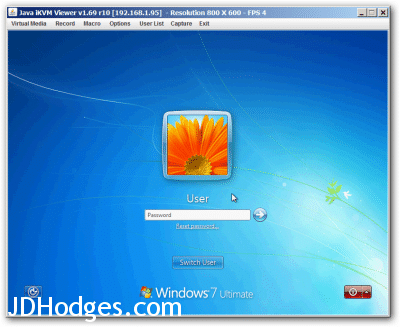
Java iKVM Viewer v1.69 r10
Voila, the remote console will then launch! 🙂
- supermicro ipmi vnc viewer (10)
- jportable jnlp (7)
- java portable jnlp (5)
- ipmiview can\'t save to file (4)
- open jnlp file (4)
- ipmi without java (4)
- java ikvm viewer (4)
- how to install java ikvm viewer (3)
- java runtime ipmi (3)
- nu vot (3)
Even though the post is quite old, maybe I’ll get lucky…
Trying to use javaws from the portable version always results in:
Can not find message file
Any clue what to do here?
Hey David, the ‘Can not find message file’ error with javaws from jPortable usually means the javaws.exe can’t find its supporting files because it’s being run from outside the bin directory. Try dragging and dropping the .jnlp file directly onto javaws.exe rather than running javaws from a different location. The working directory matters for those portable installs.
I want to copy the jnlp file outside of bin folder then I want to run it, because to many files under bin folder…Do you know How?
Hey Arief, unfortunately javaws.exe has to be run from inside the bin folder because it references other files relative to its own location. You can create a shortcut or a batch file that calls the full path to the binjavaws.exe with your jnlp as an argument. That way your jnlp can be anywhere but javaws still runs from its proper location.