Dual monitors on HP Pro 3500 desktop PC? [SOLVED]
Today I received the following PC question:
Yo JD,
Can you suggest a video card for us to order?
We hired an individual at our office, and we purchased two monitors for his computer, but I don’t think the video card it came with will push two monitors.
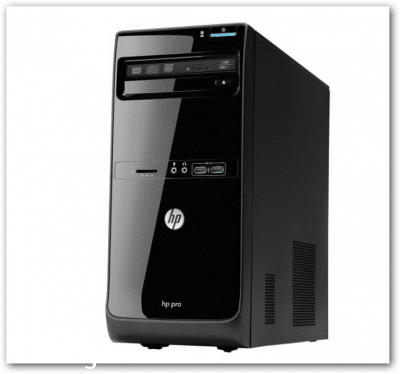
The computer is a “HP Pro” – stock off the shelf – purchased at a Office Depot type store.
The existing video card is a Intel(R) HD Graphics Card.
Can you suggest a video card off of amazon or newegg that would work with the computer and push two monitors?
Thanks
I requested some additional information:
Sure John, can you send me a more detailed model # on that PC? I want to make sure the video card will fit the PCIe slot on that PC (I need to know if it is a full height slot or a 1/2 height). Thanks!
And here is the response:
It looks like it is a HP Pro 3500 Series MT
Serial Number: MXL3503XXX
Product Number: E3T54UT#ABA
We purchased it from Office Depot.
Once you can see what kind of video card it currently has, you might check to see if the existing card can push two monitors, but I don’t think it can…worth a JD check though 😉
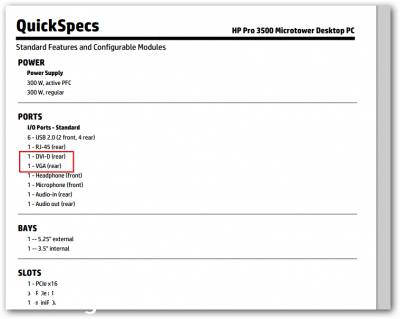
Fortunately, that model DOES support dual monitors!
Hi,
I believe that model will support dual monitors. You would just need to connector one monitor to the VGA connector and one to the DVI connector. You may also need to adjust your Windows display settings, other than that I believe you should be good to go. 🙂
Let me know if you encounter any issues or would like a faster video card recommendation.
Best regards,
-JD
So it is a happy ending for everyone involved, the PC was good to go with dual displays and they did not have to shell out any cash for a new video card 🙂
- hp pro 3500 dual monitors (12)
- hp pro 3500 dual monitor setup (6)
- hp pro 3500 dual monitor (5)
- can an hp 3500 desktop support 3 monitors (4)
- hp pro 3500 two monitors (4)
- hp pro 3500 series mt dual monitor (3)
- hp pro 3500 drugi monitor? (2)
- hp 3500 dual monitors (2)
- hp pro 3500 2 monitore (2)
- hp pro 3500 desktop pc dual monitor (2)
Have the same problem trying to connect two monitors to a HP Pro 3500 Series MT. You claim this has been solved but you don’t explain how. I have been unable to get this to work. Have one monitor on VGA and the other on DVI. No amount of tweeking will allow me to use both displays. Even tried different DVI Connectors/Leads and even different Monitors.
If this has been solved without the need to purchase a separate Video Card could you please explain how???
Thank You.
Hey Jerry, based on the post, the HP Pro 3500 MT does have both VGA and DVI outputs, and in theory both should work simultaneously. The key step that people often miss is going into Windows Display Settings (right-click desktop > Display Settings) and setting the second monitor to “Extend” rather than “Duplicate” or leaving it on “Disconnect.” If Windows isn’t detecting the second monitor at all, try connecting it first before booting, and also try swapping which port each monitor is on. One gotcha: some BIOSes on the 3500 MT require the primary monitor to be on a specific port at boot, typically VGA, before the second output activates.