Tag Archives: nvidia

How to install Optimus drivers

Recently I did a clean Windows install on a Dell 6430 laptop. The laptop has an NVIDIA dedicated GPU as well as integrated Intel HD graphics. The best part is, NVIDIA’s Optimus feature. This cool technology can save power (use Intel graphics) when doing desktop type tasks and then switch automatically to the more powerful NVIDIA dedicated card when playing games etc. Sometimes the drivers can get a bit tricky but I can good success with the following: First, install

Fix the brightness adjustment buttons on a Dell M6700 [SOLVED]

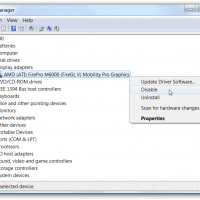
Occasionally after a few hibernate/resume cycles, my Dell Precision M6700 laptop’s brightness UP/DOWN buttons become unresponsive (specifically, the Fn+Up Arrow and Fn+Down Arrow key combination). Rebooting will fix the issue but sometimes if you are in the middle of something that can be a major inconvenience. Thankfully the same solution I posted for other Dell models also works on the M6700 🙂 Instructions for re-enabling brightness adjustment (without rebooting) #1 Go into device manager and locate your display adapter (in my case,

Dell M4400 BSOD with NVIDIA drivers [powermizer switch solved]

If you are trying to use Windows 7, Windows 8 or Windows 8.1 on a Dell M4400 you can encounter some major BSOD issues and display corruption issues when using a NVIDIA driver that enables PowerMizer 🙁 Here are some resources on the topic: Disable PowerMizer **Tested**http://forum.notebookreview.com/gaming-software-graphics-cards/261929-disable-powermizer-tested.htmlDisable PowerMizer **Tested** Ok guys. New to the forum 1st real contribution. Ive been reading alot about this issue as i was dealing with it as well. Please try at your own risk because

New video card for 4K UHD and Starcraft 2 SC2 HotS

Every four years or so I invest in a new video card. The latest edition, ordered today, is the GIGABYTE GeForce GTX 650 Ti OC 2GB card. I actually meant to order a BOOST edition but somewhat mistakenly ordered the ‘OC’ edition. 🙁 However, I like the overall features of the card and if it performs well enough I will keep it. 🙂 Otherwise, I may return it and look at a GTX 760. My general usage scenarios will be

Does the Razer Edge support WiDi? [no]

Q. Does the Razer Edge tablet support WiDi? A. No, it does not. 🙁 Confirmation of that rather disappointing fact: Razer support. Top Search Terms:razer edge teardown (6)razer edge widi (5)+razer edge disassembly (3)razer edge pro widi (2)razer edge wireless (2)wireless display razer edge (1)duplicate displays razer edge (1)does razer edge have blutooth (1)intel wireless display razer edge (1)razer edge laptop teardown (1)

Acer Aspire V3-771G Review

Basic specs: Pros: Supports 32GB of RAM! via four available DDR3 memory connectors Supports dual hard drives PLUS an mSATA SSD! Simple access to most components for easy upgrades Fast CPU Fast GPU (for the price) Runs fairly cool Fan isn’t super loud (even under intense use) Nice port selection Cons: Glossy display Very poor vertical viewing angles Speakers distort at high volume and generally don’t sound that good Keyboard is not backlit Trackpad and buttons are merely ‘okay’ Loads

ViewSonic PJD6531w projector and 3D Vision

I saw my first (modern) 3D movie last night at the theater. The effect was enjoyable and so I decided to start researching 3D on my PJD6531w projector. There have apparently been some teething problems with this projector and 3D Vision, but the first two links below offer some helpful tips for getting NVIDIA 3D Vision working with the ViewSonic PJD6531w: ViewSonic PJD6531w 3D Projector Review – NVIDIA Forums – Page 3 1280×800 3D Vision ViewSonic PJD6531w – 3D Vision Blog 3D

Lenovo X220 i7 with eGPU! (diy ViDock)

My new Lenovo X220 laptop should be arriving soon. While it has a nice i7 CPU, it only has only has an integrated Intel HD 3000  for the video card 🙁  This severely limits 3D performance, therefore I will be adding something known as a DIY eGPU -or- DIY ViDock. This is a simple little project that is similar to the commercial “ViDock” product but at a lower cost and potentially with more capabilities. Basically it is connecting a desktop video card

Recent Entries »