Tag Archives: claude

How 25,000 Junk Folders Were Breaking My AI Doc Organizer (Garbage In, Garbage Out)

How 25,000 Junk Folders Were Silently Breaking My AI Document Organizer (Garbage In, Garbage Out) Thousands of (somewhat) zombie Quicken folders taken care of via compressing them into one 7z archive: Details: My AI File Organizer Was Fighting 25,000 Phantom Folders (And Losing 😜) For a while, my automated document filer was misbehaving. Scan an insurance card — it suggests filing it in a folder called Q-Final. Scan a bank statement — it wants to put it in Attach. The

Claude AI Custom Instructions: A Real Example That Actually Works

TL;DR: Here’s a custom Claude instruction that works well for most people: *Just a note about the “unlimited resources“, Claude tends to UNDER estimate what it is capable of, and maybe even what you are capable of. Like when it estimates a task will take 4-10 hours or multiple days of sessions and then proceeds to knock it out in a few minutes. SO, sometimes it helps to be a bit aspirational in your instructions. πŸ’ͺπŸ’ͺ Why this works: Claude

Best Computer for Claude Code in 2026

Updated July 21, 2026. Originally published February 6, 2026. Summary: If you are looking for the best computer for Claude Code in 2026,Β  these are some top contenders in bang for your buck: the MacBook Air M5 (16GB/512GB, $1,199 to $1,255 on Amazon as of July 2026, depending on color). If you value RAM, additional ports, or don’t want Mac OS then I recommend a 32GB ThinkPad instead, $1,300 to $1,750 for current-gen. If you are on a tight budget:

CTRL+V to paste images & screenshots not working in Claude Code? [SOLVED]

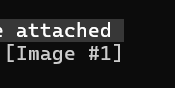
So this took me a minute to realize, and if it saves even one person some frustration, it’s worth a post. I’m working in Claude Code, trying to paste a screenshot or image like I can in VS Code with Claude Extension:CTRL+V. Nothing.Try again. Nothing.Different image. Still nothing. A few thoughts are running through my head? Turns out, nope. I was just using the wrong shortcut. The magic combo is: ALT + V After which you should see something beautiful

Recent Entries »