Tag Archives: claude

Claude Project Instructions: Examples & Templates (2026)

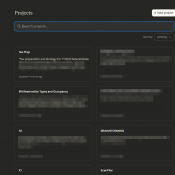
TL;DR: Claude project instructions tell Claude how to behave inside a specific project. Here’s a starter template you can paste right now: Customize the bracketed parts for your workflow. That template covers 80% of what most people need. The rest of this post gives you more examples and explains when project instructions are the right tool vs. profile preferences. If you’re looking for Claude’s account-wide custom instructions (the ones that apply to every conversation), that’s a different feature. I have

MCP Server Token Costs in Claude Code: Full Breakdown

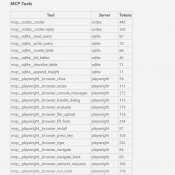
TL;DR: Every MCP server you connect to Claude Code silently costs tokens on every single message, even when idle. A typical 4-server setup runs about 7,000 tokens of overhead. Heavy setups with 5+ servers can burn 50,000+ tokens before you type your first prompt. Here’s the exact cost of every tool across four common MCP servers. Why MCP Servers Cost Tokens MCP (Model Context Protocol) servers let Claude Code interact with external tools: browse the web, query databases, send emails,

Claude Code /context Command: See Exactly Where Your Tokens Go

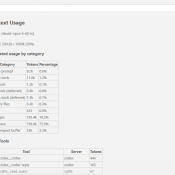
TL;DR: Type /context in Claude Code to see a full breakdown of where your context window tokens are being spent. It shows system overhead, MCP tools, memory files, conversation history, and free space. Use it to find bloated MCP servers, oversized CLAUDE.md files, and know when to run /compact. What Is /context? If you’ve ever had a Claude Code session start strong and then slowly degrade, the context window is probably the reason. Every message you send carries invisible overhead:

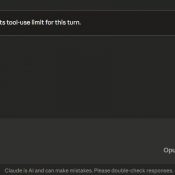
Claude Reached Its Tool-Use Limit for This Turn: What It Means and How to Fix It

TL;DR: This message means Claude hit its per-turn cap on tool calls (around 10-20 actions like web searches, file reads, or connected service requests). Click “Continue” and it picks up right where it left off. No work is lost. 👍 Tip: use handoffs to prevent single sessions from becoming unwieldy with token rot and waste. More info about that here: Claude handoff prompts 👍 What Does “Claude Reached Its Tool-Use Limit” Mean? If you use Claude with any connected tools

Claude Session Handoffs: How to Keep Context Across Conversations

TL;DR: Even with memory and context compaction, AI assistants still lose the detailed state of your project between sessions. A simple two-file system plus a handoff prompt takes seconds at the end of a session and saves minutes of re-explanation at the start of the next one. This works with Claude, ChatGPT, Gemini, Copilot, or any AI assistant. Likewise, this can help keep you from wasting tokens by letting a conversation run on for too long. Use handoff/handover prompts to

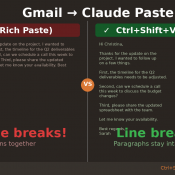
Gmail to Claude: Line Breaks Disappear on Paste (Fix)

TL;DR: When you copy text from Gmail and paste it into Claude (or Claude Code), all your line breaks disappear and the text runs together into one giant wall of text. The fix: right-click and choose “Paste as plain text” (or press Ctrl+Shift+V on Windows/Linux, Cmd+Shift+V on Mac). Your line breaks will be preserved. The Problem You’re working in Claude and need to paste an email from Gmail. You copy the text, hit Ctrl+V, and… all your carefully formatted paragraphs

How 25,000 Junk Folders Were Breaking My AI Doc Organizer (Garbage In, Garbage Out)

How 25,000 Junk Folders Were Silently Breaking My AI Document Organizer (Garbage In, Garbage Out) Thousands of (somewhat) zombie Quicken folders taken care of via compressing them into one 7z archive: Details: My AI File Organizer Was Fighting 25,000 Phantom Folders (And Losing 😜) For a while, my automated document filer was misbehaving. Scan an insurance card — it suggests filing it in a folder called Q-Final. Scan a bank statement — it wants to put it in Attach. The

Claude AI Custom Instructions: A Real Example That Actually Works

TL;DR: Here’s a custom Claude instruction that works well for most people: *Just a note about the “unlimited resources“, Claude tends to UNDER estimate what it is capable of, and maybe even what you are capable of. Like when it estimates a task will take 4-10 hours or multiple days of sessions and then proceeds to knock it out in a few minutes. SO, sometimes it helps to be a bit aspirational in your instructions. 💪💪 Why this works: Claude

« Older Entries Recent Entries »