Help, I have a new user profile in Chrome! [solved]
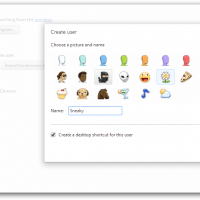
Q. Hiya, last time I started up Chrome I got a weird icon in the window and it had a user name Bluesy?! Did I get hacked?! How do I remove this user?! Please Help! -Joelle A. Hi Joelle, do not worry. 🙂 Thankfully you are just seeing one of the many built in names that Chrome automatically give to a new user profile. Here is a complete list of the possible Chrome user profile names: You can also edit
High-end NAS roundup

I have been looking for a new 5 to 10 bay NAS for backup purposes. There are a lot of nice options on the market right now. Here are some links and articles that have been helpful to me so far: LimeTech – AVS-10/4 Mass-Storage Serverhttp://lime-technology.com/avs-104-server/We talked to several digital media enthusiasts and professional audio/video installers to come up with the ideal server for their needs in the AVS-10/4 Mass-Storage Server. It’s also a great… Thecus N10850 Top Tower Reviewed

Why I may never (again) buy a Drobo

Drobo = Great Idea I love the idea of Drobo. A storage device that: protects your data, is easily upgradeable, and is dead simple to use. When it comes to the reality I find things less rosy. Before I continue this review let me make note that there seems to be a conspiracy theory out there about negative Drobo reviews. I do not know if the theory is correct or not but many negative reviews seem to be met with

Chromebook Guest Browsing mode for Google Chrome

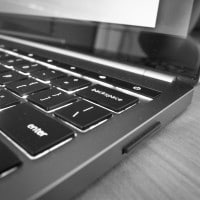
Cool tip! Turn on Chromebook’s Guest Browsing in Google Chrome To test/enable Guest Browsing in Chrome 1. Visit Chrome://flags in browser address bar and enable the below two flags Enable new profile management system, and Enable GAIA profile name and icon. … via How to Get Chromebook’s Guest Browsing in Google Chrome? (click the link to get more info) Photo by JD, Google Pixel Chromebook:   Top Search Terms:chromebook guest mode (10)hw do you turn guest mode on the chromebook (3)http://www.jdhodges.com/blog/enable-chromebook-guest-browsing-mode/

Using Parrot Zik headphones with Windows 7 / Win8 [solved]

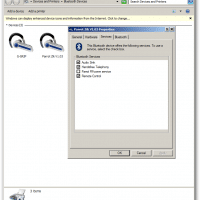
Recently I tried pairing some Parrot Zik headphones with my Dell E6430 laptop. The pairing was quite easy but there was no sound when playing media files etc. 🙁 The solution for me was to: Disable the Parrot RFcomm service Specify that my ‘headset does not have an LCD’ After doing that, the headphones worked quite well with Windows! 🙂 It would have been nice if everything would have just worked right out of the box but overall I still rate

Homebuilt computers and cool commenters

Just a little roundup of pages on my site about homebuilt/homebrew computers: http://www.jdhodges.com/blog/building-computers/ http://www.jdhodges.com/blog/quad-core-cheap/ http://www.jdhodges.com/blog/of-mice-and-computer-setups/ and some links to cool commenters: http://www.harmonyhillart.com/ http://www.kenblair.com/ http://www.kenblair.com/aboutserver.htm 🙂     Top Search Terms:proxy 50/50 (3)socks5 proxy 50/50 (1)socks5 прокси 50/50 (1)

CMOS battery dead, lost settings, Windows won’t boot!

Q. Yo J.D……so my hoss of a Dell laptop (the one with a 20″ screen) seems to have bit it again…It was left unplugged for a couple of days and I think that internal battery was drained. So it will try and start windows, but then it crashes and starts the reboot process over…I can get into set up…do you know how I can fix that boot problem? -John A. Howdy John. Yes, it sounds like your CMOS battery is

Missing check number column in Quicken [SOLVED]

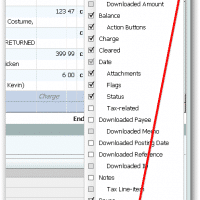
Q. Help! I just upgraded from Quicken 2010 to a later edition and now I am missing my check number column for all my credit card accounts! (I use that field to store extra info) Where did my check number column go in Quicken and how do I GET IT BACK? A. Thankfully, you can easily re-enable the Check # field (if a checking count) -or-Reference # field (if another type of account) Here is how: #1 While at the

« Older Entries Recent Entries »