Gmail to Claude: Line Breaks Disappear on Paste (Fix)
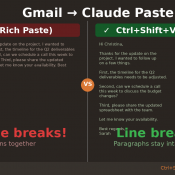
TL;DR: When you copy text from Gmail and paste it into Claude (or Claude Code), all your line breaks disappear and the text runs together into one giant wall of text. The fix: right-click and choose “Paste as plain text” (or press Ctrl+Shift+V on Windows/Linux, Cmd+Shift+V on Mac). Your line breaks will be preserved. The Problem You’re working in Claude and need to paste an email from Gmail. You copy the text, hit Ctrl+V, and… all your carefully formatted paragraphs