Category Archives: Gadgets and Tech

ASUS Q200E hard drive upgrade instructions (replace w/SSD)
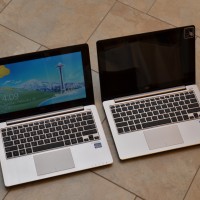
The Q200E is a great little laptop that is generally available for about $449 at Best Buy. The Q200e and the other similar models sold elsewhere (X202E, S200E) are definitely one of the best touchscreen Windows 8 laptop options out there! Unfortunately, they are all shipped with a relatively slow hard drive and the RAM is soldered in. The only other thing the Q200E is lacking is Bluetooth 🙁 EASY PERFORMANCE UPGRADES: You can now replace the slow hard drive
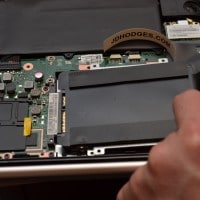
Tablet teardowns

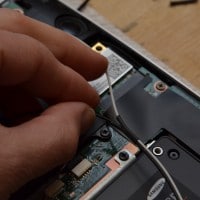
Tablets are pretty awesome, but man can they be a pain to repair! Whereas a simple little notebook like the Acer AO722 requires removal of a SINGLE screw to access key components, something like the iPad mini is an exercise in frustration. 🙁 With that being said, here is a pretty comprehensive look at tablet repairability. Featuring the good (Dell XPS 10, Kindle Fire) the bad (Surface RT) and the ugly (iPad 4, Surface Pro) among others. Very cool stuff and definitely worth taking

S200E/Q200E 2nd antenna for upgraded WiFi, Bluetooth, WiDi

The ASUS  S200E and Q200E are lovely laptops, but unfortunately they lack Bluetooth and they do not support Intel’s WiDi 🙁 Fortunately, all is not lost! With a bit of perseverance and a few dollars (approx $40USD) you can get better WiFi performance, good bluetooth support, and even WiDi on your S200E or Q200E. 🙂 Here is how: #1 You will need to be willing to open up your laptop, you can see the steps necessary here. #2 You will need an appropriate combo WiFi/bluetooth card,

ASUS X202E hard drive upgrade instructions (replace w/SSD)

The X202E-DH31T is a very cool little laptop and for the price ($400-$500) it is definitely one of the best touchscreen options out there! Unfortunately, it is saddled with a relatively slow hard drive and the RAM is soldered in. 🙁 PERFORMANCE TIP: replace the slow hard drive with a fast SSD. 🙂 See instructions below! *Bloatware removal is of course recommended as well  🙂 After upgrading to a SSD, commenter RJ suggested putting the old hard drive in a

ASUS Sabertooth P67 back panel port selection

The Sabertooth P67 has the following ports on its back panel assembly: a PS/2 keyboard/mouse combo-port 8 USB 2.0 ports, from left to right: 2 black (below ps/2 connector), 2 red (above eSATA connector), 2 black (by themselves), 2 black (above firewire and green eSATA) 1 FireWire IEEE 1394 port 2 USB 3.0 ports (blue colored USB 3.0 style ports) 1 Intel GigE Ethernet port 2 e-SATA ports (red and green colored ports) and 6 analogue and S/PDIF optical audio output

ASUS S200E SSD Upgrade Guide

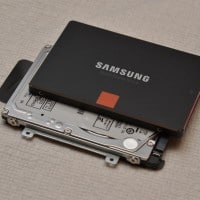
Here is a step-by-step photo tutorial for upgrading the S200E to utilize a fast SSD! 2016 UPDATE: My top SSD recommendation is the Samsung 850 EVO series. They start at around $70 for the 120GB version and they go all the way up to 2TB. Huge performance improvement vs the default HDD. RATING NOTE: while this upgrade is a little more difficult than some others, the new SSD still resulted in a HUGE performance improvement so I give this upgrade

Jambox vs. HMDX Jam

This comparison is still in progress… this is just the initial draft 🙂 [more photos will be added] First we will start with a comparison of performance on six different songs covering a variety of eras and genres: Listening (at moderate/normal volume levels) Jambox ratings for the following sampling of songs: Thrift Shop – this is a fun song and the Jambox does a superb job here. Everything sounds as it should. Excellent Roll Over Beethoven, Chuck Berry -overall nice

WN1000RP default username and password [SOLVED]

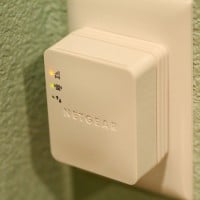
While setting up the WN1000RP to extend a wifi network, I was surprised to encounter a password prompt:   The included manual makes no mention of a username or password. So after a bit of trial and error I determined that the username is: admin and the password is: password (both user name and password are lower case) Now I am happily testing out the WN1000RP 🙂 Top Search Terms:netgear wn1000rp authentication required (14)wn1000rp password (14)netgear wn1000rp password (9)authentication required netgear

« Older Entries Recent Entries »