Category Archives: Software Tips

Claude Project Instructions: Examples & Templates (2026)
TL;DR: Claude project instructions tell Claude how to behave inside a specific project. Here’s a starter template you can paste right now: Customize the bracketed parts for your workflow. That template covers 80% of what most people need. The rest of this post gives you more examples and explains when project instructions are the right tool vs. profile preferences. If you’re looking for Claude’s account-wide custom instructions (the ones that apply to every conversation), that’s a different feature. I have
Quicken Categorizing Downloaded Transactions Incorrectly? Here’s the Real Fix.

TL;DR: Quicken’s auto-categorization guesses categories based on payee names and often gets them wrong. The fix: disable auto-categorization in Preferences, then set up Renaming Rules and Memorized Payee List entries so Quicken categorizes based on your explicit rules instead of its own guessing. Takes about 60 seconds per vendor. The Problem If you use Quicken Classic for Windows to manage your finances, you’ve probably run into this: you download transactions from your bank, and Quicken helpfully assigns categories to them.

Claude AI Custom Instructions: A Real Example That Actually Works

TL;DR: Here’s a custom Claude instruction that works well for most people: *Just a note about the “unlimited resources“, Claude tends to UNDER estimate what it is capable of, and maybe even what you are capable of. Like when it estimates a task will take 4-10 hours or multiple days of sessions and then proceeds to knock it out in a few minutes. SO, sometimes it helps to be a bit aspirational in your instructions. 💪 Why this works: Claude

CTRL+V to paste images & screenshots not working in Claude Code? [SOLVED]

So this took me a minute to realize, and if it saves even one person some frustration, it’s worth a post. I’m working in Claude Code, trying to paste a screenshot or image like I can in VS Code with Claude Extension:CTRL+V… nothing.Try again. Nothing.Different image. Still nothing. A few thoughts are running through my head? Turns out… nope. I was just using the wrong shortcut. The magic combo is: ALT + V After which you should see something beautiful

Getting Z-Image-Turbo Working in RuinedFooocus (AI)

Getting Z-Image-Turbo Working in RuinedFooocus (The Settings That Actually Matter) If you’ve been following AI image generation tech, you’ve probably heard about Z-Image-Turbo: a 6 billion parameter model from Alibaba’s Tongyi MAI team that’s been making waves. It generates photorealistic images with impressive prompt adherence, runs on consumer GPUs with ~10-16GB VRAM, and does it all in just 8 steps. Pretty wild stuff! 🔥 I’ve been testing it in RuinedFooocus and wanted to share some tips because, spoiler alert, the

How to Set Up WAN Video Generation on Windows 11 with LoRA [Wan2gp]

Wan2GP install on Windows 11 [tips and potential fixes] I recently needed to setup Wan2GP for a client project and if you’ve got an NVIDIA GPU with decent VRAM and want to get into AI video generation, WAN (Wan2.1/2.2) models are currently some of the best open-source options available. Here’s my guide to getting it running on Windows, including the gotchas I ran into along the way. What You’ll Need Your Two Main Options Option 1: Wan2GP (Recommended for Most

How to Enable the File Gallery in WAN2GP/WanGP [SOLVED]

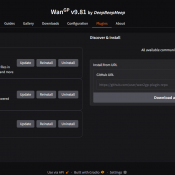
Quick Fix: How to Enable the File Gallery in WanGP If you’ve been using WAN2GP/WanGP (specifically v9.81 by DeepBeepMeep), you know it’s a powerful tool for generation—but managing your outputs can be a hassle if the Gallery tab is missing. I recently ran into an issue where the File Gallery plugin seemed to be installed, but the actual “Gallery” tab was nowhere to be found in the top menu. After a bit of troubleshooting, I found the fix is incredibly

TurboTax The License Code You Entered is Not Valid (Error Code: 606) [SOLVED]

So you bought TurboTax online from Amazon (or another seller), downloaded it from InstallTurboTax.com, and now you’re staring at that frustrating “The license code you entered is not valid. Error code: 606” or “Error code: 607” message? 😡 Yeah, it’s a headache, but let’s break down what’s happening and how to (hopefully) fix it. ✅ Why Is This Happening? Error Code 606 usually pops up due to a mismatch between the version you purchased and the version you downloaded. TurboTax

« Older Entries