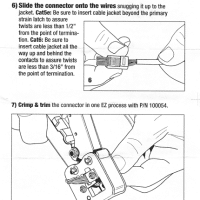
EZ-RJ45 EZ Ethernet Ends Crimping Instruction Manual
PDF format here: [download id=”10512″] Top Search Terms:ezrj45 crimper pdf manual (1)
Q. I know you use Quicken from some of your other “tip” posts, can you help me with something? Specifically, I added a new checking account to Quicken Deluxe 2015 and the register seems to be stuck at one line-height for the new account 🙁 How do I get it back to the old two lines?! Thx! -Tony M. A. Hi Tony, I think I can help! There are a couple of ways to do it: Click the “gear” icon
Recently I uninstalled Adobe Creative Cloud and the process was rather interesting: First I had to uninstall any individual applications (like Adobe Photoshop, otherwise CC would not uninstall), next I had to uninstall Adobe Creative Cloud (and it said it encountered errors), lastly I had to reboot and uninstall Adobe Creative Cloud again (and this time it was successful). Normally a reboot isn’t a big deal, but in this instance I had a multi-TB file transfer that still had about 5 hours
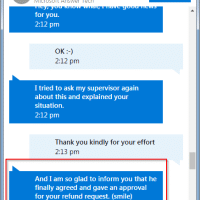
Recently I purchased an Acer Aspire R14 from Best Buy. It shipped with Windows 10 Home and I purchased the Windows 10 Pro upgrade via the Microsoft/Windows Store for $99. Unfortunately, the laptop failed and I had to return it. That meant that I was out the $99 I spent for the Win 10 Pro upgrade 🙁 Thankfully, MS’s tech chat support was able to resolve the issue. The complete transcript, with details redacted, is posted below. Here are three
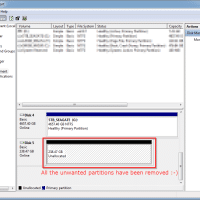
Upgrading from a HDD to a SSD (or from slow SSD to fast SSD) is one of the most effective options for increasing PC/laptop/Mac performance. However, one of the most common questions I hear is how to preserve the existing OS and data from the old drive, or how to make sure a new OS install goes well. Here are some options: Windows cloning/restore options: Clone from the existing drive to the new drive I really like True Image 2016, but
The Dell XPS 13 with infinity edge display is one of my favorite hardware designs from 2015. The software side, not so much… You can read my brief review here. 🙂
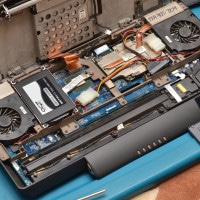
Here is a photo guide to upgrading the RAM and installing an SSD on the Dell Inspiron 15 7000 2-in-1. This is a very nice laptop for the price and you can read a brief review here. For the upgrade steps, start and the bottom of the page and work your way up… 🙂 These simple upgrades take a nice basic machine and make it much more capable! 🙂 Top Search Terms:dell inspiron 15 7000 ssd upgrade (4)inspiron 15 7000
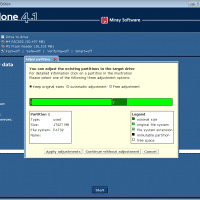
I have cloned a few hundred PC Windows/Linux drives, but today marked the first time that I cloned a Max OSX drive. On a 2011 era 21.5″ iMac I was cloning from an external Firewire boot SSD to a newly installed SSD. It was a success 🙂 Here are screenshots of the process.