Category Archives: AI

Claude vs ChatGPT vs Gemini for Coding: Testing Results

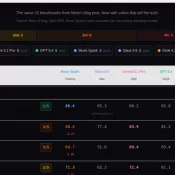
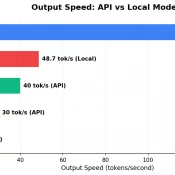
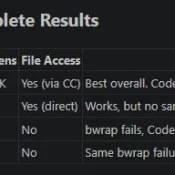
TL;DR: I ran the same 5 coding tasks through Claude Opus 4.6, OpenAI Codex CLI (gpt-5.3-codex), Google Gemini 2.5 Flash (sorry I did not have easy access to the newer models, but Gemma 4 was tested!), and two open-source models I ran locally: Gemma 4 31B and Qwen 3.5 35B. Claude’s code was the most production ready. Codex and Qwen tied for best code reviewer. Gemini was the cheapest. The open-source models scored A-, closing in on the paid tier.

Claude Code /buddy How to Preview, Hatch, and Reroll Your Terminal Pet

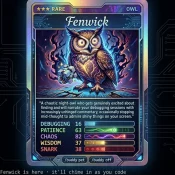
TL;DR: Claude Code v2.1.89 added /buddy, a virtual pet companion in your terminal. Your buddy’s body is deterministically generated from your account, and the personality generates permanently the first time you hatch it. Preview yours first with npx any-buddy current, but install Bun before you do (if you don’t already have it) Is This an April Fools Joke? I first noticed /buddy the least trustworthy way possible, by seeing it appear in Claude Code’s slash-command autocomplete on April 1. 😜

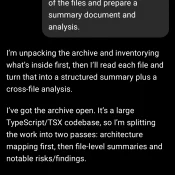
Claude code source code analysis

Source Archive Summary and Risk Analysis via ChatGPT 5.4 Thinking: Prepared from the src/ tree only. This version intentionally omits the file-by-file appendix and instead highlights what is structurally important, surprising, or concerning.   Scope analyzed: 1,902 files total, primarily TypeScript/TSX (.ts: 1,332; .tsx: 552). Largest areas: utils/ (564), components/ (389), commands/ (207), tools/ (184), services/ (130), hooks/ (104), ink/ (96). Overall impression: this is not a simple UI application. It is a full agentic CLI/runtime with shell execution, permission

Codex CLI + Claude Code: MCP Is 4x Faster Than the Command Line

TL;DR: OpenAI’s Codex CLI works best with Claude Code when you invoke it through MCP, not the command line. MCP calls return in about 3 seconds versus 13+ seconds for CLI on my dev environment, it avoids sandbox issues entirely, and keep everything inside your conversation. Here’s briefly how I set it up, tested various invocation methods, and landed on an optimized dual-AI workflow that works for my coding and research tasks. Why Codex When Claude Code Already Works? Claude

Gigabyte AORUS RTX 5090 AI BOX w/128GB Framework Desktop: Real-World AI Workstation Setup

5090 eGPU

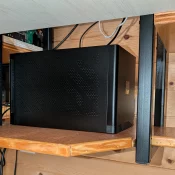
Last year I was able to pick up a killer deal on a Gigabyte AORUS RTX 5090 AI BOX, an external GPU enclosure that packs a full desktop RTX 5090 (32GB GDDR7) into a compact box that connects over a single Thunderbolt 5 cable. My goal was to pair it with the Framework Desktop running AMD’s Ryzen AI Max+ 395 chip and see how well it worked as a portable AI workstation. Short answer: surprisingly well. The Setup: Framework Desktop

Claude AI Usage Limits: What Changed and How to Make Them Last

TL;DR: Claude’s usage limits felt tighter in March 2026 because they were. The short version: Anthropic had more demand than GPU capacity. Millions of new users arrived as word got around about how good Claude is and especially after the OpenAI Pentagon boycott, the off-peak 2x promotion ended March 28, and multiple Max subscribers report usage meters jumping from under 50% to 100% on single prompts. Below: what the limits actually are, why they felt worse that spring, and specific

MCP Server Token Costs in Claude Code: Full Breakdown

TL;DR: Every MCP server you connect to Claude Code silently costs tokens on every single message, even when idle. A typical 4-server setup runs about 7,000 tokens of overhead. Heavy setups with 5+ servers can burn 50,000+ tokens before you type your first prompt. Here’s the exact cost of every tool across four common MCP servers. Why MCP Servers Cost Tokens MCP (Model Context Protocol) servers let Claude Code interact with external tools: browse the web, query databases, send emails,

Claude Code /context Command: See Exactly Where Your Tokens Go

TL;DR: Type /context in Claude Code to see a full breakdown of where your context window tokens are being spent. It shows system overhead, MCP tools, memory files, conversation history, and free space. Use it to find bloated MCP servers, oversized CLAUDE.md files, and know when to run /compact. What Is /context? If you’ve ever had a Claude Code session start strong and then slowly degrade, the context window is probably the reason. Every message you send carries invisible overhead:

« Older Entries Recent Entries »