Samsung Care+ Charge on Credit Card or Bank Statement: What It Is [SOLVED]
Short answer: Samsung Care+ is Samsung’s official device protection plan, similar to AppleCare. If you see a charge labeled “Samsung Care+” on your credit card or bank statement, it is a monthly subscription fee for coverage on one of your Samsung devices.
The tricky part? The statement just says “Samsung Care+” with no mention of which device it covers. If you own multiple Samsung products, or if a family member added the plan, that $13 (or $3, $5, $8, $11) monthly charge can feel like a mystery. I ran into this exact situation and here is how I figured it out.
What is Samsung Care Plus?
Samsung Care+ (also written as “Samsung Care Plus”) is a monthly or prepaid protection plan that covers drops, spills, mechanical breakdowns, and battery replacements for Samsung Galaxy phones, tablets, watches, earbuds, smart rings, and PCs. The plan is managed by a company called Servify, which is why your confirmation email may come from no-reply@servify.tech instead of a Samsung address. That alone can make the charge feel suspicious, but it is legitimate.
How much does Samsung Care+ cost per month?
Samsung Care+ pricing depends on the device tier. As of ~2026, the monthly rates in the US are roughly:
- $3/month – Galaxy Buds, Galaxy Watch, Galaxy Ring
- $5/month – Budget and mid-range Galaxy phones (A series)
- $8-$11/month – Galaxy S series, Galaxy Z Flip
- $13/month – Galaxy Z Fold, Galaxy S Ultra
If you see a $13 charge, you are most likely paying for coverage on a premium device like a Galaxy Z Fold or Galaxy S Ultra.
How to find out which device Samsung Care+ is covering
This was the frustrating part for me. I could see the charge on my Samsung.com order history, but it only said “Samsung Care+ – $13.00” with no device name.
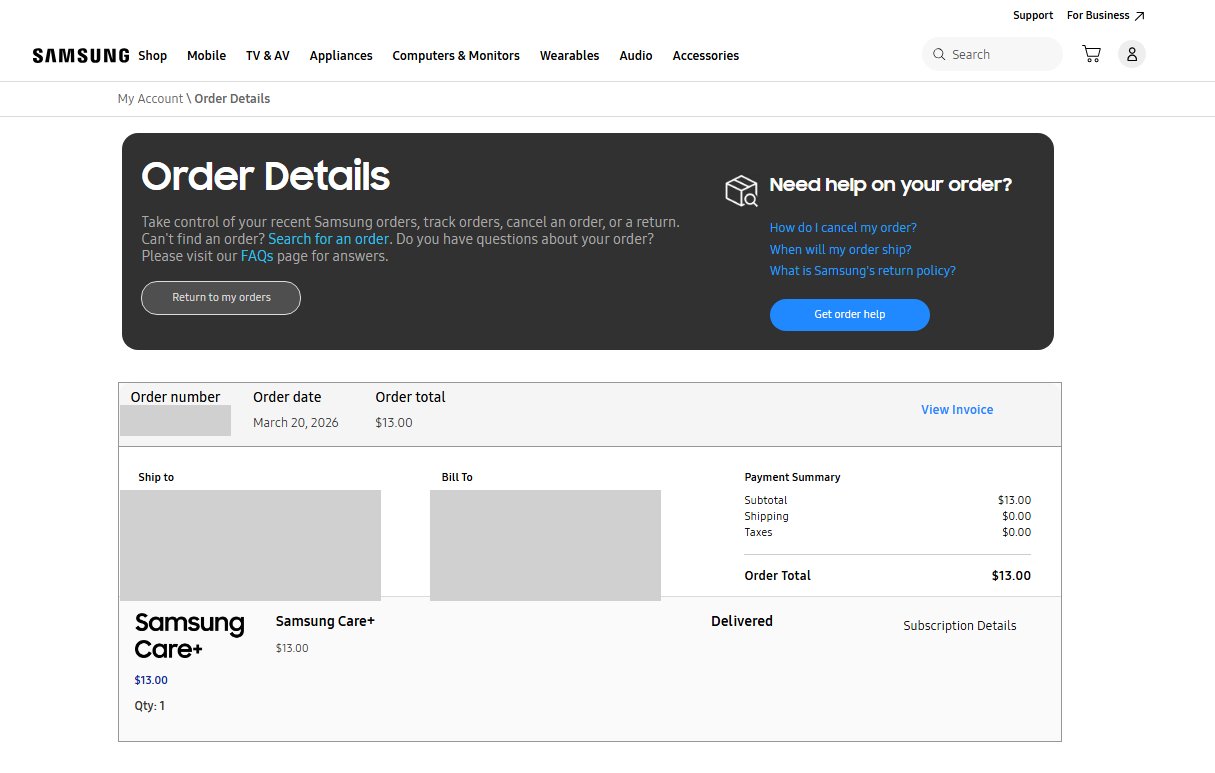
Here are three ways to identify the exact device:
Method 1: Check on the Samsung Care+ website
Go to samsungcareplus.com and click “Check Coverage Status.” You will be asked for your device’s IMEI or serial number and the email address tied to your Samsung account. Once you submit that info, the site will identify which device has active coverage.
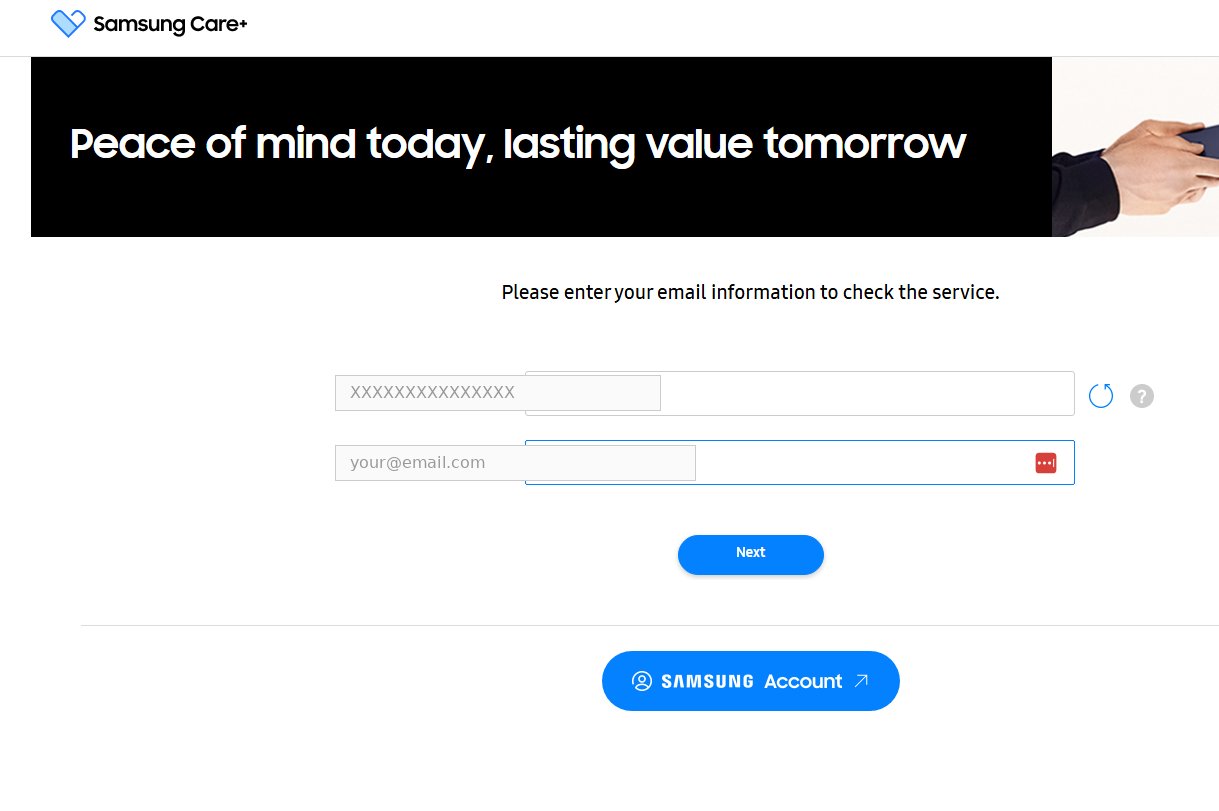
To find your IMEI, open the Phone app and dial *#06#, or go to Settings > About Phone > Status > IMEI information.
Method 2: Check directly on your phone
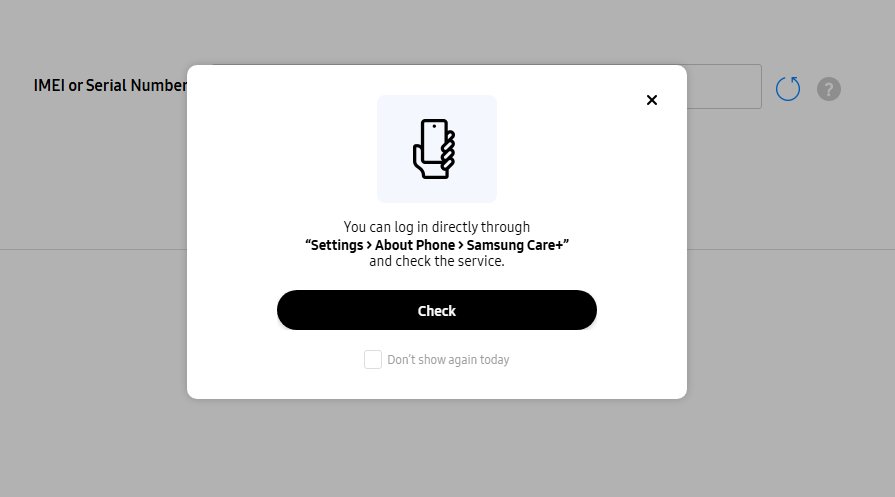
On the device itself, go to Settings > About Phone > Samsung Care+. If the device has an active plan, it will show the coverage details right there.
⭐ Method 3: Check your confirmation email from Servify⭐
Search your email for “Samsung Care+ Plan Activated” from no-reply@servify.tech. The confirmation email lists the exact device model, IMEI, coverage dates, and contract ID. In my case, it confirmed the plan was on a Galaxy Z Flip6.
What if the charge is not yours?
Before assuming fraud, check a few things:
- Family members: Someone in your household may have added Samsung Care+ using a shared payment method when purchasing or setting up a new Samsung device.
- Auto-added during purchase: Samsung Care+ is sometimes pre-selected during online checkout at Samsung.com. It is easy to miss during a device purchase.
- Old device: Samsung Care+ coverage does not automatically transfer when you upgrade to a new phone. You may still be paying for a plan on a device you no longer use.
- Large one-time hold: If you recently filed a Samsung Care+ replacement claim, note that Samsung places a temporary hold of up to $990 on your credit card until you return the old device.
If none of these apply and you are certain no one in your household signed up, contact your bank to dispute the charge and reach out to Samsung support.
How to cancel Samsung Care+
If you want to stop the monthly charge:
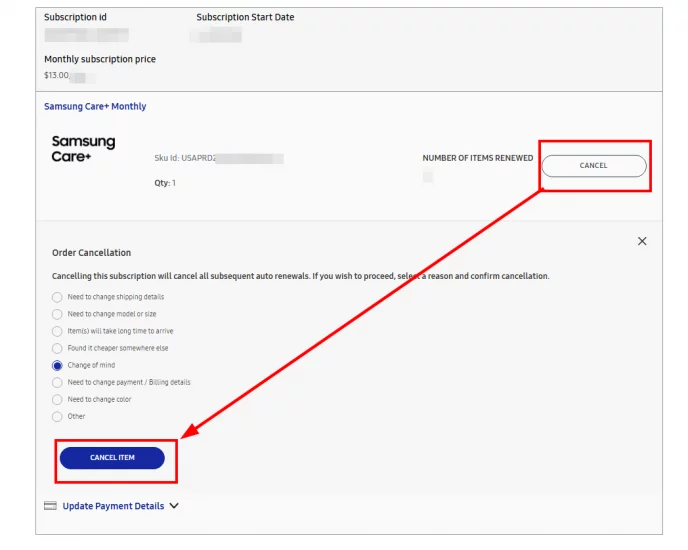
- Online: Log into your Samsung account at samsung.com, go to:
https://www.samsung.com/us/web/my-subscriptions/
and cancel from there. (view details -> Cancel) ✅ - By phone: Call Samsung Care+ support at 1-866-371-9501.
Keep in mind that once you cancel, you will lose coverage for drops, spills, and mechanical breakdowns on that device. If you are within your return window, you may be eligible for a prorated refund.
Samsung Care+ plan benefits (what you get)
If you decide to keep the plan, here is what Samsung Care+ includes:
- Unlimited repairs for drops, spills, and mechanical breakdowns (including $29 screen repairs at 700+ Samsung authorized locations)
- Next business day replacements (up to 3)
- $0 mechanical breakdown coverage after manufacturer warranty expires
- 24/7 expert support via phone or online
- Samsung genuine parts and certified technicians
More details at Samsung’s official Care+ page.
Do you have anything good or bad to say about Samsung Care+? Feel free to comment below!