Orange solid status light on Synology NAS? [SOLVED]
Q. What does a solid orange status light on my Snology DS 1813+ mean? -Sean T.
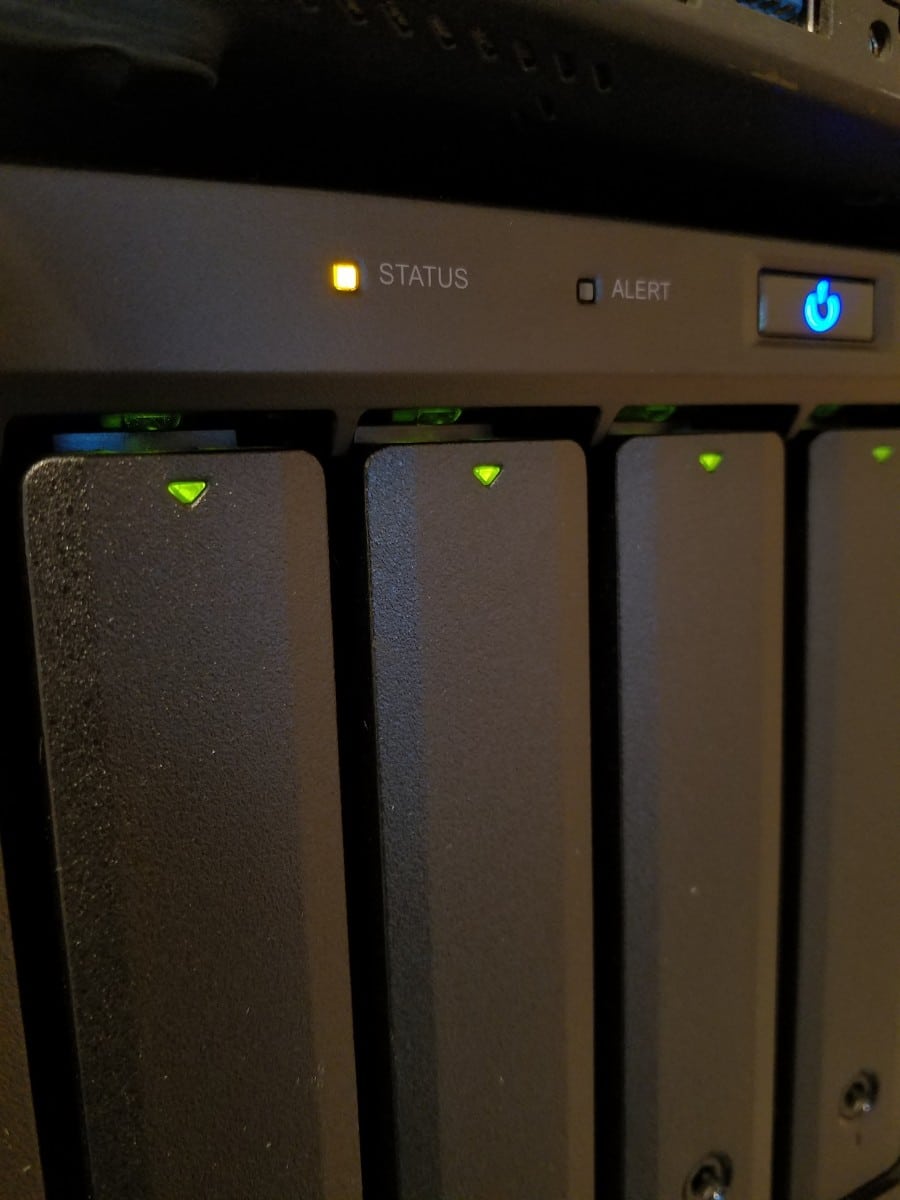
Solid/static Orange Status LED
A. Great question! Here are the meanings of the status lights
- Green Static Status LED
- Volume Normal
- Orange Static Status LED
- Available volume space < 1GB
- Available volume space < 1 %
- Orange Blinking Status LED
- Volume degraded or crashed
- DSM not installed
- Green/Orange Alternating Status LED
- No internal disk
- No Color / Status LED Off
- HDD Hibernation
In your instance, it would appear that volume space is less than 1GB or less than 1% of volume space is available.
I hope this helps! 🙂
Top Search Terms:
- https://www.jdhodges.com/blog/orange-solid-status-light-on-synology-nas-solved/ (8)
- synology flashing orange status light (7)
- synology ds1019+ yellow status light (6)
- synology orange light blinking (5)
- synology blinking status light (5)
- synology nas blinking orange status (4)
- ds415+ one orange blinking light (4)
- amber light on synology router (4)
- synology 410 unreachable ,status led blinking (4)
- no status light on my synology (4)
Perfect. Thank you.
Thank you Sean, enjoy your Diskstation! 🙂
How the issue will fix in this situation as we are not able to connect it and status light is showing orange. It’s also not piging in the network. Please suggest me.
Thanks in advance
Hey Gajendra, if the NAS isn’t pinging and you can’t connect to it, the solid orange light suggests it may have run out of disk space, which can also prevent DSM from functioning properly. First try a hard power cycle: hold the power button for 4+ seconds to force it off, wait 30 seconds, then power back on. If it still won’t appear on the network, try connecting it directly to your router (bypassing any switches) and give it a few minutes to boot. You can also try Synology Assistant software on a PC on the same network, it can sometimes find the NAS even when it’s not showing up via normal browsing.
I have switched from mac to pc. I own a synology 710+ disk. Now the status LED is flashing Orange. The Lan LED is flashing green. The Hdd1 og hdd2 is solid green. The disk doesn`t show up in Explorer.
How do I fix it?
Dear Frode,
Thank you for your comment. Do you still have a PC that you can use to test the 710+?
Judging from the orange flashing lights, the 710+ appears to have a degraded volume or an issue with the DSM software. Hopefully, you can access the web interface via your web browser and the 710+’s IP address or hostname. If it will load, the web interface should allow you to evaluate exactly what is going on.
As a last-ditch effort, it *should* be possible to individually mount the drives in an external enclosure and recover your data.
Sorry to not be of more help!
Best regards,
-J.D.