I Asked Claude What Hardware It Wanted. It Told Me.
NoteTL;DR Summary: After buying the 32GB / 1TB Minisforum MS-01 from Newegg for $1,016.58 on February 8, 2026 and running it off-grid on solar in rural Missouri, I think it is one of the best Proxmox setups you can build if you care about low idle power, serious networking, and headless management. It has been rock solid and my trusty little box idles around 13W-35W while running Home Assistant, a solar poller, SearXNG, and Open WebUI. For current pricing Check Amazon or Minisforum direct. If watts and power draw are the whole game, jump to the power math.
Disclosure: I bought this unit myself from Newegg. Minisforum did not send it to me. Some links below are affiliate links.
Table of Contents
The Crash That Prompted the Upgrade
I live off-grid on solar in rural Missouri. That changes what counts as a good server. Peak benchmark numbers are nice. Idle watts throughout the night and cloudy weeks is a BIG deal to me.
My Lenovo Legion 7 had been moonlighting as a VM host bc/c it was available. VMware Workstation, a development VM, shared folders pointing at network drives on other machines. It worked right up until it did not.
One afternoon I suspended my dev VM and resumed it. Nothing. No cursor. No SSH. No ping. The VM was completely unresponsive. The culprit was a stale CIFS mount: a Samba share from another laptop that the VM was still trying to reach. When the VM resumed, the SMB session was dead, and the kernel CIFS threads entered what Linux calls “uninterruptible sleep.” That is the D state, and it is exactly as fun as it sounds. Every process that touched that mount path hung. The kernel could not process shutdown signals. VMware’s “Restart Guest” button? Grayed out. “Shut Down Guest”? Also grayed out. The only way out was killing the vmware-vmx process from Windows Task Manager. 😭
I got the VM back. I fixed the mount options. I documented the whole thing. But the experience crystallized something I had been ignoring: running VMs on laptops is a fundamentally flawed approach when you need 24/7 availability. A laptop was just not the ideal candidate for what I wanted to do.
So I Asked Claude
I did what felt reasonable in 2026: I asked Claude Code to help evaluate hardware options. Not “what server should I buy” in the abstract. I gave it the full picture. Off-grid solar. The VM crash post-mortem. My old Intel NUC (a DC3217IYE with a 3rd-gen i3) as a potential donor which Claude politely told me to give to the kids. My power budget. My tendency to over-engineer things and sometimes taking a long time to follow through
Claude walked me through the options. The old NUC was dismissed in one sentence: 2 cores, max 16GB DDR3, not worth the setup time. An HP Pavilion desktop I had on hand was rejected for power draw: 50 to 65W idle is too much to leave running 24/7 on solar. Various Lenovo ThinkCentre Tiny and ASUS NUC options were evaluated and found wanting, mostly for networking limitations.
Then Claude brought up the Minisforum MS-01. And kept coming back to it. Every time I tried to talk myself into something cheaper or simpler, the math pointed the same direction. I finally decided, what the heck lets do this thing!
What Makes the MS-01 Special
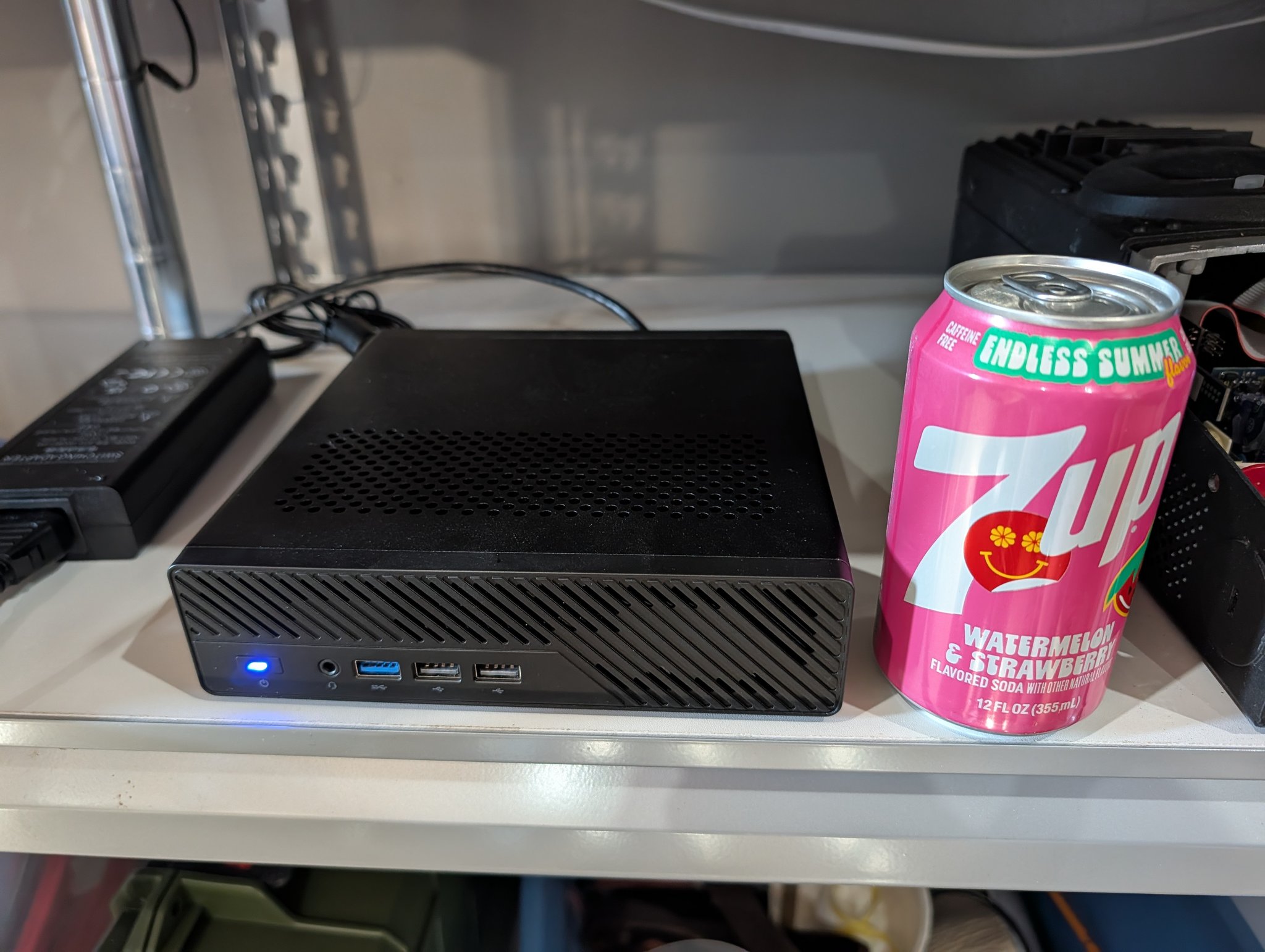
Most mini PCs force you to pick two out of three: compact size, serious networking, and real expandability. The MS-01 gets unusually close to having all three. For a Proxmox mini PC, that matters more than one more synthetic benchmark run.
| Component | Detail | Why It Matters |
|---|---|---|
| CPU | Intel Core i9-13900H, 14 cores / 20 threads (6P + 8E), up to 5.4 GHz | Plenty of headroom for multiple VMs and containers |
| RAM | 32GB DDR5 installed, supports up to 96GB | 32GB is comfortable for my workloads, with room to grow. More RAM is always nice, but with current prices 32GB was enough for now. |
| Storage | 1TB NVMe installed, 3 total NVMe slots | Fast local storage today, expansion options tomorrow |
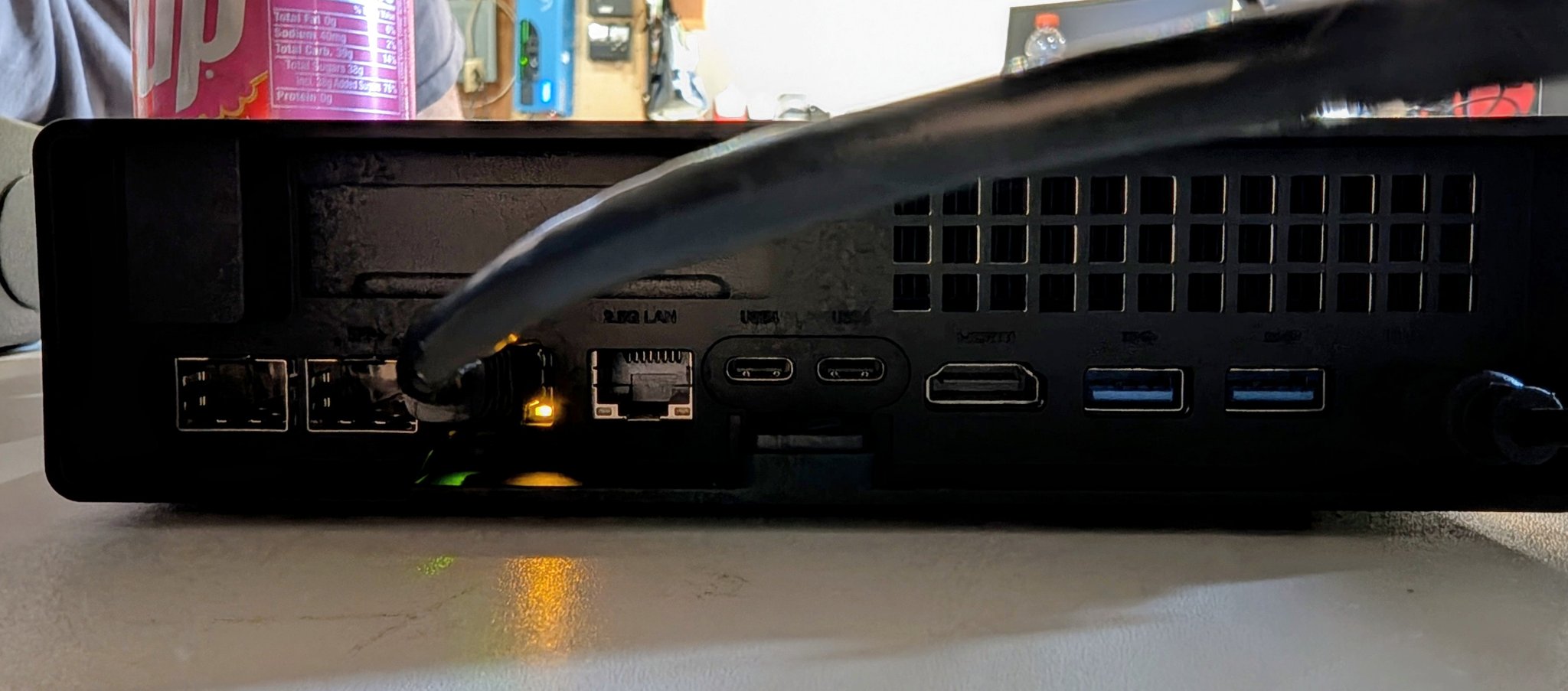
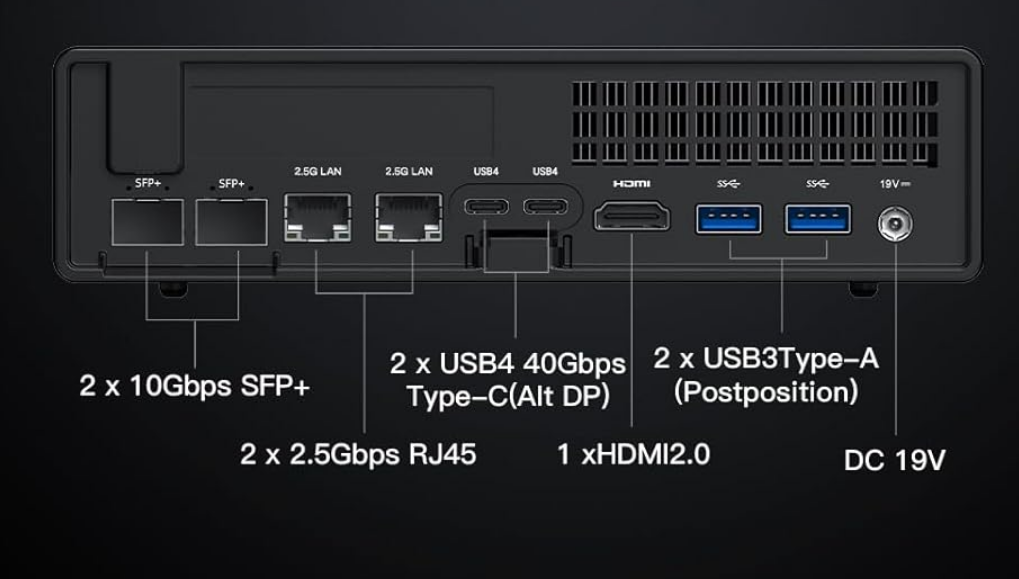
| Networking | 2x Intel I226 2.5GbE RJ45 + 2x 10GbE SFP+ | This is the feature that separates it from every NUC and ThinkCentre |
| Display / I/O | 2x USB4 / Thunderbolt 4 (8K), HDMI | Flexible enough for setup, troubleshooting, or repurposing |
| Expansion | PCIe 4.0 x16 slot | Rare on a box this small: GPU, NIC, or HBA if you ever need one |
| Management | Intel vPro with AMT | Remote BIOS-level KVM. I never want to carry an extra monitor to the shop building again. |
| Power | ~13W-35W idle (community range: 13W to 53W) | This is why it works for an always-on off-grid role |
| OS | Proxmox VE 9.1.6 | The host OS I am actually running, not a hypothetical lab install |
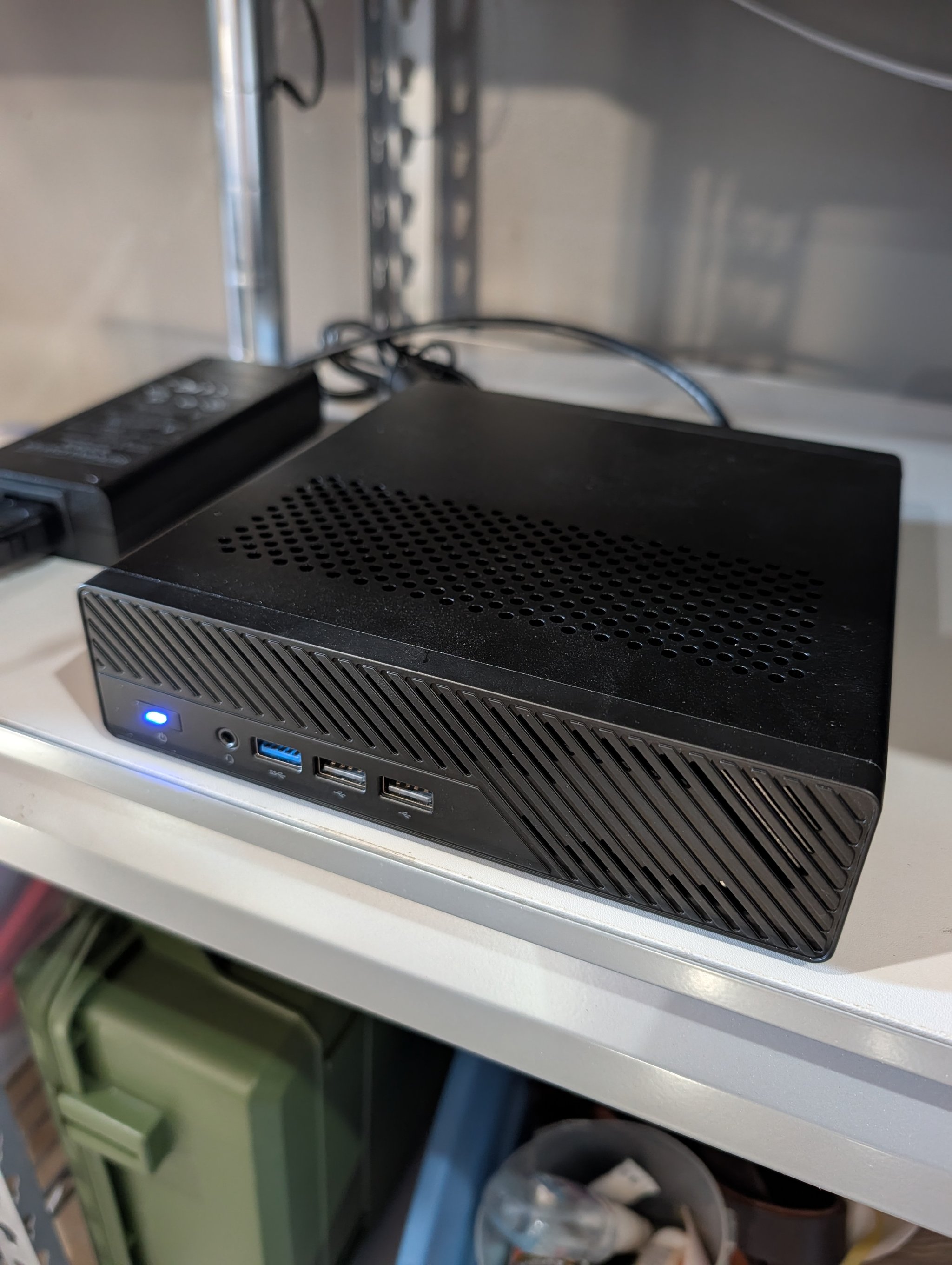
What makes the MS-01 special is not any one line item. It is the combination. Dual 10GbE SFP+, dual 2.5GbE, AMT, USB4, three NVMe slots, and a PCIe slot is a weirdly server-shaped feature set in something the size of a hardcover book.
The Purchase
I ordered the pre-built 32GB DDR5 / 1TB NVMe / i9-13900H model from Newegg on February 8, 2026. It arrived on February 13. Total paid: $1,016.58.
Heads UpThe often-quoted $623 price is the barebone MS-01 with no RAM and no SSD. That is not what I bought. My machine is the fully built 32GB / 1TB configuration, and that real-world price was $1,016.58 from Newegg. As of April 5, 2026, Amazon had the same configuration listed at $1,015.90. If you are comparing listings, make sure you are comparing the same configuration.
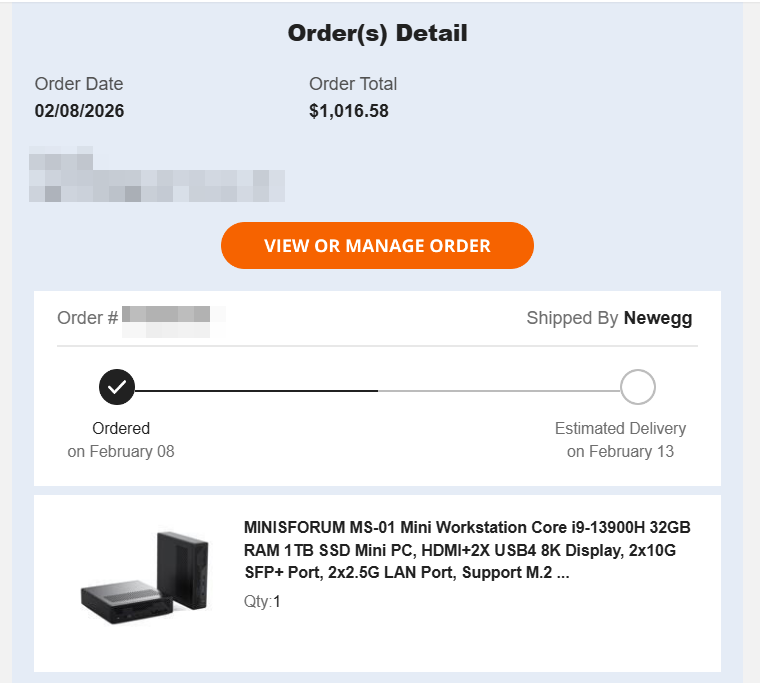
I bought the pre-built on purpose. Could I have bought the barebone and sourced my own RAM and SSD? Sure. But the whole point of this exercise was to stop burning time on the host and move infrastructure off my laptop. I wanted the server online fast, not another project inside the project. Installed Proxmox VE, wiped Windows, and had my first VM booted the same day.
Two Months Later: Boring in the Best Way
As of April 5, 2026, the honeymoon period is over and the boring reality has arrived. That is exactly what I wanted.
No crashes. No hangs. No stale mount disasters. No power management surprises. No lid-close events. No battery swelling concerns. It just runs.
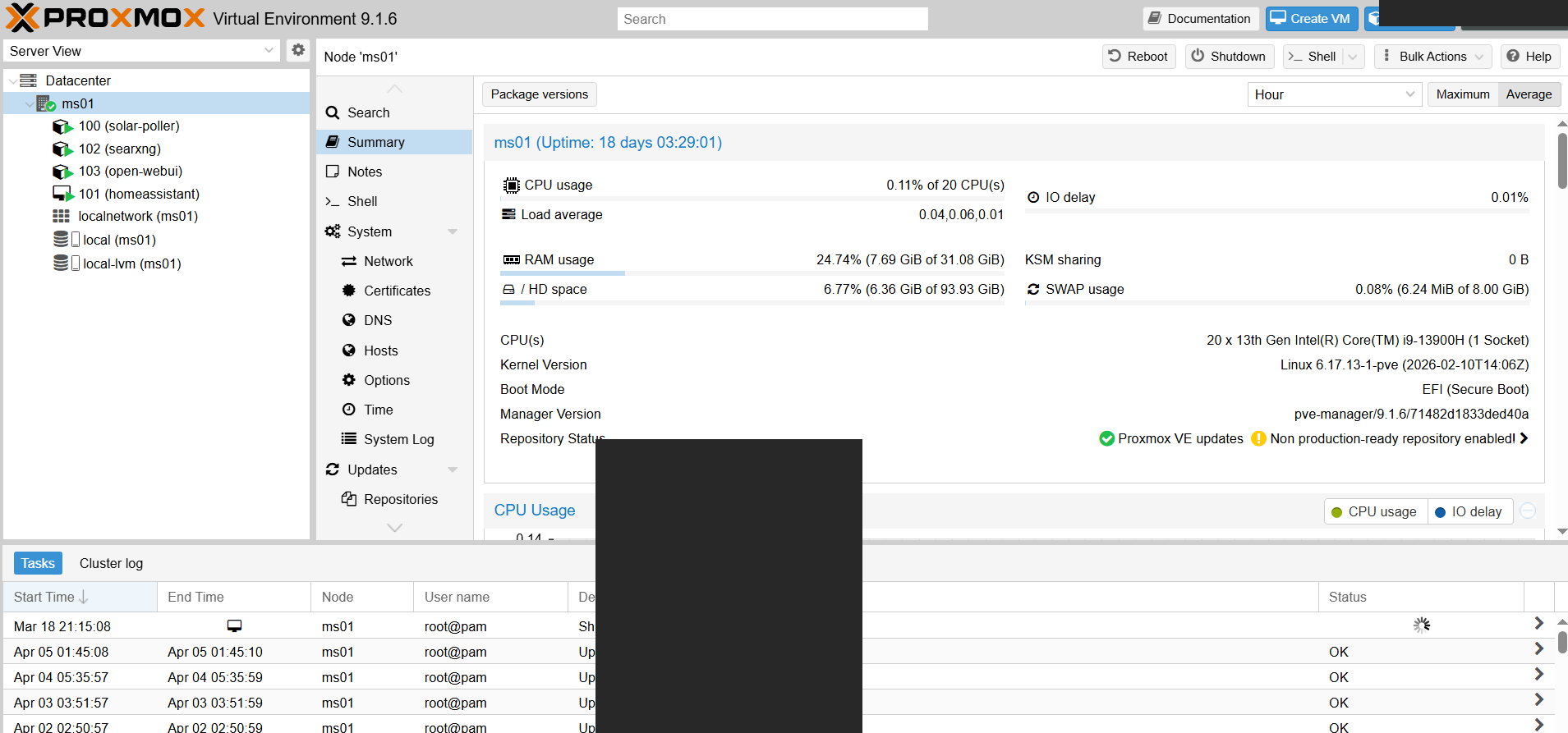
| Metric | Value | What It Tells You |
|---|---|---|
| Uptime | 18 days | Last reboot was a planned update, not a failure |
| CPU | 0.14% of 20 CPUs | Current workload is nowhere near saturating the box 😂 |
| Load Average | 0.04, 0.06, 0.01 | Quiet headroom across the board |
| RAM | 7.69 GiB / 31.08 GiB (24.74%) | Comfortable at 32GB, with expansion available later |
| Disk | 8.36 GiB / 93.93 GiB (8.77%) | System volume barely touched |
| SWAP | 0.09% | No memory pressure hiding behind the dashboard |
| Kernel | Linux 6.17.13-1-pve | Current Proxmox host kernel in production |
| Boot Mode | EFI (Secure Boot) | Clean, modern install |
What I like about those numbers is how boring they are. CPU usage is effectively zero. RAM is modest. Swap is untouched. That is what you want from infrastructure. It should disappear into the background and keep doing its job.
What It Is Actually Running
| VM / CT | ID | Type | Purpose |
|---|---|---|---|
| Solar Poller | 100 | LXC Container | Monitors the off-grid solar and battery system through the MATE3 controller |
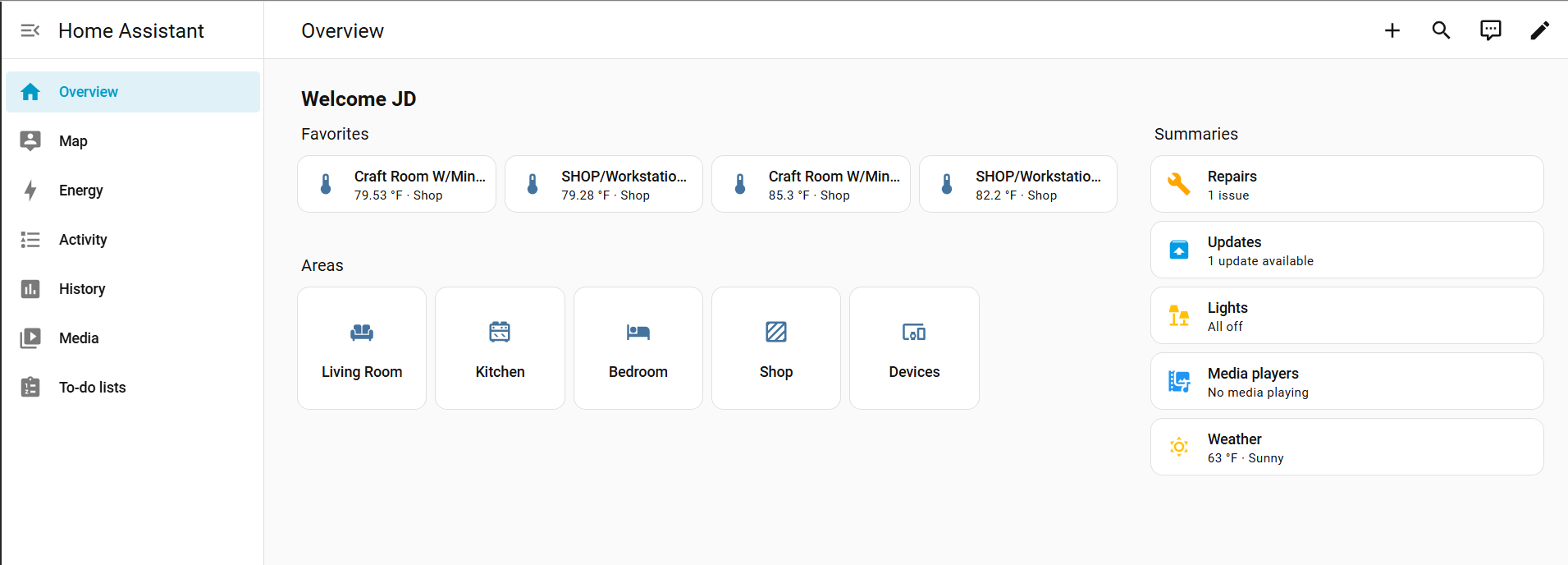
| Home Assistant | 101 | VM | Device integration hub with Apollo TEMP-1 sensors across 4 buildings |
| SearXNG | 102 | LXC Container | Self-hosted metasearch engine for private search |
| Open WebUI | 103 | VM | Local AI chat interface for local queries (no big corp data sucking here 😉) |
That is not a benchmark demo. Those are the services I actually care about. The solar poller watches the battery bank. Home Assistant tracks devices and temperatures across multiple buildings. SearXNG gives me private search. Open WebUI gives me a local interface for AI work I do not want tied to a cloud provider.
Power Math: Why This Matters on Solar
This is the part almost every review skips, and for me it is the most important part of the whole machine. A server that sits on all day and all night is not judged by peak draw. It is judged by what it costs you every single hour it exists.
| Always-On Box | Idle Power | kWh / Day | kWh / Month | kWh / Year |
|---|---|---|---|---|
| Minisforum MS-01 | 13W-35W | 0.31-0.84* | 9.4-25.2 | 113-306.6 |
| Typical Desktop Server | 80W | 1.92 | 57.6 | 700.8 |
| Annual Savings | 45W-67W less | 1.08-1.61 | 32.4-48.2 | 394-587 |
That is roughly 394 to 587 kWh per year saved versus an 80W always-on desktop box. On grid power at the U.S. average of $0.16/kWh, that is about $63 per year. Not life-changing. On solar, it matters a lot more.
TipOn solar, every always-on watt compounds. Lower idle draw means less battery capacity needed overnight, a smaller inverter load, and more headroom for other essentials. In my setup, that matters because Starlink itself can pull roughly 40W to 75W. The difference between a 13W-35W server and an 80W server is almost an extra Starlink. When your power comes from batteries overnight, that math gets real fast.
Important context: my idle figure is from my specific setup under Proxmox with these workloads. Community reports for the MS-01 range from roughly 13W to 53W depending on storage, networking, BIOS settings, and workload.
The Architecture That Emerged
What finally clicked for me was separating the always-on brain from the occasional muscle. Once I stopped trying to make one machine do everything, the whole system made more sense.
| Machine | Role | Why It Lives There |
|---|---|---|
| Minisforum MS-01 | Always-on brain: VMs, containers, Home Assistant, networking | Runs 24/7 at about 13W-35W. Compact, efficient, headless |
| Framework Desktop AMD AI Max+ 395, 128GB unified RAM |
The muscle: heavy LLM inference, GPU tasks, interactive dev work | Powers on when I need it, powers off when I do not |
| Synology NAS | Long-term storage, VM backups, document archives | Storage belongs on storage hardware |
Tailscale ties the whole thing together through Starlink’s CGNAT, so I can reach everything remotely without opening inbound ports or maintaining a complicated networking setup. When the Framework crashes, the server keeps running. When I update the NAS firmware, the VMs do not care. Each machine has a clear role, a clear power profile, and a clear failure domain.
Caveats: Who Should Not Buy This
I like this machine a lot, but there are clear cases where I would tell someone to look elsewhere.
- No ECC memory: Mobile Intel Core processors do not support ECC. I am comfortable using it for compute and automation, but I would not choose it as a storage-first ZFS box where ECC is a hard requirement.
- It is only a value if you need its features: Dual 10GbE SFP+, AMT, USB4, and the PCIe slot are why it costs what it costs. If you just need a cheap Plex or Docker box, there are less expensive mini PCs that will do fine.
- 13th-gen Intel is not perfect: I have had no instability in two months, but the 13th-gen i-series has a documented history of voltage and microcode issues. Keep BIOS and microcode updates current. Do not treat it as a non-issue.
- This is one unit in one environment: My idle power range and workload mix are real, but they are one data point. Your results may vary with different RAM configurations, storage, and BIOS settings.
- AMT is useful, not magical: Remote BIOS-level KVM is great for a headless box. It is still not the same experience as a proper server board with full IPMI and dedicated management NIC.
- It is not a NAS: Three NVMe slots are nice, but there are no drive bays here. That is why I pair it with a Synology instead of asking it to be the storage appliance too.
Where to Buy the Minisforum MS-01
Where to BuyIf you want the same 32GB / 1TB build I bought, compare the pre-built price against the barebone carefully. The low number you see quoted around the web is usually the barebone with no RAM and no SSD.
| Seller | Configuration | Price Context | Link |
|---|---|---|---|
| Amazon | 32GB / 1TB pre-built (same as mine) | ~$1,015 as of April 2026 | Check Price |
| Minisforum | Barebone and pre-built options | Barebone starts ~$623 | Check Price |
| Newegg | Where I bought mine | $1,016.58 paid Feb 2026 | Check Price |
As an Amazon Associate I earn from qualifying purchases.
FAQ
Is the Minisforum MS-01 good for Proxmox?
Yes. If you want a compact Proxmox host with better networking than the usual NUC-style box, it is excellent. Mine is running Proxmox VE 9.1.6 with four workloads and the dashboard still shows only 7.69 GiB of 31 GiB RAM used and CPU near zero.
How much power does the MS-01 use under Proxmox?
My unit idles at roughly 13W-35W under Proxmox. That works out to about 0.31 to 0.84 kWh per day depending on load. Community reports vary widely depending on configuration.
What is the real price of the 32GB / 1TB MS-01?
I paid $1,016.58 at Newegg for the pre-built 32GB / 1TB system. The often-cited $623 price is the barebone with no RAM and no SSD. As of April 2026, Amazon listed the same 32GB / 1TB configuration around $1,015.
Does the MS-01 have remote management for a headless setup?
Yes. It supports Intel vPro with AMT, which gives you remote BIOS-level KVM and power management. Better than software-only remote access when the host is down. Not identical to full server-grade IPMI, but a real advantage over consumer mini PCs.
Does the Minisforum MS-01 support ECC RAM?
No. Mobile Intel Core processors do not support ECC. For compute-focused homelab use, that is an acceptable tradeoff. For ZFS-heavy storage workloads where ECC is a hard requirement, look elsewhere.
Is the MS-01 a good off-grid or solar-powered server?
It has been for me. A 13W-35W idle draw is dramatically easier to live with than an 80W desktop server when your power comes from batteries overnight. The difference is almost an extra Starlink’s worth of headroom.
Conclusion
If you need the cheapest possible mini server, or you need ECC memory and a storage-first platform, skip this one.
If you want a power efficient Proxmox server that can live on a shelf, idle around 13W-35W, and still give you serious networking plus useful remote management: the MS-01 is easy for me to recommend after two months of daily production use.
For my setup, Claude was right. The MS-01 became the always-on brain. The Framework Desktop stayed the muscle. The Synology kept the storage role. My laptop went back to being a laptop. That is exactly the separation I wanted, and it is why this little box has earned its spot on the shelf.
I asked Claude what hardware it wanted. It told me. All in all, I think it nailed it.
The hardware evaluation conversation with Claude that led to the MS-01 purchase was a real session that started as VM troubleshooting and ended with a Newegg order. That is how it goes sometimes. 🤷♂️