Author Archives: J.D. H.

Multi-download login from rapidshare, filesonic, megaupload etc. review

You have probably encountered the slow speeds and cumbersome login steps required if you ever use sites like rapidshare, filesonic, megaupload etc. to upload or download files. To bypass all those hurdles one option is buy premium memberships at each of those sites. However, this can be very expensive if you buy a membership at every site! A relatively new phenomenon in this area is the multi-site “one stop” premium subscription service. There is not a definitive name yet for this category


Tips from MacBook Air

[these are some random notes from when I was using a MacBook Air… if I ever use a Mac again I will try to clean up this page!] How to make a window FULLSCREEN? How to prevent a MacBook (Air or Pro or whatever) from sleeping when you close the lid How to take a screenshot (print screen) http://osxdaily.com/2010/05/13/print-screen-mac/ Command+Shift+4 Command+Up (or Left) Arrow Key = Home Command+Down (or Right) Arrow Key = End http://forums.macrumors.com/showthread.php?t=415600 Switch between Chrome windows http://www.google.com/support/forum/p/Chrome/thread?tid=496e18cf3b786729&hl=en

Innova Aviar Disc Golf Putter Review

2011.Aug.29th After learning to play at my friend Kevin’s course using his discs, it was time to begin purchasing my own discs. One of the first purchases: a putter. My putter of choice: Innova Aviar Disc Golf Putter This post will be updated once I have had sufficient time to evaluate the disc. Updated with impressions and brief review: 2012.Mar.01 Description and mini-review: a very predictable and rugged disc that has held up after hundreds of putts. Even the lower grade plastics (like I

Disc Golf App Reviews

Do you need a good app on your Android or iPhone to keep track of your rockin’ disk golf scores? Thankfully, there are some great disc-golf apps out there! Here are reviews and links that will hopefully help you find what you are looking for 🙂 5 Disc Golf App Reviews | Top Disc Golf Appshttp://www.discgolfstation.com/5-Disc-Golf-App-Reviews_b_72.htmlIf you’ve got an iPhone, then check out these Disc Golf Apps.  Some are good, some are bad, all are Frisbee related… [from the best

Test driving a Chevy Volt! [updated]

2012.03 UPDATE: I had the opportunity to take a more extensive test drive, here are some photos of the Volt taken during the drive… 2011.10.15 UPDATE: I was finally able to test drive the Chevrolet Volt and I came away very impressed. I will be posting full impressions soon! This is a photo of the Volt that I drove… Original post: I am very intrigued by the Chevy Volt. The all electric capability (with gas generator backup) is particularly appealing

Lenovo X220 i7 with eGPU! (diy ViDock)

My new Lenovo X220 laptop should be arriving soon. While it has a nice i7 CPU, it only has only has an integrated Intel HD 3000  for the video card 🙁  This severely limits 3D performance, therefore I will be adding something known as a DIY eGPU -or- DIY ViDock. This is a simple little project that is similar to the commercial “ViDock” product but at a lower cost and potentially with more capabilities. Basically it is connecting a desktop video card

Tegra 3 Kal-El and buying a tablet (five cores!)

Recently I came this close to buying an ASUS Transformer Android tablet (and of course the requisite keyboard dock with extra battery power). Likewise, my buddy John refrained from buying a tablet until he got an awesome deal on a 32GB HP TouchPad for $149. My mom even has an iPad 2. Not to mention the folks that got 16GB TouchPads for $99! It must be tablet-fever time… so why did I refrain from buying a Transformer tablet? One word.

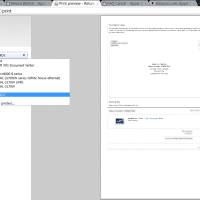
Quickly print a web page to PDF [free, solved]

Q. Hi. I want to export a web page to a PDF but on this computer I cannot install PrimoPDF etc. all I have is IE, Firefox, and Chrome. Can you help?! A. Yes, you can use Google Chrome to print a web page to a PDF! It is quick and easy: #1 Load the web page in Chrome #2 “Print” by pressing CTRL+P, or go to the “wrench” icon to the right of the address bar and select “Print

« Older Entries Recent Entries »