Thunderbird auto spell check not working [SOLVED]
Thunderbird’s ‘check spelling at you type’ feature quite working for me last month. Since that time I have been working without inline spell check in Thunderbird (and it has been quite annoying ;-)). Today I finally took the time to figure out how to fix the issue!
First I tried simply checking my settings:
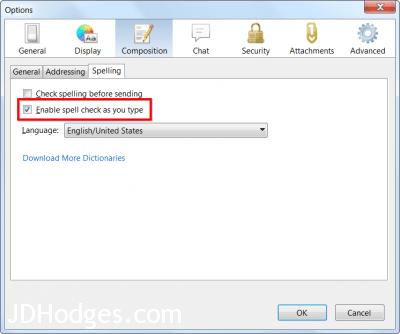
Yes, the box is checked 🙂
The box was already checked to ‘Enable spell check as you type’ but I went ahead and unchecked/checked it and hit ‘OK’ just to make sure that there wasn’t some variable that needed to be reset. I tried a test email and voila it worked! Alas, upon writing another email it stopped working again 🙁
Next I did some more digging and found some discussion about a Thunderbird bug. Here were the steps that solved the issue for me:
Tools -> Options -> General Tab -> Config Editor
Search ->mail.compose.max_recycled_windows
Double click the mail.compose.max_recycled_windows variable, set the variable to 0 (that is a zero) and save the changes.
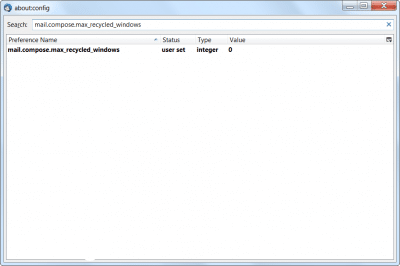
Here is the window showing the value updated to 0
Restart Thunderbird.
You should be good to go now! 🙂
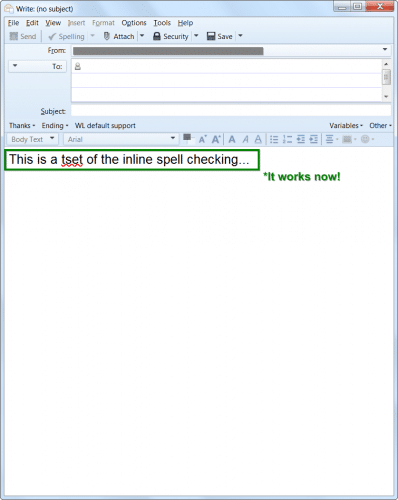
Ye-haw, it works again!
- thunderbird spell check not working (13)
- thunderbird spell checker not working (9)
- thunderbird spelling tlx (7)
- thunderbird spell check enabled but not working (4)
- thunderbird spell check problem (3)
- thunderbird spell check not working 2018 (3)
- spell check on thunderbird does not work (2)
- thunderbird spell (2)
- thunderbird spell check (2)
- my old thunderbird had a spellcheck but the new downloded one the spellcheck button is whited out i need a spelchecker (2)
JD ,
I looked all over the internet for an answer to installing spelling checker on Thunderbird.
Of course both boxes were ticked so why the problem?
Because I could not get spell checker to work I downloaded 3 dictionaries and downloaded
them again ensuring plenty of self doubt and frustration.
I would never have thought to un-tick and then re-tick those boxes.
Thank you for providing the answer.It is much appreciated.
Hi Eric,
Thank you kindly for your comment and the info 🙂
I am very glad that my blog was able to help, have a great week!
Best regards,
-J.D.
My config editor has no mail.compose.max_recycled_windows .
using Win 10 .
It seems my spell checker lately has been missing a lot of words and offering suggestions not even close to my misspelled word.
None of these settings worked for me.
By going through some more troubleshooting steps, I discovered it is a bug in Thunderbird (currently using 64-bit Version 115.18.0 under Windows). If you have defined an alternate signature to be inserted before the message for an identity of an account, the text above the signature will not have inline spellchecking. Text inserted below the signature will have inline spell checking.
Having discovered this, I will report it to Mozilla Support
Many Thanks.