Tag Archives: taxes

TurboTax Rental Income Bug: Why Your Schedule E Amount Keeps Disappearing

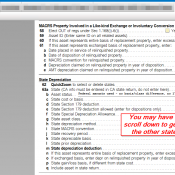
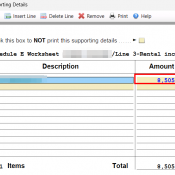
TL;DR: If you’re entering rental income (or other dollar amounts) in TurboTax and the amount vanishes when you click Continue, the fix is to open the supporting detail worksheet FIRST (by clicking in the field and starting to type) not trying to paste an amount into the field! The Problem You’re updating your Schedule E rental income for the current year. You click into the “Other income not on a 1099-MISC or 1099-K” field, paste your amount, and it shows

Should I Scan Both Sides of a 1099-INT?

Q: When I scan my 1099-INT forms, should I use duplex (two-sided) scanning or just scan the front? A: Go duplex on these. Many banks and financial institutions print additional information on the back of a 1099-INT. This can include account numbers, branch details, additional interest breakdowns, state-specific withholding information, or footnotes that clarify the figures on the front. Not every 1099-INT will have something useful on the back, but enough of them do that duplex scanning should be your

Do I Need to Scan Both Sides of a 1099-NEC?

Q: When I scan my 1099-NEC forms for digital filing, should I use duplex (two-sided) scanning to capture the back? A: For most people, single-sided (simplex) scanning is all you need. The front of your 1099-NEC contains everything that matters: payer information, your TIN, and the compensation amounts the IRS cares about. The back is just standard IRS instructions that are identical on every single 1099-NEC printed. There is nothing unique to your return on the back side. Scanning single-sided

The IRS Is Phasing Out Paper Checks: What You Need to Know

February 17, 2026 Disclaimer: This blog post is for general informational purposes only and does not constitute legal, tax, or financial advice. The author is not acting as your attorney, CPA, or tax advisor. Tax law and IRS policy are subject to change without notice, and the information presented here may be incomplete or outdated by the time you read it. You should consult a qualified tax professional or attorney regarding your specific situation before making any decisions based on

TurboTax The License Code You Entered is Not Valid (Error Code: 606) [SOLVED]

So you bought TurboTax online from Amazon (or another seller), downloaded it from InstallTurboTax.com, and now you’re staring at that frustrating “The license code you entered is not valid. Error code: 606” or “Error code: 607” message? ๐Ÿ˜ก Yeah, it’s a headache, but let’s break down what’s happening and how to (hopefully) fix it. โœ… Why Is This Happening? Error Code 606 usually pops up due to a mismatch between the version you purchased and the version you downloaded. TurboTax

TurboTax 2024: Which Version to File a Trust Tax Return (Form 1041) in 2025?

Filing taxes for a trust? ๐Ÿค” Youโ€™ll need the right TurboTax version to avoid any headaches. Here’s the quick answer: If you’re filing for a trust (Form 1041) You need TurboTax Business 2024. โœ… This is the only version that supports trusts, estates, and corporations. Other versions (Deluxe, Premier, etc.) wonโ€™t work for this. You can grab it here:๐Ÿ‘‰ TurboTax Business 2024 on Amazon What if itโ€™s a living trust? Good news! ๐ŸŽ‰ If your trust is revocable (aka a

How to Find Your Amazon Associates 1099-NEC Tax Form

If you earned at least $600 through the Amazon Associates program, you’ll receive a 1099-NEC for tax reporting. Here’s how to find it: ๐Ÿ“ Where to Find Your 1099-NEC ๐Ÿ“ข As of February 2025, you can access your tax forms here:โญ๐Ÿ”— https://affiliate-program.amazon.com/tax-interview/nextgen-dashboard๐Ÿ”—โญ โ“ Who Gets a 1099-NEC? ๐Ÿ”„ No 1099-NEC Showing Up? ๐Ÿ“ Pro Tip: Always keep digital and printed copies of your 1099-NEC for tax filing. If you have issues, contact Amazon Associates support via their Help section. ๐Ÿ”ฅ

How to add third party designee in TurboTax? [SOLVED, Desktop version]

Question. Can you explain step by step how i add how to add 3rd party designee in Turbotax? Answer. Sure, I can explain how to add a third party designee in TurboTax.ย  A third party designee is a person you authorize to answer questions and provide information regarding federal tax issues on your behalf. You can do that only in the Desktop installed program using Forms Mode. There is no question and answer steps for it.ย Here are the steps to

« Older Entries