Tag Archives: dell

Dell laptop brightness adjustment stuck [SOLVED]
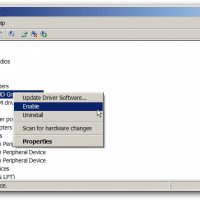
Q. My Dell Inspiron 1520 screen brightness adjustment sometimes get stuck after I suspend/resume a few times. When I try to adjust the screen brightness by holding the Fn key and then press the up/down arrows nothing happens at all and it is really annoying as I have to reboot to get it to work again. 🙁 Can you suggest a way that I can fix it without having to reboot? –Hank Chambers A. Yes, I have had a similar issue with
What is O2Micro OZ776 SCR Driver? [answered]

Q. On my laptop I have a program listed in my add/remove programs page as O2Micro OZ776 SCR Driver, do you know what this is? Is it a virus? Should I uninstall it? A. That is the driver for an O2Micro Memory Card Reader and you should have corresponding hardware listed in the device manager ‘Disk drives’ section as O2Micro SD SCSI Disk Drive. I would not recommend uninstalling it, since that would effectively disabled you SD card reader. Also, if

Work laptops for 2013

I recently dropped my Dell Latitude E6430. This was a pretty serious drop onto some pavement and while the laptop still works, it has a rather large dent in it. 🙁 I have had a few previous issues with the laptop, mainly software related (Intel wifi driver issues, occasional lockups) so with the new dent being the final straw, it is now time for a new laptop 😉 Here are a few I considered: (dimensions/weight courtesy of notebookcheck.net) E6530 35

Dell Inspiron 14z (N411z) ACPISMO8800 Windows 7 driver [SOLVED!]

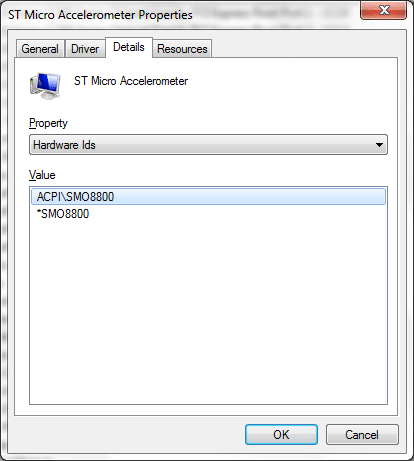
Question: Hello Sir/s, I have faced the same problem after formating the orginal windows 7 64bit operating system in my dell inspiron N 411z model no it ask every time to install SMO8800 driver for your unknown device in device manager please send me this driver to my e mail adddress,thanks from your kind help –M M K Answer: That unknown device is a ST Microelectronics DE351DL Motion Sensor. You can get the driver here: (Dell download link)   Installation Instructions

Display dimming problem Dell notebooks

I am doing some research on a display dimming problem on my Dell Latitude E6430. Specifically, when using the laptop in a dim/dark environment, the display brightness sometimes varies with a sort of brightness-fluctuation. It can be quite annoying as it is almost like flickering. Perhaps the most frustrating aspect is that it is hard to replicate so troubleshooting can be difficult!  🙁 Other people have similar issues: XPS 15 screen auto brightness – Laptop General Hardware Forum – Laptop – Dell Communityhttp://en.community.dell.com/support-forums/laptop/f/3518/p/19452913/20123083.aspxHi.

Dell’s E6430 supports triple display output when docked! (including LCD)

Dell’s E6430 supports triple monitors! This came as quite a shock to me when I was setting up my new laptop. 🙂 My current setup is as follows. The laptop is docked and uses: One displaylink to dual-link DVI adapter (driving a 30″ display at 2560×1600) One DVI cable (driving a 20″ Dell display at 1600×1200) Internal LCD (14″ 1600×900) I can definitely verify that it is possible to use two external displays simultaneously with the internal LCD. This beats

BCM20702A0 Dell drivers for Windows 7 and Windows 8 [SOLVED!]

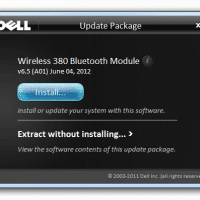
Q. Hello, I have a Dell laptop with an Unknown Device that has ‘BCM20702A0’ listed on it… do you know what driver I can download to to fix it? –Raymond K. A. Here is the download link for the driver that should solve your BCM20702A0 Unknown Device issue: [download id=”10498″ format=”1″], Dell dl link   NOTE: after downloading the drivers you may need to select the ‘Extract without installing… >’ option first and then run the extracted driver setup program 🙂 Otherwise just pressing the initial

List of Dell E6430 Drivers for a clean Windows 7 or Win 8 install

Please note: Dell has been having some major issues with their drivers/support site recently. Currently (as of Feb 8th 2013) this page http://downloads.dell.com/Pages/Drivers/latitude-e6430.htm only lists “The page cannot be displayed because an internal server error has occurred.” 🙁 Therefore, here is a mirror of their drivers listing for the E6430 laptop. I hope this is helpful to you if their site remains down! 🙂 Drivers for Latitude E6430 View the full details here Click here for all drivers (including historical drivers) Quick Links

« Older Entries Recent Entries »