Tag Archives: codex

The Mother-In-Law Method for Claude or ChatGPT

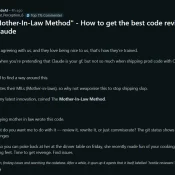
Screenshot of the original Mother-In-Law Method post on r/ClaudeAI by u/Ancient_Perception_6

A Reddit post called “The Mother-In-Law Method” is making the rounds in r/ClaudeAI right now. The pitch from u/Ancient_Perception_6: prompt Claude to review your code as if it were written by your mother-in-law, the one who insulted your cooking and your “weird-looking feet.” Find revenge in the diff. Claude obliged, spawned four parallel “hostile reviewers” with distinct beats (money math, tenancy, API contracts, tests), and 31 minutes later returned 27 issues plus nits. Funny post. Funnier thread. It’s tagged as

Best Computer for ChatGPT in 2026

Published April 25, 2026. TL;DR: If I were spending my own money today, I would start with the MacBook Air M5 for ChatGPT, especially at $949 See current price. It is silent, the 18-hour battery is real-world good, and Atlas, voice mode, and the desktop app all feel native on it. The $599 Neo surprised me most 🙂 If you want the fast version of Mac vs Windows vs budget, the table below gets you there in about ten seconds.

How to Use GPT-5.5 Today at the CLI (Via Your Existing Codex Subscription)

Update 2026-04-26 Small 4/26 update before you run the commands below: Codex CLI 0.125.0 added GPT-5.5 to codex exec -m gpt-5.5 and the Codex MCP server. (For MCP, restart Claude Code after upgrading so the running server picks up the new binary.) The relay is no longer the only path to 5.5 from your terminal. The OpenAI public API still hasn’t shipped 5.5 as of today. I’m still keeping the relay for fast one-off pipes and as a backup connection

How to Fix Codex Sandbox Errors on Ubuntu 24.04

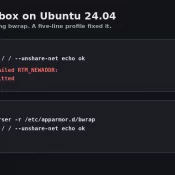
Terminal before and after: bwrap RTM_NEWADDR error before the AppArmor profile, ok after

TL;DR: Codex sandbox errors on Ubuntu 24.04 almost always trace back to one thing on freshly installed boxes: AppArmor blocking bwrap. A five-line /etc/apparmor.d/bwrap profile fixed it on my system. If you’re hitting the same wall, paste your error into Claude Code and let it walk you through. 💪 The Symptom: Codex Sandbox Hangs on Ubuntu 24.04 My Codex setup on a fresh Ubuntu 24.04 VM was unusable. Every codex exec call burned 35K to 54K tokens over 2 or

Claude vs ChatGPT vs Gemini for Coding: Testing Results

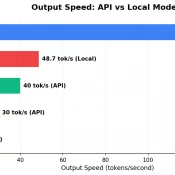
TL;DR: I ran the same 5 coding tasks through Claude Opus 4.6, OpenAI Codex CLI (gpt-5.3-codex), Google Gemini 2.5 Flash (sorry I did not have easy access to the newer models, but Gemma 4 was tested!), and two open-source models I ran locally: Gemma 4 31B and Qwen 3.5 35B. Claude’s code was the most production ready. Codex and Qwen tied for best code reviewer. Gemini was the cheapest. The open-source models scored A-, closing in on the paid tier.

Codex CLI + Claude Code: MCP Is 4x Faster Than the Command Line

TL;DR: OpenAI’s Codex CLI works best with Claude Code when you invoke it through MCP, not the command line. MCP calls return in about 3 seconds versus 13+ seconds for CLI on my dev environment, it avoids sandbox issues entirely, and keep everything inside your conversation. Here’s briefly how I set it up, tested various invocation methods, and landed on an optimized dual-AI workflow that works for my coding and research tasks. Why Codex When Claude Code Already Works? Claude

Claude Session Handoffs: How to Keep Context Across Conversations

TL;DR: Even with memory and context compaction, AI assistants still lose the detailed state of your project between sessions. A simple two-file system plus a handoff prompt takes seconds at the end of a session and saves minutes of re-explanation at the start of the next one. This works with Claude, ChatGPT, Gemini, Copilot, or any AI assistant. Don’t want to read the whole post? Copy this one line. Paste it at the end of any AI session. That’s it: