Tag Archives: chatgpt

Codex CLI feature protip /statusline
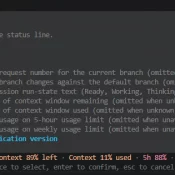
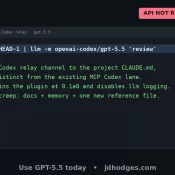
TL;DR: There are a few ways to check your ChatGPT Codex usage, including: the web analytics page (covered in yesterday’s post) and the Codex CLI’s own status line, which can put live 5-hour and weekly percentages right at the bottom of your terminal session. The CLI method is easy to miss if you don’t have it enabled, thankfully it is super easy and configurable with the slash command /statusline. Codex CLI’s /statusline menu. Toggle the items you want, then press
How to Check Your Codex Usage on ChatGPT (Plus and Pro)

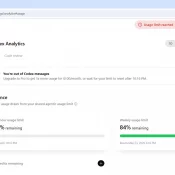
TL;DR: ChatGPT’s Codex has its own usage analytics page at https://chatgpt.com/codex/cloud/settings/analytics, separate from the main ChatGPT settings. You need to be logged into your ChatGPT account first. The page splits your Codex usage into three meters: a 5-hour rolling limit, a weekly limit, and pay-as-you-go credits. Here is an example screenshot: Where EXACTLY Do I Find My Codex Usage on ChatGPT? You have to be logged into your ChatGPT account first. Then paste this URL into your browser: https://chatgpt.com/codex/cloud/settings/analytics Two

Best Computer for ChatGPT in 2026

Published April 25, 2026. Updated May 8, 2026. Summary: don’t overspend, if you are an intermediate to lightly advanced CODEX/ChatGPT user I would start with the MacBook Air M5 for CODEX and ChatGPT, especially at ~$949 on sale See current price. It is silent, the 18-hour battery is real-world good, and Atlas, voice mode, and the desktop app all feel native on it. The $599 Neo surprised me most as an ultra budget option 🙂 If you want the fast

Claude vs ChatGPT vs Gemini for Coding: Testing Results

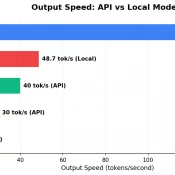
TL;DR: I ran the same 5 coding tasks through Claude Opus 4.6, OpenAI Codex CLI (gpt-5.3-codex), Google Gemini 2.5 Flash (sorry I did not have easy access to the newer models, but Gemma 4 was tested!), and two open-source models I ran locally: Gemma 4 31B and Qwen 3.5 35B. Claude’s code was the most production ready. Codex and Qwen tied for best code reviewer. Gemini was the cheapest. The open-source models scored A-, closing in on the paid tier.

Claude code source code analysis

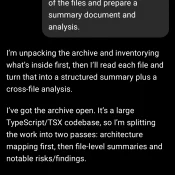
Source Archive Summary and Risk Analysis via ChatGPT 5.4 Thinking: Prepared from the src/ tree only. This version intentionally omits the file-by-file appendix and instead highlights what is structurally important, surprising, or concerning.   Scope analyzed: 1,902 files total, primarily TypeScript/TSX (.ts: 1,332; .tsx: 552). Largest areas: utils/ (564), components/ (389), commands/ (207), tools/ (184), services/ (130), hooks/ (104), ink/ (96). Overall impression: this is not a simple UI application. It is a full agentic CLI/runtime with shell execution, permission

Codex CLI + Claude Code: MCP Is 4x Faster Than the Command Line

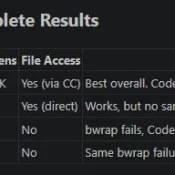
TL;DR: OpenAI’s Codex CLI works best with Claude Code when you invoke it through MCP, not the command line. MCP calls return in about 3 seconds versus 13+ seconds for CLI on my dev environment, it avoids sandbox issues entirely, and keep everything inside your conversation. Here’s briefly how I set it up, tested various invocation methods, and landed on an optimized dual-AI workflow that works for my coding and research tasks. Why Codex When Claude Code Already Works? Claude