Does the Google Pixel Chromebook support 128GB SD cards? [YES!]

I can confirm that Google’s Pixel running Chrome OS supports 128GB SD cards. In addition to just being cool, it also means that significant additional storage can be purchased for a reasonable price! The 128GB card I used generally costs around $90 USD, woot! πŸ™‚ PNY SDXC Class 10 High Speed Flash Memory Card (P-SDX128U2-GES3)http://www.amazon.com/gp/product/B0093XSOAS/Hi-Speed 45 MB/s transfer rates, Class 10 performance. Functions with SDXC host devices. Ideal for Hi-end DSLR cameras and HD camcorders. Capture and store more photos
Mastercard and Visa ban VPN providers

MC and Visa have begun to reject payment processing for VPN services. This is very disheartening news and I do not know what legitimate justification MasterCard and Visa could have for banning payments to VPN providers. Perhaps there is some trust to this analysis: β€œIt means that US companies are forcing non-American companies not to allow people to protest their privacy and be anonymous, and thus the NSA can spy even more. It’s just INSANE,” Sunde says. via TorrentFreak. πŸ™

How to save a wet cell phone!

A good friend recently jumped in the river with his Motorola cell phone… I waded into a stream with a Canon compact camera in my cargo pant pockets… a friend droped her iPhone in the toilet…. What do these stories have in common? Wet electronics πŸ™ Fortunately, there are a few things you can do to (hopefully) salvage your electronics in the event you get them terribly wet:   When the Sahara is not an option: The best ways to

Goodbye Google Reader

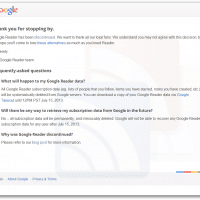
Of course this is old news, but Google Reader is now officially no more. πŸ™ Goodbye old friend! The sad initial notice that Reader was going to be retired: We launched Google Reader in 2005 in an effort to make it easy for people to discover and keep tabs on their favorite websites. While the product has a loyal following, over the years usage has declined. So, on July 1, 2013, we will retire Google Reader. Users and developers interested

Nook HD+ Review at $149 price point (and N2A/RootMyNook)

With the recent price drop to $149 and the announcement that B&N will not be making new color tablets, there are a lot of questions out there about the Nook HD and Nook HD+. This is my placeholder for my full Nook HD+ review, where I hope to answer some of those questions πŸ™‚ Sections will be added below: Let me begin by saying that $149 buys you a LOT tablet and there are a number of tweaks to help

Run a Java .jnlp file without installing JRE

NOTE: these instructions are tailored toward working with an IPMI remote console JNLP application called launch.jnlp, however, the same principles will work for other .jnlp applications as well πŸ™‚ Some of my favorite Supermicro servers use IPMI for remote server management. Using a simple web browser interface the Supermicro servers expose a wide variety of configuration options. However, if you want to view the remote console (and thereby remote control the server), you have to use Java to launch a

Recommendation: Buy a Nook HD or Nook HD+ at $129/$149

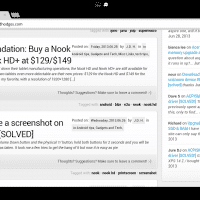
While B&N has recently shut down their tablet manufacturing operations, the Nook HD and Nook HD+ are still available for purchase. What makes the two tablets even more delectable are their new prices: $129 for the Nook HD and $149 for the Nook HD+. The Nook HD+ is my favorite, with a resolution of 1920×1280 but even the HD has a nice 7″ 1440×900 resolution display. When I took a look at the Nook HD+ around Christmas time it really

How to take a screenshot on Nook HD+ [SOLVED]

Simultaneously press the Volume Down button and the physical ‘n’ button, hold both buttons for 2 seconds and you will be notified that a screenshot was taken. It took me a few tries to get the hang of it but now it is easy as pie πŸ˜‰ Top Search Terms:how to print screen nook (2)how to screenshot on a nook hd (2)taking screen shot on nook hd+ screen (1)how to screeshot on nook hd (1)how to screeshot on nook h

« Older Entries Recent Entries »