Codex CLI + Claude Code: MCP Is 4x Faster Than the Command Line
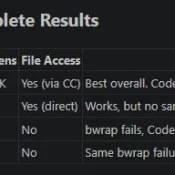
TL;DR: OpenAI’s Codex CLI works best with Claude Code when you invoke it through MCP, not the command line. MCP calls return in about 3 seconds versus 13+ seconds for CLI on my dev environment, it avoids sandbox issues entirely, and keep everything inside your conversation. Here’s briefly how I set it up, tested various invocation methods, and landed on an optimized dual-AI workflow that works for my coding and research tasks. Why Codex When Claude Code Already Works? Claude
How to Allocate VRAM on AMD Strix Halo for LLMs and AI Workloads

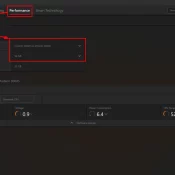
If you have a Ryzen AI Max+ 395 (Strix Halo) system with 128GB of RAM and you’re wondering why your local LLM host (be it LM Studio, Ollama, or whatever) can’t see most of that memory, this is the fix. AMD’s unified memory architecture means your CPU and GPU share the same physical RAM, but Windows needs to be told how much of it the GPU is allowed to use. By default, it’s VERY conservative. More info below and how

Gigabyte AORUS RTX 5090 AI BOX w/128GB Framework Desktop: Real-World AI Workstation Setup

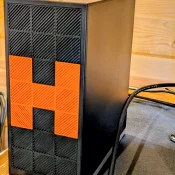
Last year I was able to pick up a killer deal on a Gigabyte AORUS RTX 5090 AI BOX, an external GPU enclosure that packs a full desktop RTX 5090 (32GB GDDR7) into a compact box that connects over a single Thunderbolt 5 cable. My goal was to pair it with the Framework Desktop running AMD’s Ryzen AI Max+ 395 chip and see how well it worked as a portable AI workstation. Short answer: surprisingly well. The Setup: Framework Desktop

Every Apple CPU Compared: M1 Through M5 Max (All Variants)

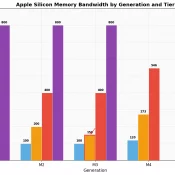
TL;DR: this page is meant to list every Apple Silicon chip from the M1 through the M5 Max, including all the lower-spec binned variants Apple buries in the fine print, with verified specs, practical buying advice, and a dedicated section on which chips can actually run local AI models. Inspired by the popular r/mac comparison table, expanded with official Apple sources, all binned variants, and honest flagging of estimated values. Bookmark it. I will keep it updated. The M5 Max

How I Used AI to Help Research Used Cars (and Saved $5,000 Over Carvana)

We recently bought a used 2025 Chevrolet Blazer EV RS AWD for $29,500 from a dealer in Muskogee, Oklahoma. It came loaded with heated and ventilated seats, Super Cruise, a head-up display, leather interior, and the RS sport package. The two Carvana listings we started with? $34,180 and $35,280 delivered for a much lower trim. That’s ~$5,000+ savings for a few hours research. Here is how we used Claude Code and Codex (AI coding tools from Anthropic and OpenAI) to

Samsung Care+ Charge on Credit Card or Bank Statement: What It Is [SOLVED]

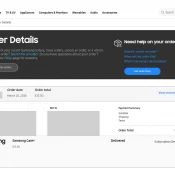
Short answer: Samsung Care+ is Samsung’s official device protection plan, similar to AppleCare. If you see a charge labeled “Samsung Care+” on your credit card or bank statement, it is a monthly subscription fee for coverage on one of your Samsung devices. The tricky part? The statement just says “Samsung Care+” with no mention of which device it covers. If you own multiple Samsung products, or if a family member added the plan, that $13 (or $3, $5, $8, $11)

Claude Code CLAUDE.md: How to Write Project Instructions That Actually Work

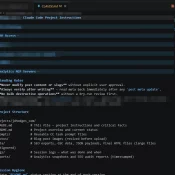
TL;DR: CLAUDE.md is a markdown file that gives Claude Code persistent project instructions. Put it in your repo root. Keep it under 200 lines. Use settings.json for permissions and hooks, CLAUDE.md for coding standards and workflow guidance. Down below the screenshot is a real working example and the full breakdown of what goes where. A real CLAUDE.md file in VS Code. Some sections collapsed and blurred for privacy and security. What Is CLAUDE.md? Every time you start a Claude Code

How to Find Your New Synology NAS IP Address (DS925+ and Others)

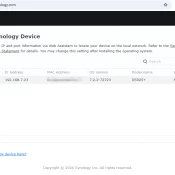
TL;DR: Synology NAS devices use DHCP, so there’s no default IP address. To find your new DiskStation on the network, open find.synology.com in any browser. It will detect the NAS and hopefully show you the IP address in seconds. The Problem You unbox a new Synology DS925+, slot in your drives, plug in Ethernet and power, and wait for it to boot. Now what? Unlike a router with a sticker on the bottom showing 192.168.1.1, Synology NAS devices don’t have

« Older Entries Recent Entries »