Access VMWare Server 2 without web interface

I am not a big fan of the web based management interface for VMWare Server 2. Thankfully, this article lists a nice variety of other ways to administer the server: VMware Communities: Web Access 🙂   Top Search Terms:vmware server web access (2)vmware server 2.0 webinterface nicht erreichbar (1)vmware server 2.0 web acces windows 8 (1)vmware server 2 web interface on mac (1)ipcop webinterface nicht erreichbar (1)ipcop vmware no web (1)how to access vmware server 2 interface (1)how start vmware
IPCop ‘boot error’ occurs after successful installation

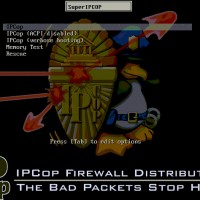
Summary of article: If you mount the IPCop (or smoothwall) ISO via IPMI and then install, you are likely to get a boot error once you reboot and the ISO is unmounted. A workaround is to install via an actual DVD drive* (USB, SATA or IDE should all work) *you can remove the drive after install. All the gory details: This weekend I was at the datacenter for work. Part of my task was to setup a new firewall using

Starcraft 2 on Linux using WINE

Cool info on running SC2 on Linux: http://jeffhoogland.blogspot.com/2010/07/howto-starcraft-2-on-linux-with-wine.html http://appdb.winehq.org/objectManager.php?sClass=version&iId=20882&iTestingId=60579 Looks like SC2 on Linux works very well! 🙂 Top Search Terms:wine starcraft 2 checking for updates (4)starcraft 2 linux checking for updates (3)starcraft 2 heart of the swarm playonlinux (2)starcraft 2 wine checking for updates (2)linux wine heart of the swarm (1)wine-1.6.2 linux starcraft 2 not installing 2014 (1)linux starcraft (1)linux sc2 (1)how to install sc2 hots on linux (1)heart of the swarm playonlinux (1)

How to reset iTunes Match, How to delete duplicate playlists

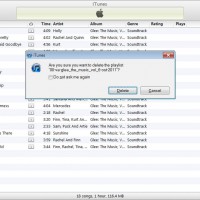
There are some very helpful iTunes Match tips in the second half of this Wired article: I restored my up-to-date offline library and left this machine without Match enabled for a few days while I looked up how you reset your iTunes Match account. And that’s where the fundamental problem with the service rears its head: you cannot reset it. I contacted Apple to find out if this was true, and it is. Fact of the matter, I was told,

Dell Inspiron 17R SE 7720 RAID setup?

My Inspiron 17R has no RAID option in the BIOS. I believe to access the Intel RAID settings it is necessary to have a mSATA drive installed (which I do not have installed at this time).  When a mSATA drive is installed it seems that the acceleration option (mSATA SSD caching) may be enabled in the BIOS, after which you can also do some RAID stuff. I ordered a nice mSATA drive to install in my 17R to see if

Does Dell Inspiron 17R SE have two hard drive bays? YES

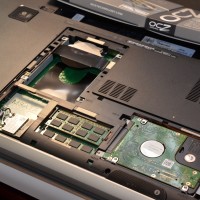
The Dell Inspiron 17R SE (‘special edition’) laptop is a lovely machine. One of my favorite features is the two 2.5″ drive bays which are easily accessible: So far RAID is not initially an option in the BIOS, but I think there is a workaround available and will be posting that soon… Top Search Terms:dell inspiron 7720 (41)inspiron 17r se (30)dell inspiron 17r se (30)inspiron 17r special edition (22)dell inspiron 17r se-7720 (18)dell inspiron 17r special edition (17)dell inspiron 17r

Getting your iPad, iPhone or iPod touch to read your emails to you

You can’t tell Siri to read your emails and web pages, but you can use Apple’s iOS voiceover feature to read your emails and web pages out loud 🙂 More info here: Tip: How to Make Siri’s Twin, VoiceOver, Read Your Email on iPhone | iSourcehttp://isource.com/2011/11/12/tip-how-to-make-siris-twin-voiceover-read-your-email-on-iphone/That’s odd, I thought, I know I could get my 3GS to read my emails to me! You may be curious how. It’s an Accessibility setting called VoiceOver. So what I tried… Will Siri ever read

« Older Entries Recent Entries »